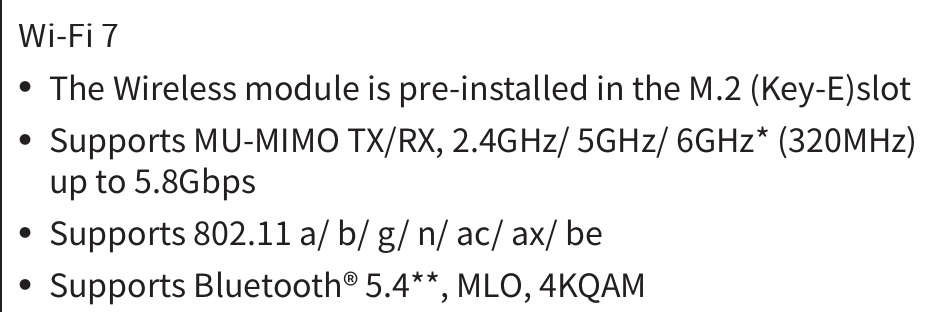
I recently upgraded my motherboard to one that has built-in wifi. I’m currently on ethernet but thought I would try to see if wireless would work. Network settings only shows a wired connection so apparently it isn’t seeing my wireless network like my other devices.
I tried using the 802.11 tab to manually enter my network name and password but that didn’t work. If there was an option to setup wireless during the install of TW, I ignored it. Any tips?
Yes, please start by sharing the hardware details in question… inxi -Nnaz
This will report all network-related information, and we can advise next steps with respect to the Wi-Fi hardware.
The lspci command returned nothing about “network|wireless”. BIOS wireless/BT is set to auto.
pilot@localhost:~> lsusb
Bus 001 Device 001: ID 1d6b:0002 Linux Foundation 2.0 root hub
Bus 001 Device 002: ID 0db0:0076 Micro Star International MYSTIC LIGHT
Bus 001 Device 003: ID 0489:e10a Foxconn / Hon Hai
Bus 002 Device 001: ID 1d6b:0003 Linux Foundation 3.0 root hub
Bus 003 Device 001: ID 1d6b:0002 Linux Foundation 2.0 root hub
Bus 004 Device 001: ID 1d6b:0003 Linux Foundation 3.0 root hub
Bus 005 Device 001: ID 1d6b:0002 Linux Foundation 2.0 root hub
Bus 006 Device 001: ID 1d6b:0003 Linux Foundation 3.0 root hub
Bus 007 Device 001: ID 1d6b:0002 Linux Foundation 2.0 root hub
Bus 007 Device 002: ID 2109:2822 VIA Labs, Inc. USB2.0 Hub
Bus 007 Device 003: ID 3434:d030 Keychron  Keychron Link
Bus 007 Device 004: ID 093f:2457 Olympia Telecom Vertriebs GmbH ZAGG Keyboard
Bus 008 Device 001: ID 1d6b:0003 Linux Foundation 3.0 root hub
Bus 008 Device 002: ID 2109:0822 VIA Labs, Inc. USB3.1 Hub
Bus 009 Device 001: ID 1d6b:0002 Linux Foundation 2.0 root hub
Bus 009 Device 002: ID 05e3:0608 Genesys Logic, Inc. Hub
Bus 009 Device 003: ID 7392:c611 Edimax Technology Co., Ltd Edimax Bluetooth Adapter
Your system does not detect any wireless hardware. Not a software problem. Either the Wi-Fi module is missing (or completely disabled at the hardware level). Please provide the exact motherboard model to confirm if a module is needed.