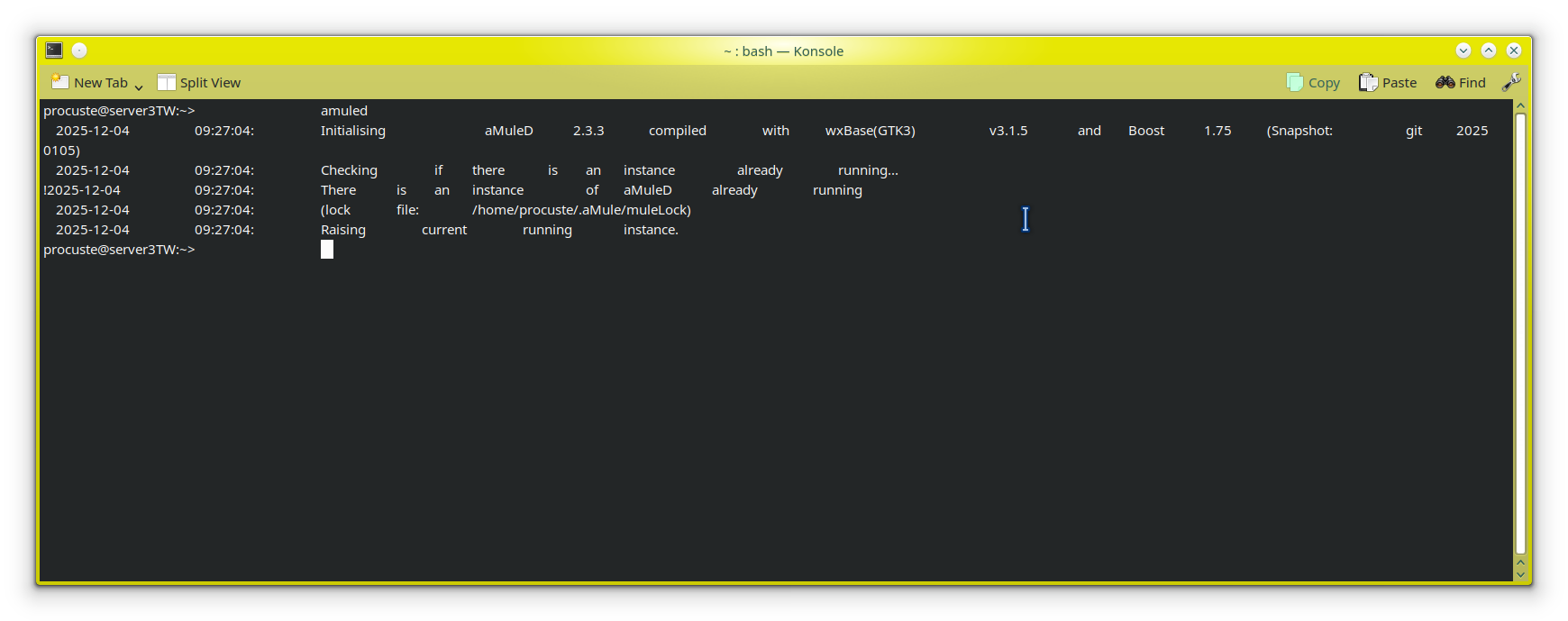
Hi, on my desktop with leap 15.6 and KDE, I’m describing the events that may be involved in the problem.
-I found amuled stopped with segmentation fault
-google chrome was urresponsive
-the desktop was responsive
-I restarted the PC
-the PC started regularly but without KDE GUI
-the last error was:
Failed to start X display manager
-I logged in as user and run:
startx
KDE GUI start regularly but:
-to start probrams I need to doubleclick when previously sigleclick
-icons isn’t the same as previously
-konsole has many spaces between commands and outputs
how can I have my old automatic KDE GUI start and behaviour?
My 15.6 zypper search for amuled produces null output. What is amuled? Where did it come from? You may need to show us I/O from zypper lr -d before this can be solved.
When display manager fails to start, instead of startx, try using systemctl to try (re-)starting it.
amuled is a program that runs the sharing program amule as a deamon so you can connect to it with amuleGUI and when you close amuleGUI the daemon remain running, but may be it is not related to the failing of the start x display manager
You missed complete what @mrmazda asked for. Not for an explanation what it does, because he does not care. He wants to know from where and how you installed it from, because he can not find it in an standard openSUSE repo.
uh, I don’t remember very well but amule is on packman repository and there was some instructions like this: https://wiki.amule.org/wiki/HowTo_Compile_aMuled
and this: https://wiki.amule.org/wiki/FAQ_amuled
and luckily I succeed to have amuled and I don’t remember troubles, it was 2017 and it works until now, I don’t know if I will be able to redo today
I know that it can seem a mess, but it is not, the additional repos are only for specific programs I need like peazip, wine, kolourpaint , chrome, KIM-kde-service-menu , Printing, gocryptfs for sirikali and few others
yes , but if I I need peazip, wine, kolourpaint , chrome, KIM-kde-service-menu , Printing, gocryptfs for sirikali and few others programs what should be the best way??
peazip: available in official Leap 15.6 repo
wine: available in official Leap 15.6 repo
kolourpoint: available in official Leap 15.6 repo
gocryptfs: available in official Leap 15.6 repo
…
Because flatpaks are isolated and avoid risk of replacing system wide libraries (and other components) with different versions breaking unrelated programs.
becouse I don’t understand flatpack and I don’t know where the programs file and configuration file are, I use triboot laptop (suse, suse, windows) to avoid mess after updates and use a common filesystem to share many home/config files between programs in order to have the same in both suse (in the past also windows but is a long time I use windows very rarely) installations (for example obsidian and chrome and firefox and others)
I installed some programs via flatpack(zip zap, signal, telegram desktop) and they works quite well, before I took them from repos but they disappeared in repos, I tried obsidian (and another I don’t remember) but them doesn’t worked very well so I downloaded fron theyr sites, when I update via flatpack I have a mess of updates also from repositories so I don’t understand what I’m doing, with repositories vendor change is not allowed so I suppose that when I update there are not mixing or replacing from repos if I install only the programs I need from the external repos