For decades I’ve dual boot installed opensuse/leap and the installer automatically detected windoz and included a bootloader option to boot either windows or linux. I started to try that with tumbleweed but chickened out and tried it with Leap 16.0 and it seemed to work, although not quite correctly (the Leap boot menu doesn’t include Windows - I have to boot through an option in the f10 boot menu on my HP 17t-cn300 laptop).
A few months ago I tried change the leap install to tumbleweed. I tried the “Upgrade” option in the tumbleweed installer and it reported that upgrading from 16.0 to tumbleweed ‘isn’t supported.’ I could try a fresh install of TW but I’m not sure it will appropriately detect the existing windows 11 install. Should I just try a fresh install of TW over the Leap 16 install?
You still might not get a boot menu option for Windows. I’m not sure about that. By default, Tumbleweed will use “systemd-boot” for booting.
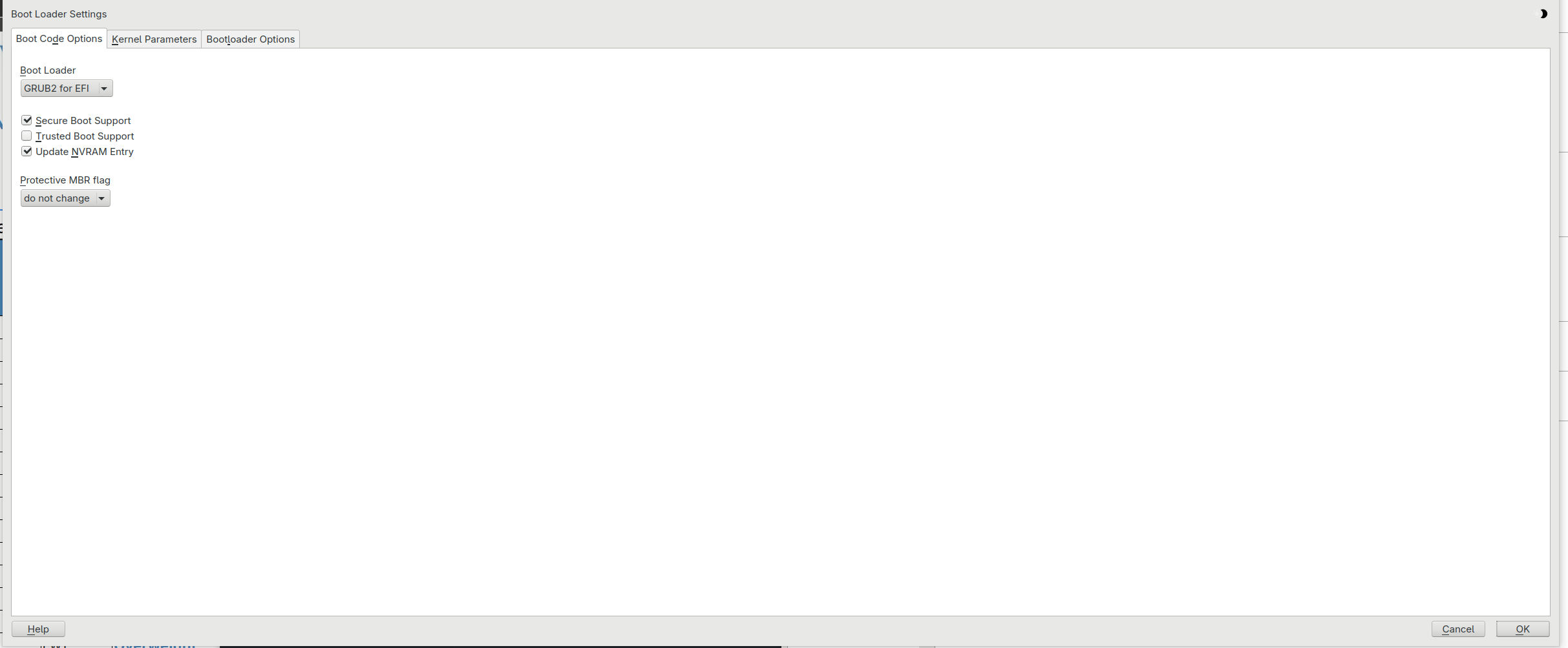
Alternatively, during the install, you could go to the BOOT section of the installer and tell it to use grub2-efi for booting. Then you should have Windows in the boot menu.
Perhaps someone who has done a recent install of Tumbleweed can tell us whether systemd-boot provides a menu entry for Windows.
TW still has grub2-efi available … You can install and use opensuse-migration-tool that script can do a migration to TW and AFAIK won’t change to systemd-boot.
I had dual boot leap15.6 and windows 10 with grub giving boot choices. I upgraded to tumbleweed using “opensuse-migration-tool”. I now have tumbleweed as my main OS. grub still gives choice to boot to tumbleweed or windows 10. System was not changed to systemd-boot.
I am not sure about what you stated above:
the Leap boot menu doesn’t include Windows
It is the grub menu that includes the boot slections. Are you just missing windows boot option in grub?
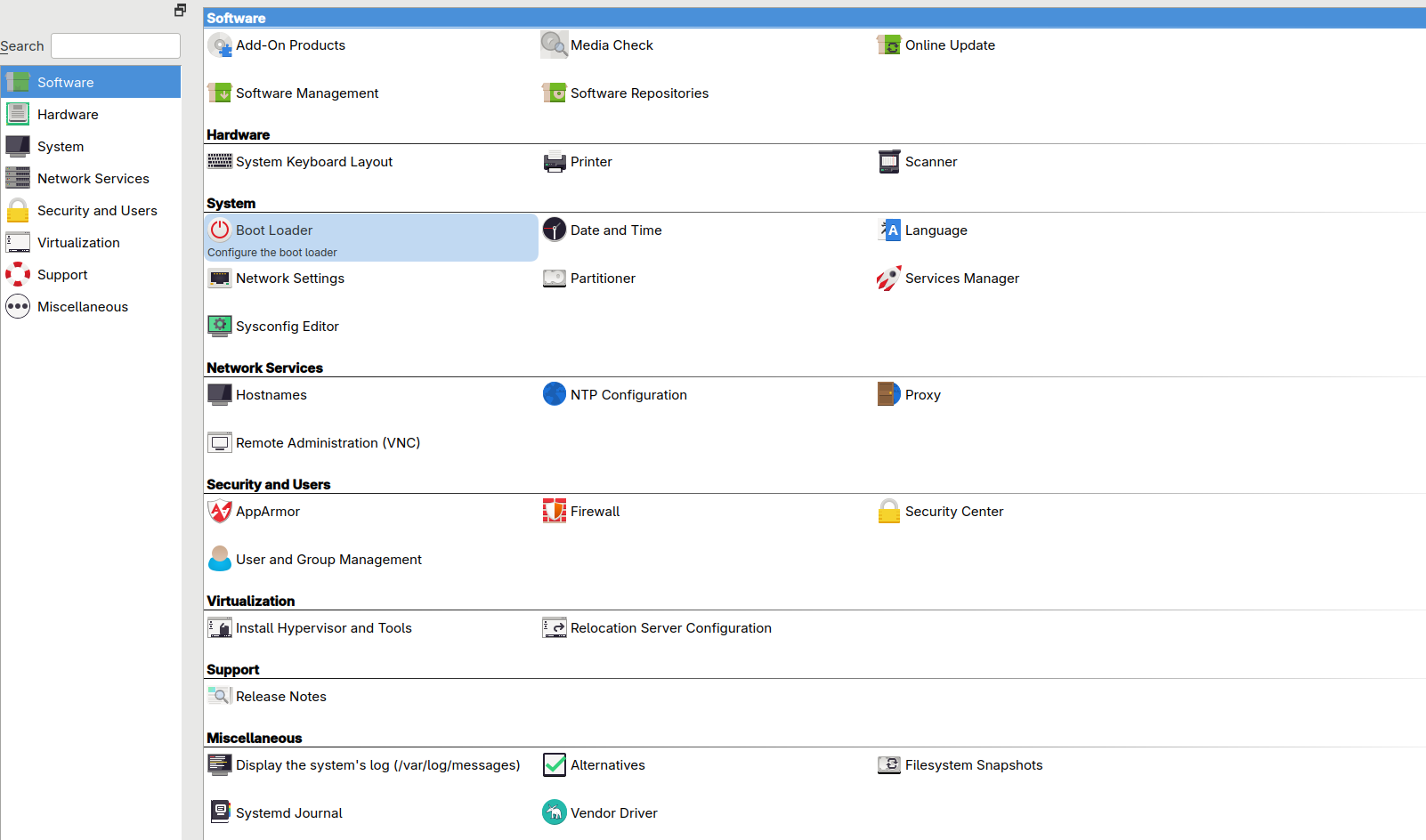
If you have Grub already it may just be a case of rebuilding it so it picks up foreign OS’s like windows. There is an easy way to do that via YAST (see picture) if that is still available on a new Tumbleweed Install (?) as I believe that is being phased out.
Failing that you can do it via the terminal with the command grub2-mkconfig -o /boot/grub2/grub.cfg. This will generate a new GRUB configuration file based on the current system settings and installed kernels. But I got that from a cursory search which referenced these forums. Maybe more experience users or admins can advise the best way to do that if that’s not correct for your situation.
TIme to give this a try, I guess. It sounds like it should work. Yes, I meant to say the Grub menu didn’t include windows. I guess I should, during install of Tumbleweed, in the BOOT section of the installer, select grub2-efi. We’ll see if that works! Thanks!
You need to make sure grub uses the process to search for other OSs. I don’trecall the name os-XXXXX.
There is also a gui app called: grub-customizer available from the repos. This let’s you adjust grub parameters. There is an option in there to look for other OS.
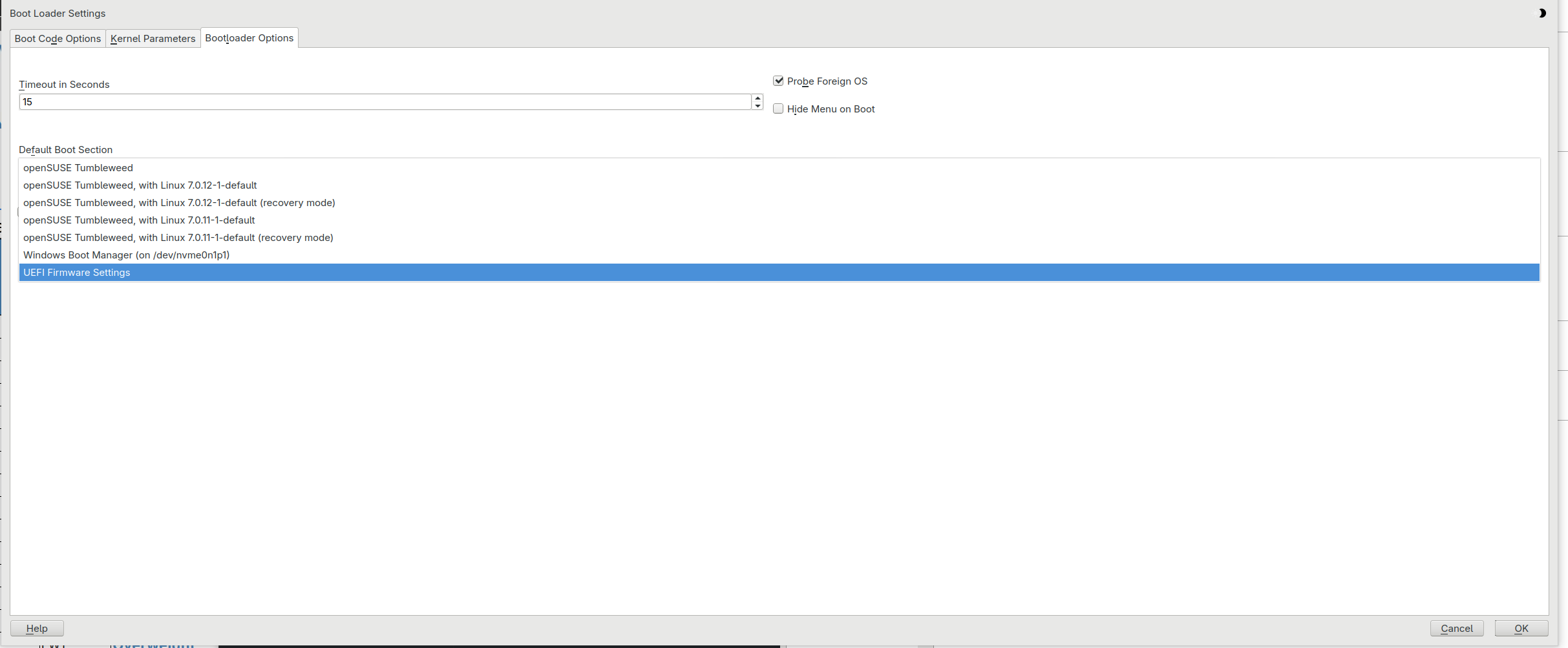
If it helps this is what I see in YAST in relation to the boot loader where I have two SSD’s & I have set it via the BIOS to boot from the one with Tumbleweed, although I guess you could do that with a partition too? Note Probe Foreign OS tick box selected in the bootloader options tab. Once you are happy with the settings you just say select OK & it goes off and updates your boot loader & you should then see Windows on the list.
By default os-prober, which is necessary for Grub’s menu to include other installed operating systems, is not enabled. To enable inclusion, edit /etc/default/grub, changing GRUB_DISABLE_OS_PROBER="true" to GRUB_DISABLE_OS_PROBER="false", then regenerate /boot/grub2/grub.cfg. Same thing can be accomplished with YaST, if it’s installed.
On Leap 16.0 it was enabled for me with grub2-efi, no user interaction was required to add Windows 11 Pro to the grub boot menu… It’s set to GRUB_DISABLE_OS_PROBER="false"
@malcolmlewis, Upstream disabled os-prober by default last year if not before. When I installed 16.0 on my 27" iMac last fall, GRUB_DISABLE_OS_PROBER= was absent from /etc/default/grub.
@mrmazda not here, I have a Leap 16.0 Agama install from March this year, detected and added Window 11.
I have a Agama install (Hyprland with systemd-boot) on a MacBook Pro from a month or so ago and that even added the MacOS Monteray to the boot options (no os-prober present)…
Edit: I suspect it now looks at the stored efi variables as it also adds firmware updates etc.
Makes sense. Lots of astute people make openSUSE great as it is.
Of my 11 16.0 installations, only one was fresh via Agama, two are absent EFI support, and none are on systems that include Windows, though as you know, all are shared with other Linux installations. But, I routinely read selected other forums, where the need to edit /etc/default/grub, because only the fresh installation is in the bootloader menu, comes up frequently since upstream switched the default to os-proberdisabled, and Ubuntu, Fedora, Debian and I’m sure others embraced it, due to potential security issues.
@mrmazda this will be the entry that is used… GRUB_USE_LINUXEFI="true" so check the output from efibootmgr if the entry is there and the variable present in /etc/default/grub, then it should take care of things automatically.
Likely I’ll have to take your word for it for now. All my EFI systems have only an entry for TW. 99.7% of EFI booting here happens via stanzas in TW Grub’s /boot/grub2/custom.cfg. No OS mounts the ESP to /boot/efi/ except for TW.