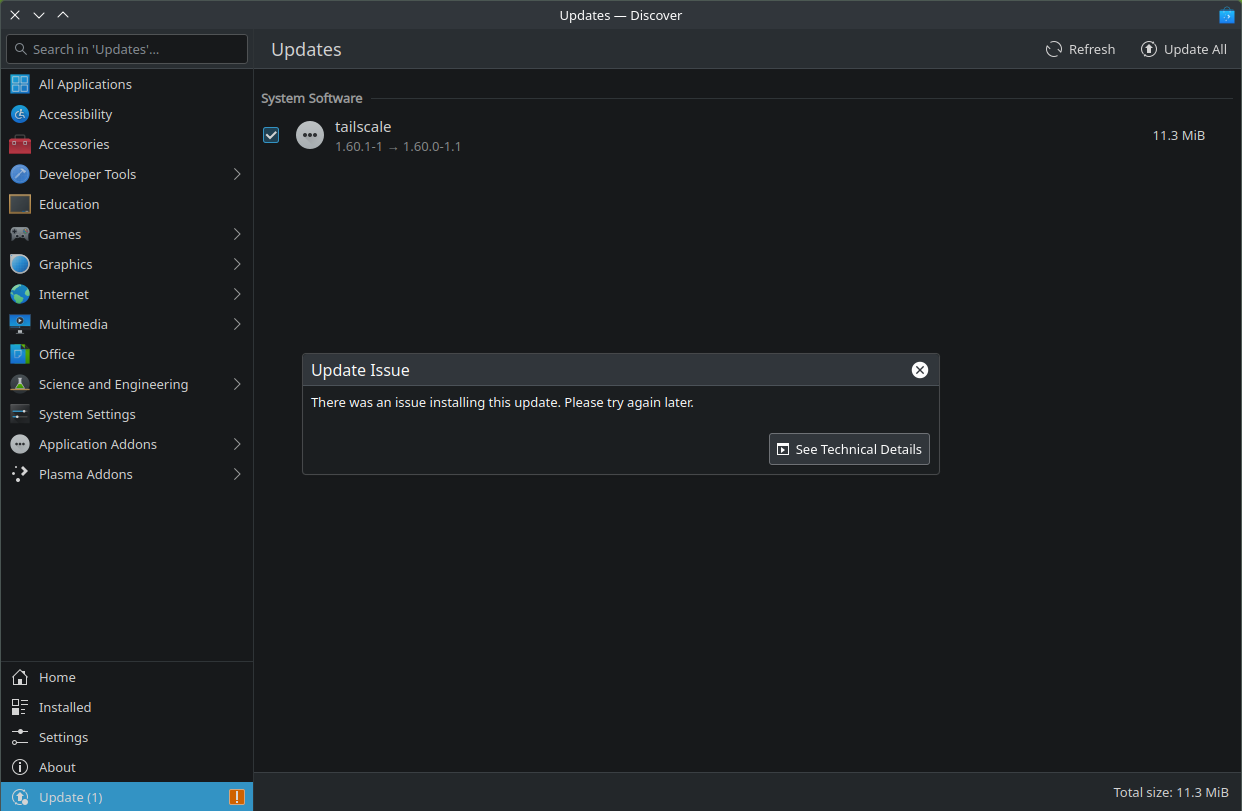
My tailscale software is up-to-date but discover keeps showing this. Sometimes when I hit refresh it will disappear, but most of the time it appears. How do I fix this? tailscale is already up-to-date.
1 Like
Dumb question on my part … when you ask tailscale itself for its version (not what you see in Discover), does it respond with 1.60.1?
Maybe it’s with Discover’s parsing of version strings?
It’s trying to “upgrade” from 1.60.1 to 1.60.0 
When I run ‘sudo tailscale update’ in terminal, tailscale says I am all up to date. Also in tailscale web portal it says my device is up-to-date and shows latest version.
Certainly odd. I just wish I could do something about it so it doesn’t keep telling me I need the update.
This might be the reason where the version mixing is coming from. Actual openSUSE Tumbleweed version is tailscale-1.60.0-1.1. But you updated tailscale via the internal tailscale update command to tailscale-1.60.1-1
Btw how did you manage to update tailscale via this command, as it throws a error message?
That is another reason to only use zypper dup to upgrade a Tumbleweed machine…
I always let tailscale update via zypper. I ran the ‘sudo tailscale update’ just to see what the terminal would return to me, and it says I’m up-to-date.
In fact, there was another update via zypper today and after updating, that bug is still present in discover. The current version is now 1.62.0, but the Discover app still tries to get me to “update” to 1.60.0-1.1
Can you show
zypper lr -d
zypper lr -d
# | Alias                            | Name                                   | Enabled | GPG Check | Refresh | Priority | Type   | URI                                                          | Service
--+----------------------------------+----------------------------------------+---------+-----------+---------+----------+--------+--------------------------------------------------------------+--------
1 | download.opensuse.org-non-oss    | Main Repository (NON-OSS)              | Yes     | (r ) Yes  | Yes     |   99     | rpm-md | http://download.opensuse.org/tumbleweed/repo/non-oss/        |
2 | download.opensuse.org-oss        | Main Repository (OSS)                  | Yes     | (r ) Yes  | Yes     |   99     | rpm-md | http://download.opensuse.org/tumbleweed/repo/oss/            |
3 | download.opensuse.org-tumbleweed | Main Update Repository                 | Yes     | (r ) Yes  | Yes     |   99     | rpm-md | http://download.opensuse.org/update/tumbleweed/              |
4 | librewolf                        | librewolf                              | Yes     | (r ) Yes  | Yes     |   99     | rpm-md | https://rpm.librewolf.net/                                   |
5 | openSUSE-20240109-0              | openSUSE-20240109-0                    | No      | ----      | ----    |   99     | rpm-md | hd:/?device=/dev/disk/by-id/dm-name-ventoy                   |
6 | repo-debug                       | openSUSE-Tumbleweed-Debug              | No      | ----      | ----    |   99     | N/A    | http://download.opensuse.org/debug/tumbleweed/repo/oss/      |
7 | repo-openh264                    | Open H.264 Codec (openSUSE Tumbleweed) | Yes     | (r ) Yes  | Yes     |   99     | rpm-md | http://codecs.opensuse.org/openh264/openSUSE_Tumbleweed      |
8 | repo-source                      | openSUSE-Tumbleweed-Source             | No      | ----      | ----    |   99     | N/A    | http://download.opensuse.org/source/tumbleweed/repo/oss/     |
9 | tailscale-stable                 | Tailscale stable                       | Yes     | (r ) Yes  | No      |   99     | rpm-md | https://pkgs.tailscale.com/stable/opensuse/tumbleweed/x86_64 |
So you are using an external tailscale repo…
This is no issue caused by openSUSE then…
Hmm, interesting. Well, I’m not sure what to do because it works fine on my other computers. Debian and Arch no issue. Only on openSUSE this is present.

As already told, you are using an external tailscale repo and installed tailscale from it… If you are using 3rd party repos you should know what you are doing. Repo prioritys in this case…
The other two packages are legit downgrades. If Discover is not capable of handling downgrades, you should switch to the intended openSUSE tools like zypper dup.
See why aaa_base and aaa_base-extras needed a downgrade:
https://bugzilla.opensuse.org/show_bug.cgi?id=1221818

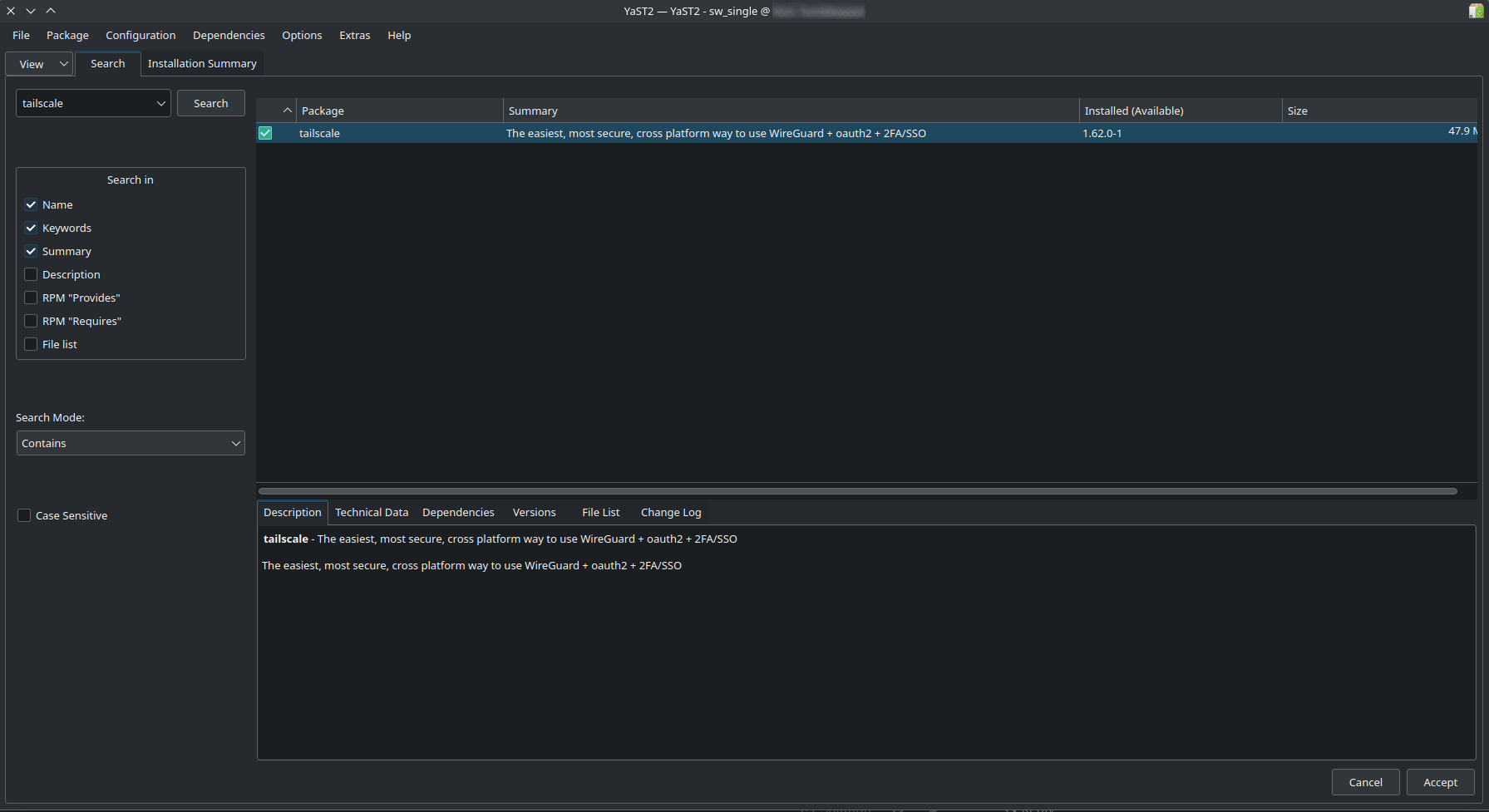
@Boogieman For openSUSE Tumbleweed oss and non-oss which are packaged/built and distributed by openSUSE are ‘official’ every thing else is third party.
Understood. I am still not clear on how to fix this?
I also use Debian on another machine and use the tailscale 3rd party repo, but this doesn’t occur in Discover app. Why this happens on openSUSE, I’m not clear on why. I’d really like to fix it, though.
@Boogieman do they (tailscale) rebuild against the Tumbleweed snapshots when released? Can’t comment on GUI tools as I don’t use them with Tumbleweed.
But if Tailscale is not tracking Tumbleweed for an essential package, that can lead to issues/conflicts.
I honestly have no clue if they do or don’t do that. If you can guide me on how to check, I’d be happy to look into it.
@Boogieman You would have to ask the Tailscale developers about that…
Does opensuse have tailscale in the official repo?