Darktable 5.6 and AI

I have just installed DT 5.6 from the Darktable repository. I was hoping to try out some of the new AI features.

However, it appears that the program has been built without the optional AI component. Is it possible to request a version with these features, and if it is, how do I go about it?

You mind giving us the address (URL) of that non-official repository?

https://download.opensuse.org/download/repositories/graphics:/darktable/openSUSE_Tumbleweed/

According to the revision message, AI support was disabled by default “since no onnxruntime package is present in the repo,” and a --with ai flag was added, “so AI can be enabled once ONNX Runtime is available in Factory.” The flatpak version is without AI too, you may try the AppImage one.

For the AI enabling in the flatpak version, see the GitHub issue and the forum thread.

Thanks for that, I have downloaded it, and I am running it. The only downside is that it only uses the CPU, rather than the GPU. This leads to large load averages and run time :roll_eyes:

That’s unfortunate indeed, as noted in the documentation, by default:

AI features are powered by ONNX Runtime. What runs out of the box and what GPU acceleration can be added on each platform:

OS Bundled Optional GPU acceleration
Linux CPU only NVIDIA CUDA, AMD ROCm/MIGraphX, Intel OpenVINO
Windows DirectML (any DirectX 12 GPU) NVIDIA CUDA, Intel OpenVINO
macOS CoreML (Apple Silicon, integrated GPU) –

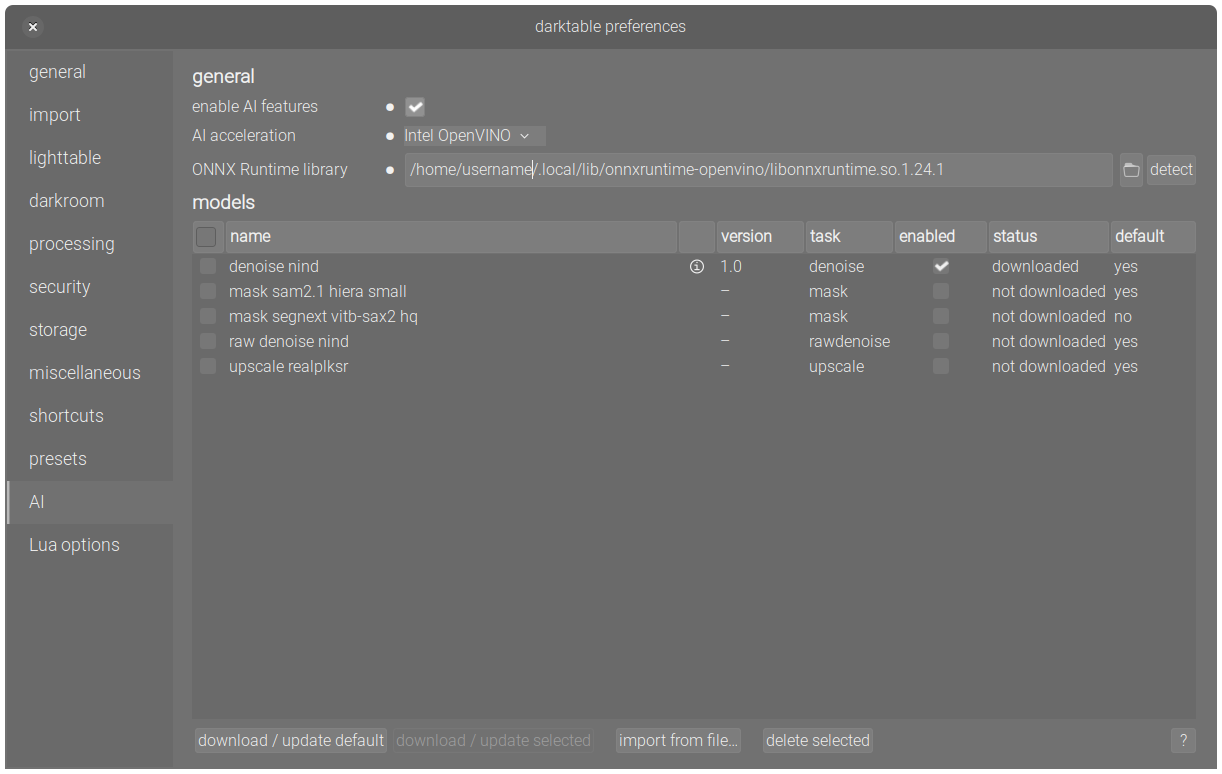
Maybe explore a bit in the GPU acceleration section for the GPU-capable ONNX Runtime?

https://software.opensuse.org/package/onnxruntime

Ask packager about enabling ONNX.

You need capable GPU and working drivers/middleware to use GPGPU here.

@epeeist_pitlochry Hi, if you have an openSUSE Build Service account, you can build locally with osc, but also need to link/build onnxruntime.

Then can use the script to install the upstream runtime…

curl -fsSL https://raw.githubusercontent.com/darktable-org/darktable/HEAD/tools/ai/install-ort-gpu.sh | bash

ONNX Runtime GPU acceleration installer
========================================
Resolving latest microsoft/onnxruntime ...

GPU: Quadro RTX 4000
Driver: 610.43.02
ORT version: 1.27.0
Download size: ~210 MB
Install to: /home/username/.local/lib/onnxruntime-cuda
Requirements: CUDA 13, cuDNN 9

Continue? [y/N] y

Downloading...
######################################################################## 100.0%
Verifying checksum...
Checksum OK.
Extracting...

Done. Installed to: /home/username/.local/lib/onnxruntime-cuda
Library: /home/username/.local/lib/onnxruntime-cuda/libonnxruntime.so.1.27.0

To enable in darktable:

  1. Open darktable preferences (Ctrl+,)
  2. Go to the AI tab
  3. Click 'detect' to find the installed library automatically,
     or set 'ONNX Runtime library' to:
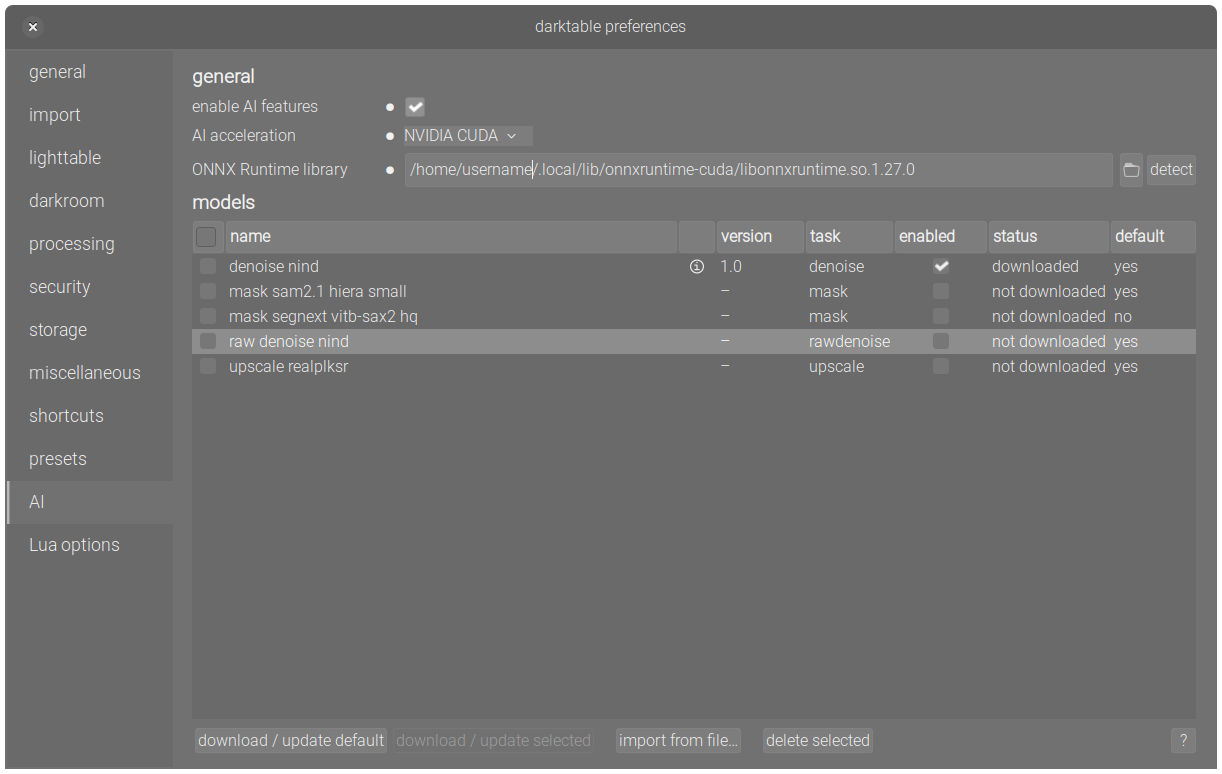
     /home/username/.local/lib/onnxruntime-cuda/libonnxruntime.so.1.27.0
  4. Restart darktable

darktable -v

darktable 5.6.0
Copyright (C) 2012-2026 Johannes Hanika and other contributors.

Compile options:
  Bit depth              -> 64 bit
  Exiv2                  -> 0.28.8
  Lensfun                -> 0.3.4
  Debug                  -> DISABLED
  SSE2 optimizations     -> ENABLED
  OpenMP                 -> ENABLED
  OpenCL                 -> ENABLED
  Lua                    -> ENABLED  - API version 9.7.0
  Colord                 -> ENABLED
  gPhoto2                -> ENABLED  - Camera tethering is available
  OSMGpsMap              -> ENABLED  - Map view is available
  GMIC                   -> ENABLED  - Compressed LUTs are supported
  GraphicsMagick         -> DISABLED
  ImageMagick            -> DISABLED
  libavif                -> ENABLED
  libheif                -> ENABLED
  libjxl                 -> ENABLED
  LibRaw                 -> ENABLED  - Version 0.22.1-Release
  OpenJPEG               -> ENABLED
  OpenEXR                -> ENABLED
  WebP                   -> ENABLED
  AI                     -> ENABLED

curl -fsSL https://raw.githubusercontent.com/darktable-org/darktable/HEAD/tools/ai/install-ort-gpu.sh | bash

ONNX Runtime GPU acceleration installer
========================================
Resolving latest microsoft/onnxruntime ...

GPU: Quadro RTX 4000
Driver: 610.43.02
ORT version: 1.27.0
Download size: ~210 MB
Install to: /home/username/.local/lib/onnxruntime-cuda
Requirements: CUDA 13, cuDNN 9

Continue? [y/N] y

Downloading...
######################################################################## 100.0%
Verifying checksum...
Checksum OK.
Extracting...

Done. Installed to: /home/username/.local/lib/onnxruntime-cuda
Library: /home/username/.local/lib/onnxruntime-cuda/libonnxruntime.so.1.27.0

To enable in darktable:

  1. Open darktable preferences (Ctrl+,)
  2. Go to the AI tab
  3. Click 'detect' to find the installed library automatically,
     or set 'ONNX Runtime library' to:
     /home/username/.local/lib/onnxruntime-cuda/libonnxruntime.so.1.27.0
  4. Restart darktable
....
....

Edit: For the Nvidia GPU I do have libcudnn 9 installed as well as the 610.43.02 cuda packages…

I don’t have an OBS account, so I went a slightly different way.

I upgraded the NVIDIA drivers, to include CUDA. There are lots of conflicting instructions of various ages on the web, as to how to do this, but the SDB page worked quite nicely (though I had to fix my monitor being reduced to a 640x480 resolution).

An automatic installation of ONNX failed, because it couldn’t find a GPU driver, so I installed it manually.

The AI configuration now detects an ONNX runtime, but I had to set the GPU acceleration to NVIDIA CUDA explicitly, rather than leave it at “auto”.

The only problem now is that running darktable-cltest shows AI as being disabled, and openCL not being available or enabled.

I can see why there isn’t a version of DT with AI enabled in the repositories as yet :frowning_face:

1 Like

@epeeist_pitlochry yes, darktable needs to be built via osc build --with ai else need to modify the spec file, or set the project config options.

It finds both the Nvidia and ARC gpu here…

Also, did you also install cudnn?

You do, same credentials as on these forums.

Noticed that darktable 5.6.0 is being staged in Factory and should be included in the next snapshot, despite AI features stripped, which is still good anyway. I’m most excited for the new color harmonizer module and the Wayland improvements, alongside with bugfixes.

I think I may have found the reason that AI is not enabled. If I call journalctl I get:

NVRM: API mismatch: the client 'nvidia-smi' (pid 131275)
                                              NVRM: has the version 610.43.02, but this kernel module has
                                              NVRM: the version 595.84.  Please make sure that this
                                              NVRM: kernel module and all NVIDIA driver components
                                              NVRM: have the same version.

It looks like a mismatch between the NVIDIA drivers in the OpenSUSE repositories and the CUDA library that I got from NVIDIA. I have updated the kernel driver to 610.

So, I am now running DT from the appImage (not the one from the OpenSUSE repositories), on top of versions of onnx, NVIDIA drivers and CUDA that Zypper doesn’t know about.

It is all working, and the AI features are now using the GPU, but it feels a bit like a Jenga tower.

In your case it probably is… :wink:

I guess the impediment for darktable is the onnx runtime from the machine learning development repository not being submitted to openSUSE Factory for inclusion. Once that’s done enabling in darktable should be fine.

You still need to install the runtime package as your user, restart darktable and detect etc…

Exactly

I have been told that there is an OpenSUSE repository for CUDA, which I have now looked at. It really is a horrible mess, with stuff there from the dawn of time. To be frank, the NVIDIA repository isn’t much better.

I have to wonder whether a clean-up would be a good idea, given that an increasing number of people will be using NVIDIA GPUs for AI as well as graphics.

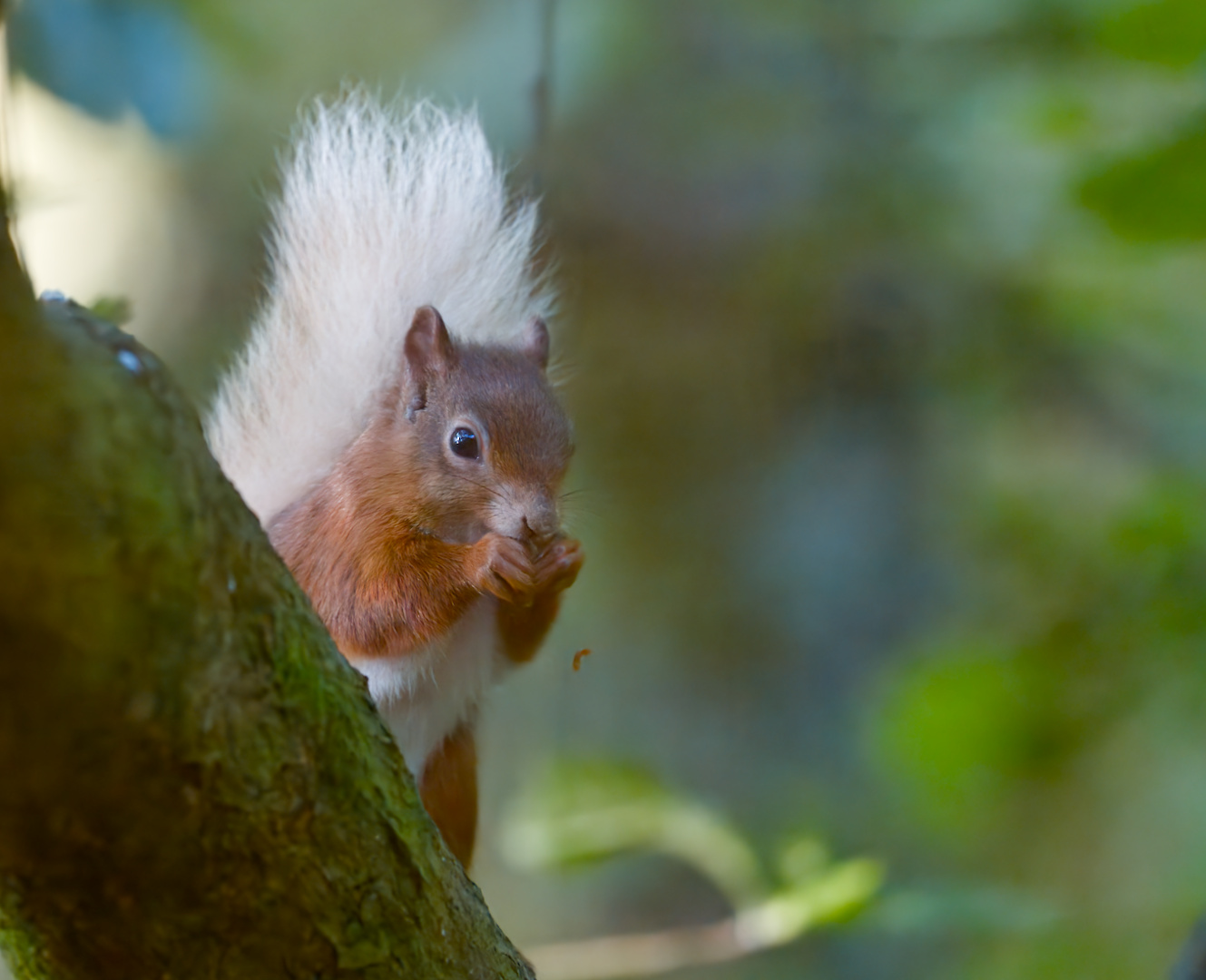
All done, all good. Here is a cute picture, taken at the Loch of the Lowes, just outside Dunkeld (in Scotland, if you hadn’t realised), just to prove how it works.

The ISO value was 14,400.

This is the one I use on Tumbleweed;
https://developer.download.nvidia.com/compute/cuda/repos/suse16/x86_64/

I manually install cudnn and nccl…

nvidia_check 

	libcudart.so.13 -> libcudart.so.13.3.29
	libcudadebugger.so.1 -> libcudadebugger.so.610.43.02
	libcuda.so.1 -> libcuda.so.610.43.02
libcuda is installed
	libcudart.so.13 -> libcudart.so.13.3.29
libcudart is installed
	libnccl.so.2 -> libnccl.so.2.30.7
libnccl is installed
	libcudnn.so.9 -> libcudnn.so.9.23.1
	libcudnn_ops.so.9 -> libcudnn_ops.so.9.23.1
	libcudnn_heuristic.so.9 -> libcudnn_heuristic.so.9.23.1
	libcudnn_graph.so.9 -> libcudnn_graph.so.9.23.1
	libcudnn_ext.so.9 -> libcudnn_ext.so.9.23.1
	libcudnn_engines_tensor_ir.so.9 -> libcudnn_engines_tensor_ir.so.9.23.1
	libcudnn_engines_runtime_compiled.so.9 -> libcudnn_engines_runtime_compiled.so.9.23.1
	libcudnn_engines_precompiled.so.9 -> libcudnn_engines_precompiled.so.9.23.1
	libcudnn_cnn.so.9 -> libcudnn_cnn.so.9.23.1
	libcudnn_adv.so.9 -> libcudnn_adv.so.9.23.1
libcudnn is installed
nvcc: NVIDIA (R) Cuda compiler driver
Copyright (c) 2005-2026 NVIDIA Corporation
Built on Fri_Apr_24_07:22:02_PM_PDT_2026
Cuda compilation tools, release 13.3, V13.3.33
Build cuda_13.3.r13.3/compiler.37862127_0

It’s just a script in ~.local/bin;

#!/usr/bin/bash

function lib_installed() { /sbin/ldconfig -N -v $(sed 's/:/ /' <<< $LD_LIBRARY_PATH) 2>/dev/null | grep $1; }
function check() { lib_installed $1 && echo "$1 is installed" || echo "ERROR: $1 is NOT installed"; }

check libcuda

check libcudart

check libnccl

check libcudnn 

nvcc -V

@epeeist_pitlochry I see it was submitted, but declined, maintainer needs to fix it some more…
https://build.opensuse.org/requests/1361918

Just done a zypper dup, it includes a new package, an onnx runtime.

It is a big release, but I will check when everything is installed to see if the official DT package is now AI enabled.