what could it be that some ‘exfat’ USB drives won’t mount
when using a reduced config kernel where as with
default kernel they mount just fine. Possibly something
is just missing. It has something to
do ‘how’ or on which OS it was formatted to exfat.
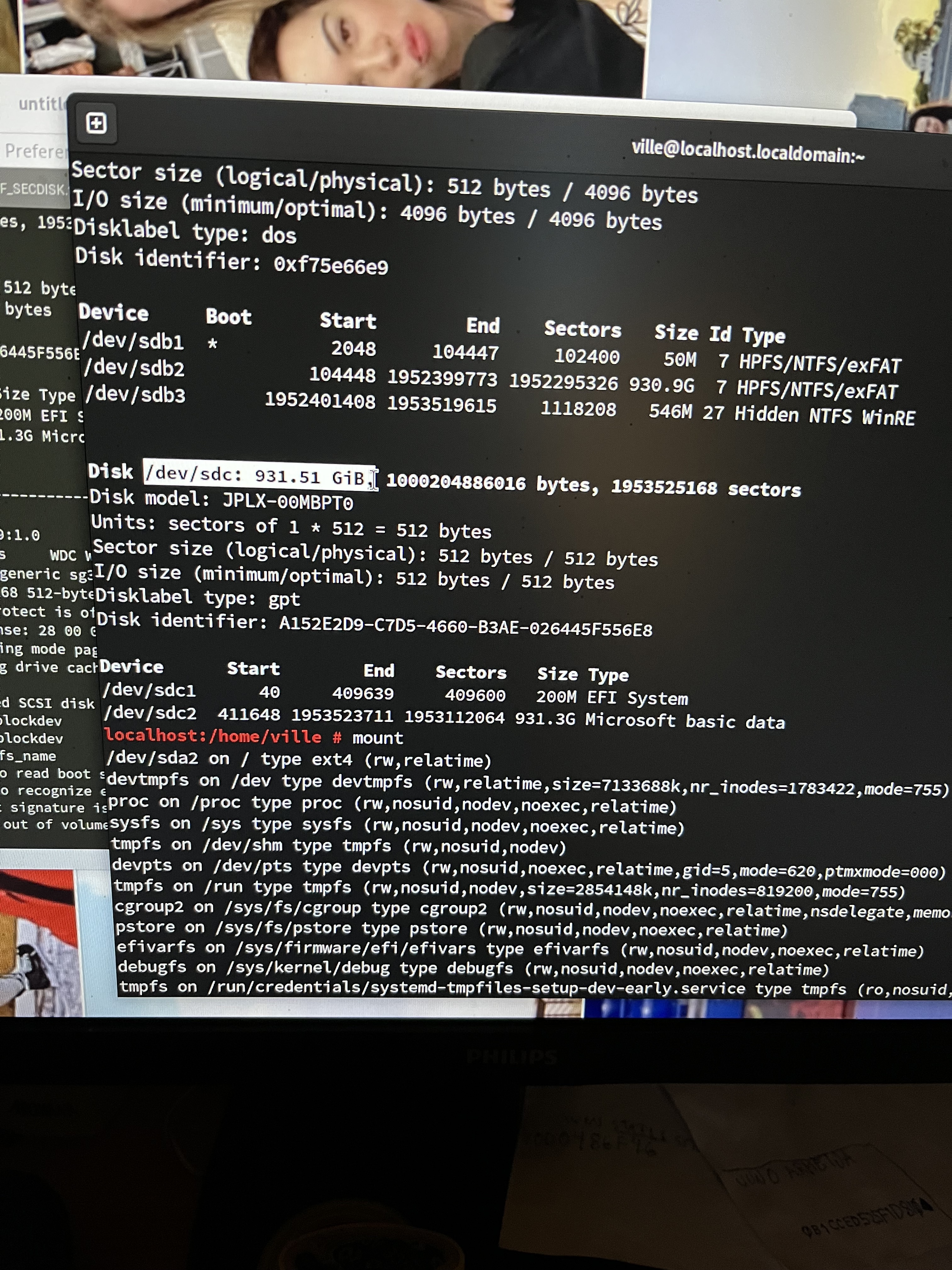
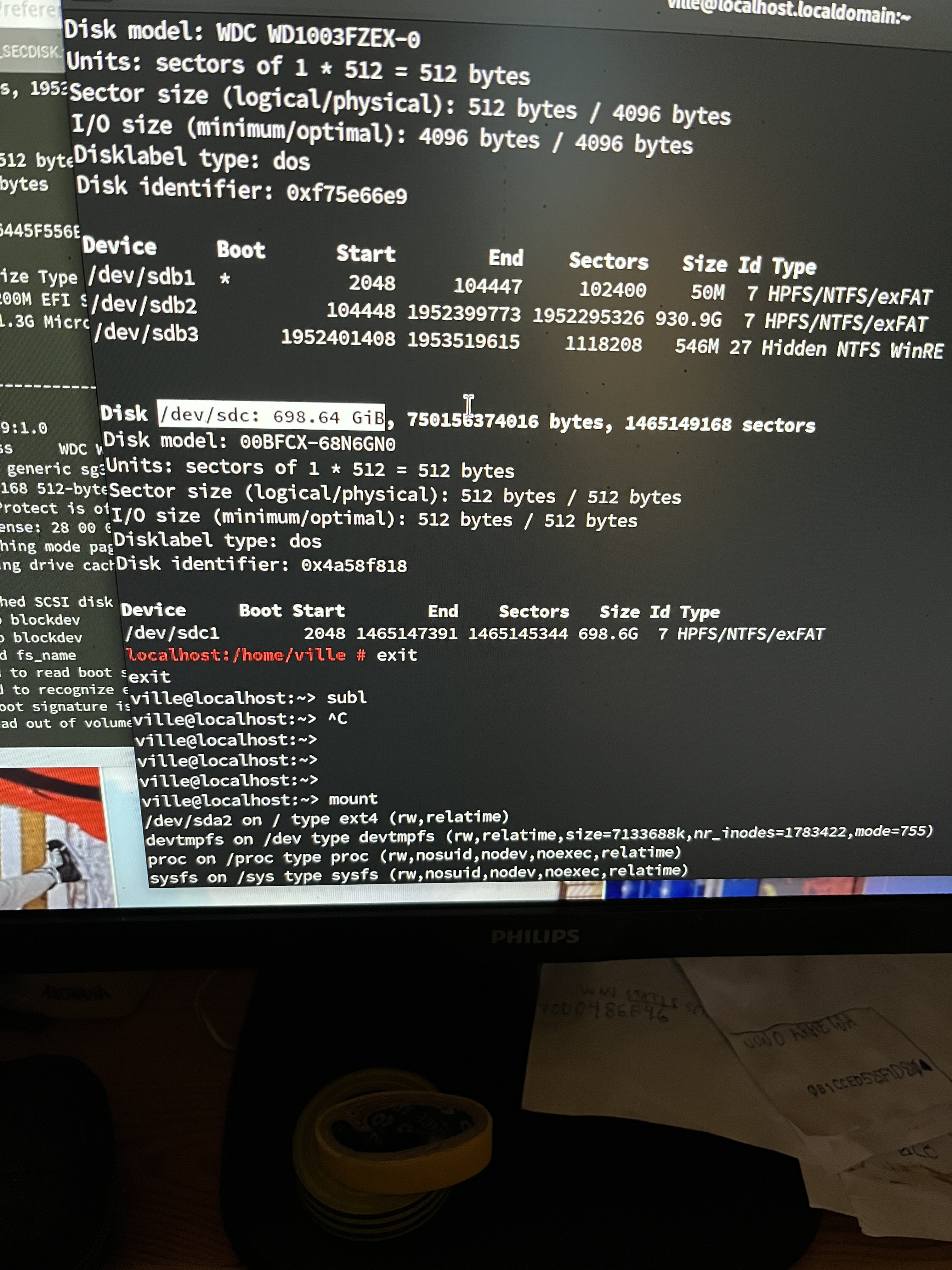
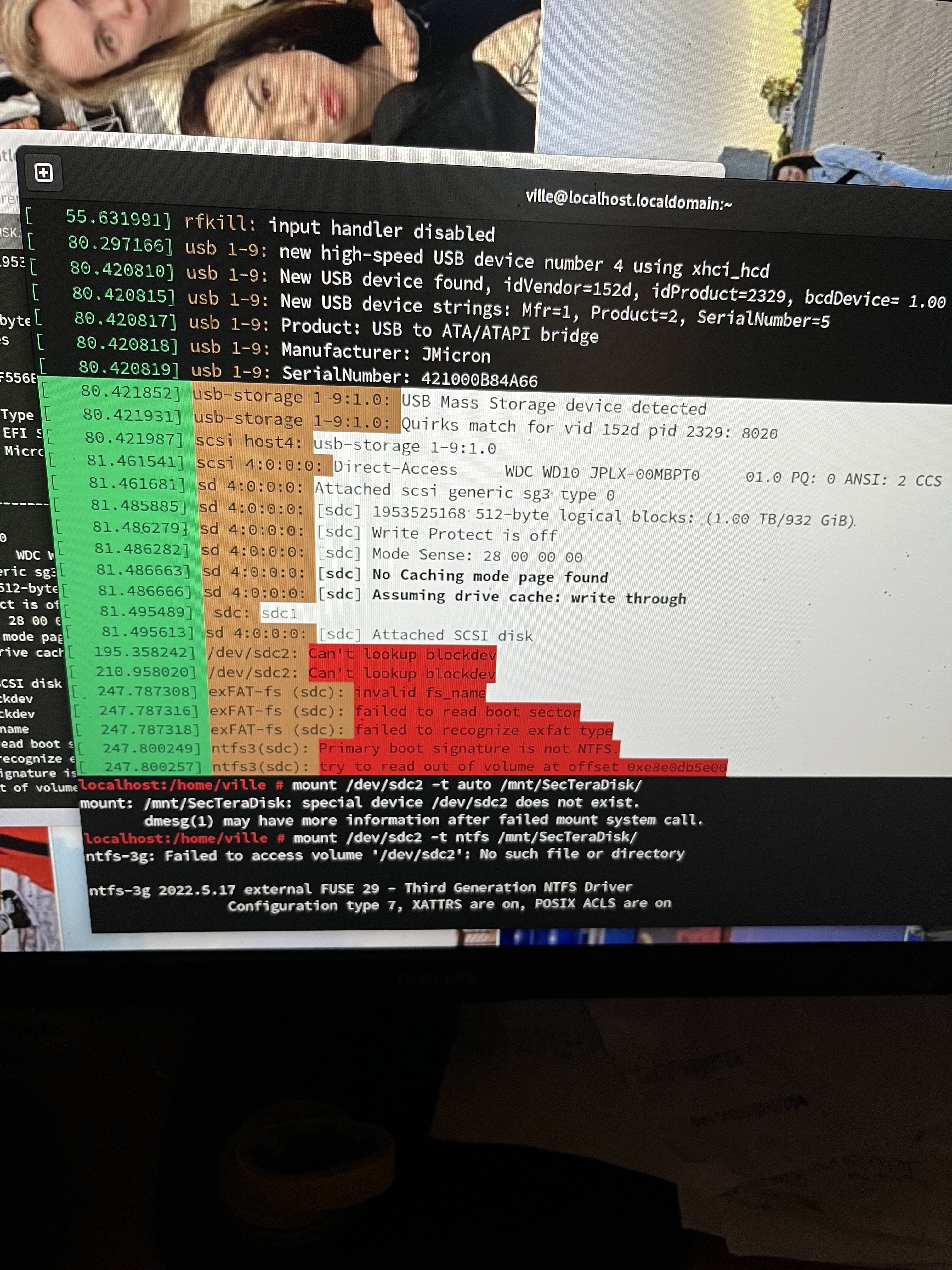
dmesg says something like unknown fs type and fdisk -l
print is different to that of a ‘working’ exfat drive. It could be that
it is an efi partition parallel to the real data where as on a working
exfat drive there was possibly only one partition. I think a simple GUI
based erase of such disk on another system made it work again.
Would when I boot the default kernel something like lsmod give me
a hint what module is missing compared to the case when the usb is unplugged.
exFAT is intended for USB flash storage like USB sticks or SDHC/SDXC cards. It is meant to overcome some limitations of FAT32 like filesystem total size and huge cluster size.
If it coexists with an ESP (the EFI boot partition) on the same medium, that already sounds fishy to me. You want exFAT on a USB stick that you share between Windows and Linux, or on a large-capacity SD card for a modern camera with potentially huge video files.
In general, the Linux kernel comes with built-in support for exFAT; no kernel modules needed. You might need the dedicated filesystem tools for advanced operations beyond just mounting and unmounting, though. That used to be package exfat-utils; now it’s exfatprogs. I think Leap 15.6 came with both.
If you have a custom-built kernel, they might have configured away support for those filesystems; It should be in menuconfig at “File systems” → " DOS/FAT/EXFAT/NT Filesystems".
And BTW make sure to distinguish between a partition type (a.k.a. partition ID) and the filesystem on that partition. It is possible (but ill-advised) to create a filesystem of the wrong type on a partition type that is really meant for only one filesystem type.
exfat config is almost certainly
selected as this customized vmlinuz
mounts another usb 64gb kingston flash and similar usb rotating hdd as the one that it does
not mount.
also windows, macbook and as I
said the default kernel 6.5 something
mounts it and shows ‚exFAT‘ as type.
so it can‘t be that wrong. so finally
if it is exfat it should not really need
another file system ntfs to pick it up correctly.
I could copy the fdisk -l here but
it has def. two partitions ‚efi‘ and the
expected data. so it kind if misses some
hook to mount to pick it up correctly.
I think you miss complete the way people work here in trying to help their fellow users. Posting factual information, specially when asked for, is crucial. People will in general not work on the storytelling alone. They will work from facts. And only telling about your conclusions does not work. People want to see for themselves and based on that come to their own conclusions. Not providing the computer facts, for whatever reason you may have, will without doubt lead to people leaving your topic and going for some more rewarding subject, or simply for a coffee.
the fdisk -l output is ‘Microsoft Basic Data’
931.3G and EFI system 200G in the case the reduced kernel does not
mount it. Another similar disk however mounts
and in fact shows exFAT as type.
So at least it suggests that this EFI
system and ‘Microsoft Basic Data’
partitions does not fit quite right and it would
need something additionally in the kernel.
I tried to enable NTFS but it didn’t
make it pick it up either.
Could it be that if the ‘type’ byte or value
could be simply rewritten to ‘exFAT’ it would recognize to avoid copying the data and
reformatting.
To my understanding disk access
is bytewise so, if I check that I write
the first efi partition as text file of 200 mb,
fix the disk partition initial header to exfat and fix
possibly the interleaving bytes to a file, so it could
be that it should appear as single partition. maybe still not quite that simple, since
ifiirc the filesystem has index table
that would need to be reverted back to
to the disk begin.