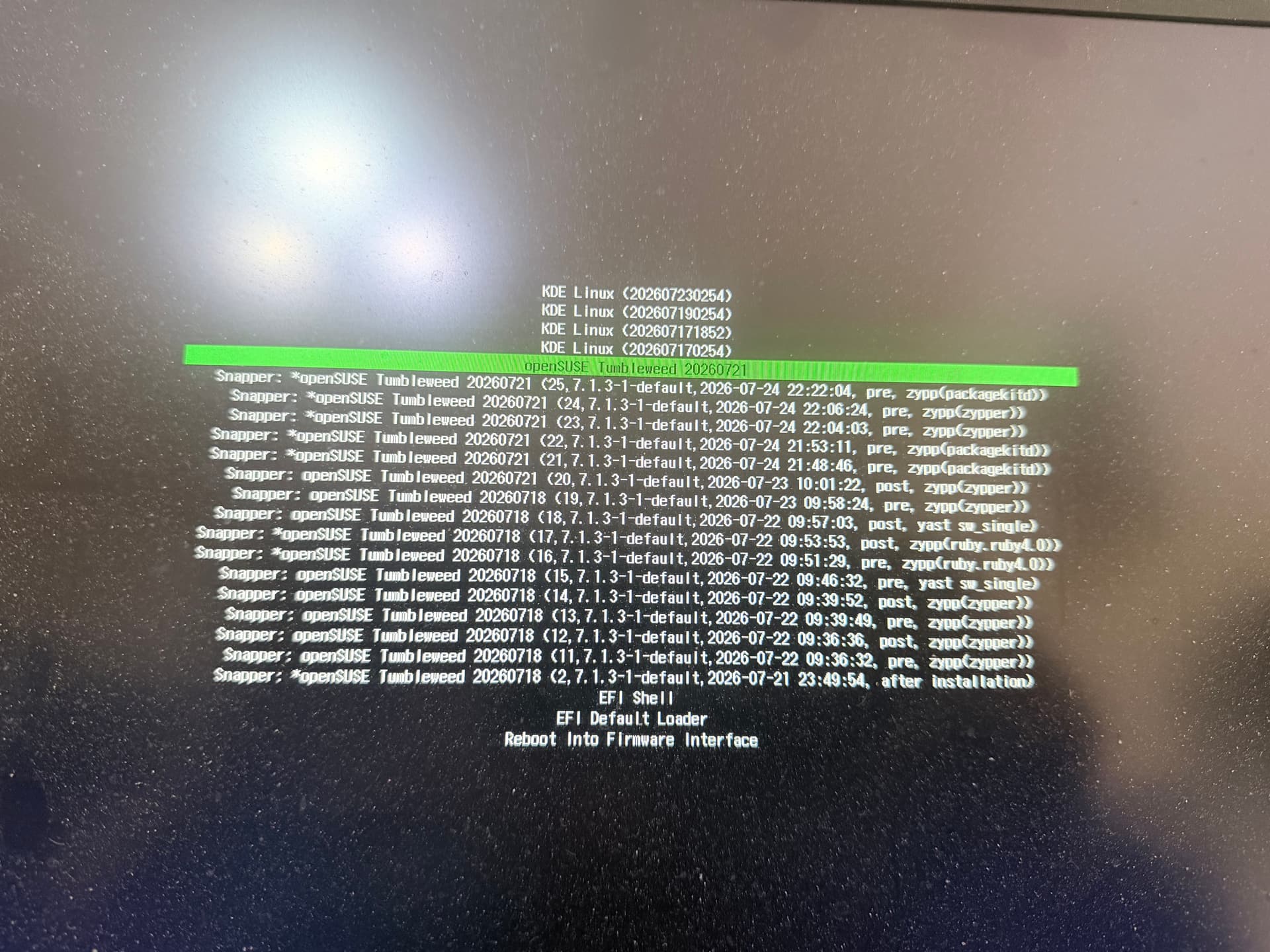
I add a picture of what I am seeing.
-
The boot menu shows a lot of entries. Is it normal for Tumbleweed to have that many snapshots ?
-
After an update do I have to select the latest snapshot or is the openSUSE Tumbleweed 20260721 fully updated with all the udpates/modifications ?
Yes, that’s systemd-boot, and that’s how it is going to display snapshots.
with grub2, that’s usually hidden in a submenu, but systemd-boot can’t do that.
1 Like
Okay, thanks for that.
So, this install is just a week old.
Is there a limit of how many it displays or is this just going to fill up more and more?
I don’t recall how many snapshots the default tumbleweed configuration keeps around.
I believe there’s a systemd service that prunes them every so often.
1 Like
There is always 0 and 1, the default is 10, so for a pre and post that’s 22… They don’t use much space, but can always run snapper list to see.
1 Like
So regarding the 2nd question, does the highlighted line in the photo contain all the updates ?
There have been two further snapshot releases so it should be “openSUSE Tumbleweed 20260723” and using the 7.1.4 kernel.
Yes
The photo was taken before the latest tumbleweed and it does now show in the menu
Then it’s all working as designed.
1 Like
system
Closed
10
This topic was automatically closed 30 days after the last reply. New replies are no longer allowed.