Is its a easy way to clone 30 GB disk to 120 GB SSD disk partion without to reinstall everything?
Some have idea how to do that?
Is its a easy way to clone 30 GB disk to 120 GB SSD disk partion without to reinstall everything?
Some have idea how to do that?
IMO although there are many possible ways to do this,
The easiest is to use Clonezilla.
You can clone the entire disk or individual partitions. There is never a problem cloning to a partition the same size or larger.
TSU
But how to install clonezilla on opensuse?
https://software.opensuse.org/search?utf8=✓&baseproject=ALL&q=clonezilla
And i guess partion did not automatcaly partition the disk as i want
so i guess i need:
lvresize -L +50G --resizefs /
And then:
grub2-install /dev/sda
and
grub2-mkconfig -o /boot/grub2/grub.cfg
Or is it possible to use opensuse DVD installer to clone HDD?
I just did something similar, but with Leap 15.0. This was from one virtual machine to another.
Original – UEFI booting, using an encrypted LVM.
Destination - Legacy BIOS booting, and no encryption.
I plugged in a USB external drive, where I had linux installed. And I booted that. Using that linux from the external drive:
As for the tweaking:
Getting to rescue mode:
That puts me in the destination system.
Rebooted, and all was fine.
Actually, first reboot failed. The reinstall of booting was misleading, because yast says that it is creating “initrd”. But it wasn’t. So I had to go back and do the “mkinitrd” step before it would boot.
As tsu2 suggested, it is probably easier to use clonezilla. You can download the iso and burn to a CD.
You cannot clone a partition you are booted from. One of the live media made at least in part for the purpose of cloning is required, depending on your cloning prowess. The only way to clone a disk booted from is on a multiboot disk, partition by partition, always excluding the partition booted from from the clone process. Thus, you cannot clone your entire boot disk if you are booted from any filesystem on it. If you can boot from anything else that provides dd, you can dd an entire HD to an SSD, if you plan to not ever boot while both are simultaneously connected before restoring the uniqueness of every UUID and filesystem label.
IOW, if you are not multibooting, “installing” Clonezilla on your TW isn’t likely to be of much use for your stated purpose.
Don’t install Clonezilla on your system, build a Clonezilla Live on CD/DVD or USB
https://clonezilla.org/clonezilla-live.php
You can also dd, but I recommend Clonezilla instead.
TSU
I actually do this somewhat regularly using dd, “destructor of drives” which is built into all bash systems.
Don’t forget that dd will effectively mark “unused” sectors as used on the destination ssd (the part that dd writes). What I do is later fill the partition as root with a file of zeros, sync, and delete that file. (Do today’s filesystem tools trim all unused space each time though? Is that an unnecessary old school habit now?)
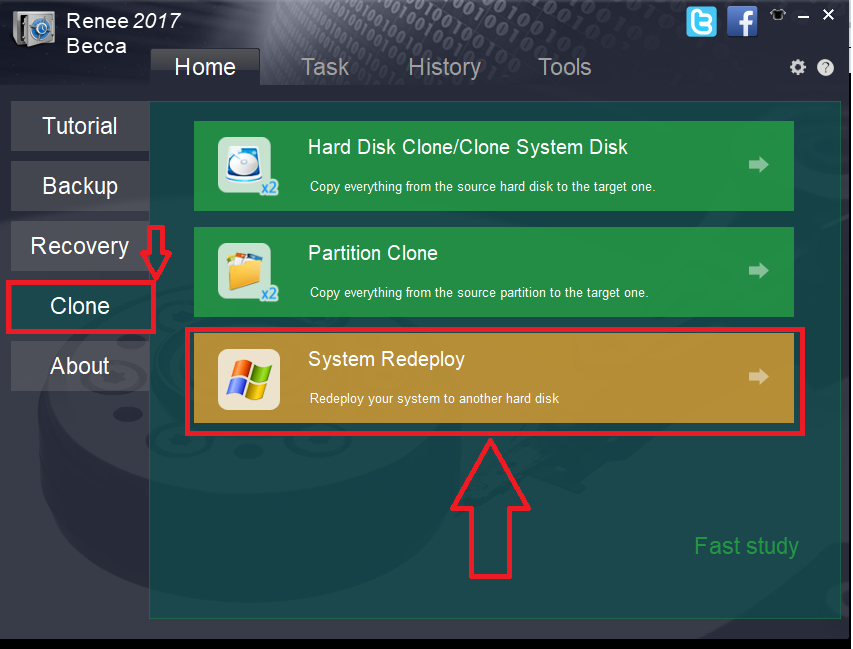
Its simple use any SSD cloning software, make sure you make the SSD bootable else, it won’t boot. I am attaching a pic to show that, choose system redeployment in your cloning software
picture : https://www.techwibe.com/wp-content/uploads/2017/09/word-image-13.png?w=853&ssl=1