Hi all,
I’m new to OpenSuse (coming from a Debian background) and I have found a stumbling block.
I’ve installed a LAMP stack following the OpenSuse Wiki instructions. (https://en.opensuse.org/SDB:LAMP_setup)
Everything works as it should.
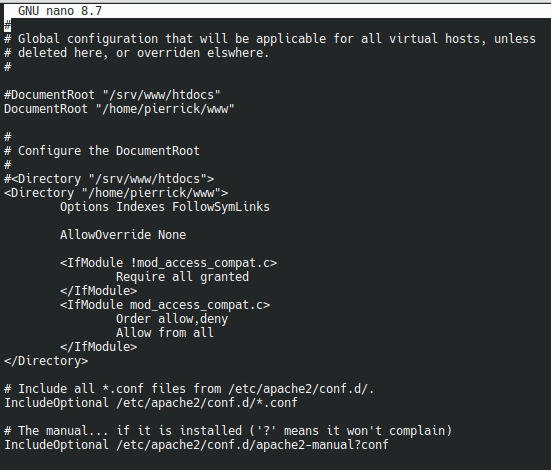
I now wish to change the Apache DocumentRoot to “/home/pierrick/www” instead of its default “/srv/www/htdocs”
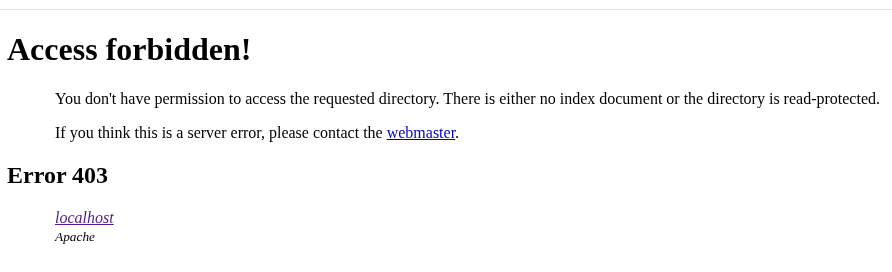
I have found lots of instructions, including absurd ones, but my server is still responding with an access denied message.
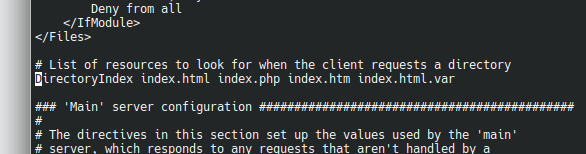
All I have changed in the Apache conf files are the 2 lines in the default-server.conf that contained the default “/srv/www/htdocs”
Nothing else.
Any help would really be appreciated.
Many thanks.
Pierrick
Please always SHOW! How can we find out if you didn’t e.g. make a typo, or used the wrong file, or …?
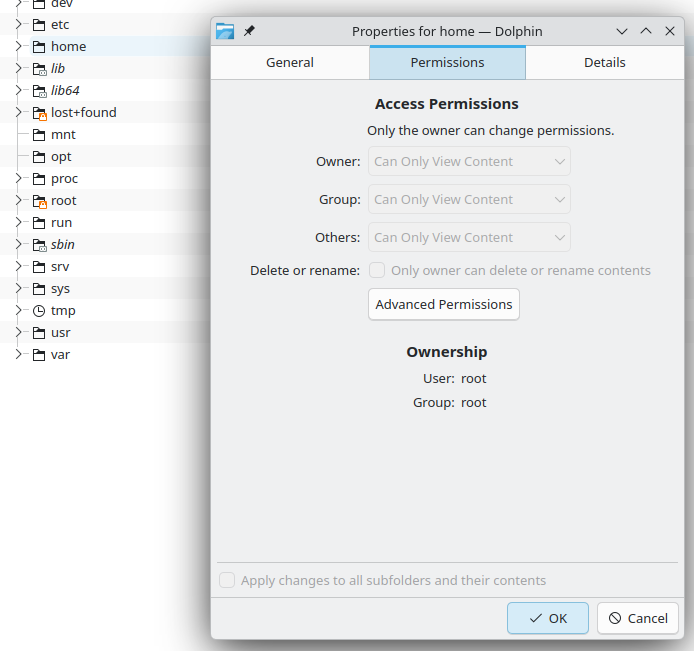
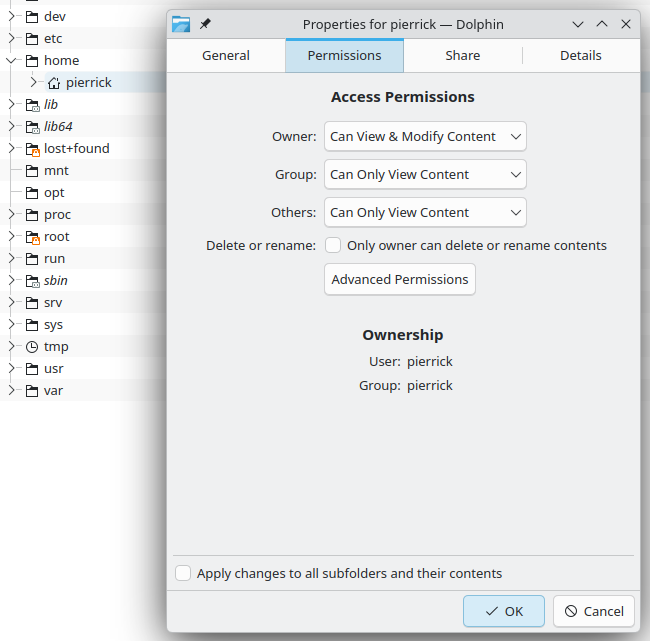
And a access denied message could point to the fact that /home/pierrick/www and/or the files inside there is/are not readable for the user (possibly wwwrun) that runs the apache processes. Remind that user’s files are protected against unwanted access by other users in Unix/Linux as a basic concept.
@hcvv
Thank you for the reply and apologies for the lack of supporting data.
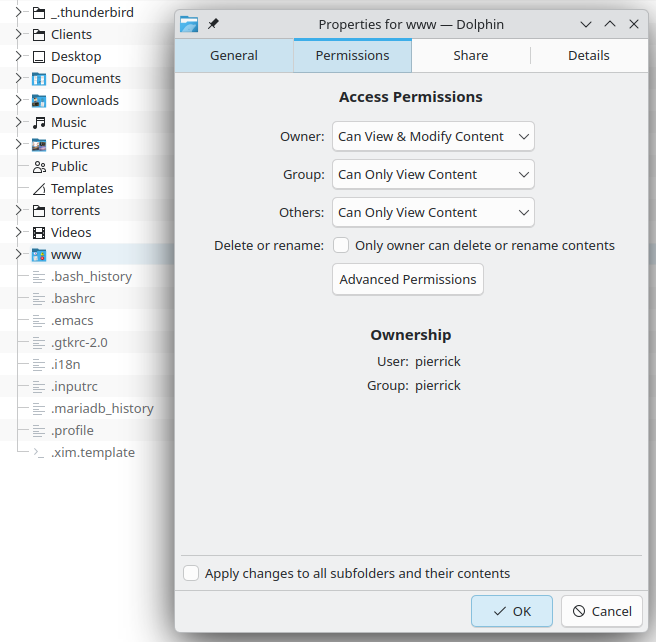
Unfortunately, being a new user to this forum I cam only insert one image per message. So please have a look at the next 5 messages…
As I see it the entire structure allows other groups and other users to read data, which is all the apache group/user should be able to do.
Note: granting a 777 permission level to “www” didn’t solve the “Access forbidden!” message.
@phil524
Merci Philippe! (Assuming you speak French…)
Of your two suggestions, selinux was the solution.
I immediately enabled permissive:
sudo setenforce 0
I then edited the selinux config to permanently enable permissive mode.
I restarted apache for good measure, and my development home page came to life.
On to more tests now…
As for the ownership suggestion, please correct me if I’m wrong but as long as other groups and users are granted read permissions surely that must be enough for apache to serve pages.
Where the websites I’m developing need to save documents via a PHP script (log files, sessions, custom documents, etc.) this is allowed by setting permissions to 777 to specific directories only under the given website file structure.
Hi.
This is a development machine, only one user (myself), no public access to the websites, data, etc.
So yes disabling SELinux isn’t the most secure way to go about solving the problem but in this case it a risk I’m willing to take.
Setting 777 for all folders would not help in development as I need to know whether the web apps are saving data in the appropriate places.
Thank you for the feedback.
Hi.
Thank you for the suggestion.
So I restored SELinux config to the original settings.
I rebooted and then ran your setsebool command, followed by an apache restart.
The “Access forbidden!” message came back.
Looking up what setsebool does I noticed that there are other httpd booleans that may be useful. Maybe worth spending some time to learn about this.
I’ll disable SELinux again so I can work.
Thanks again.
@malcolmlewis
From the little I have gathered on SELinux, it seems to be part of the kernel. In other words Debian distros will have SELinux at the core somewhere.
And yet after all these years working with Debian, this is the first time I run into a problem with apache DocumentRoot and SELinux. So how do the Debian people go around the problem? Have they disabled SELinux? Is there a httpd boolean that will do the trick?
I don’t intend to ignore the problem I have just created, I need to get on with work. I will have a deeper look very soon and work something out.
Thank you for the reminder though. Appreciated.