Hello everyone,
I find myself in the unenviable position of having to re-setup both my primary and secondary machines.
Currently typing this from the secondary machine as the primary’s btrfs filesystem is completely dead and unable to mount/boot root FS.
btrfs check --repair from a Gnome resuce ISO failed to repair it.
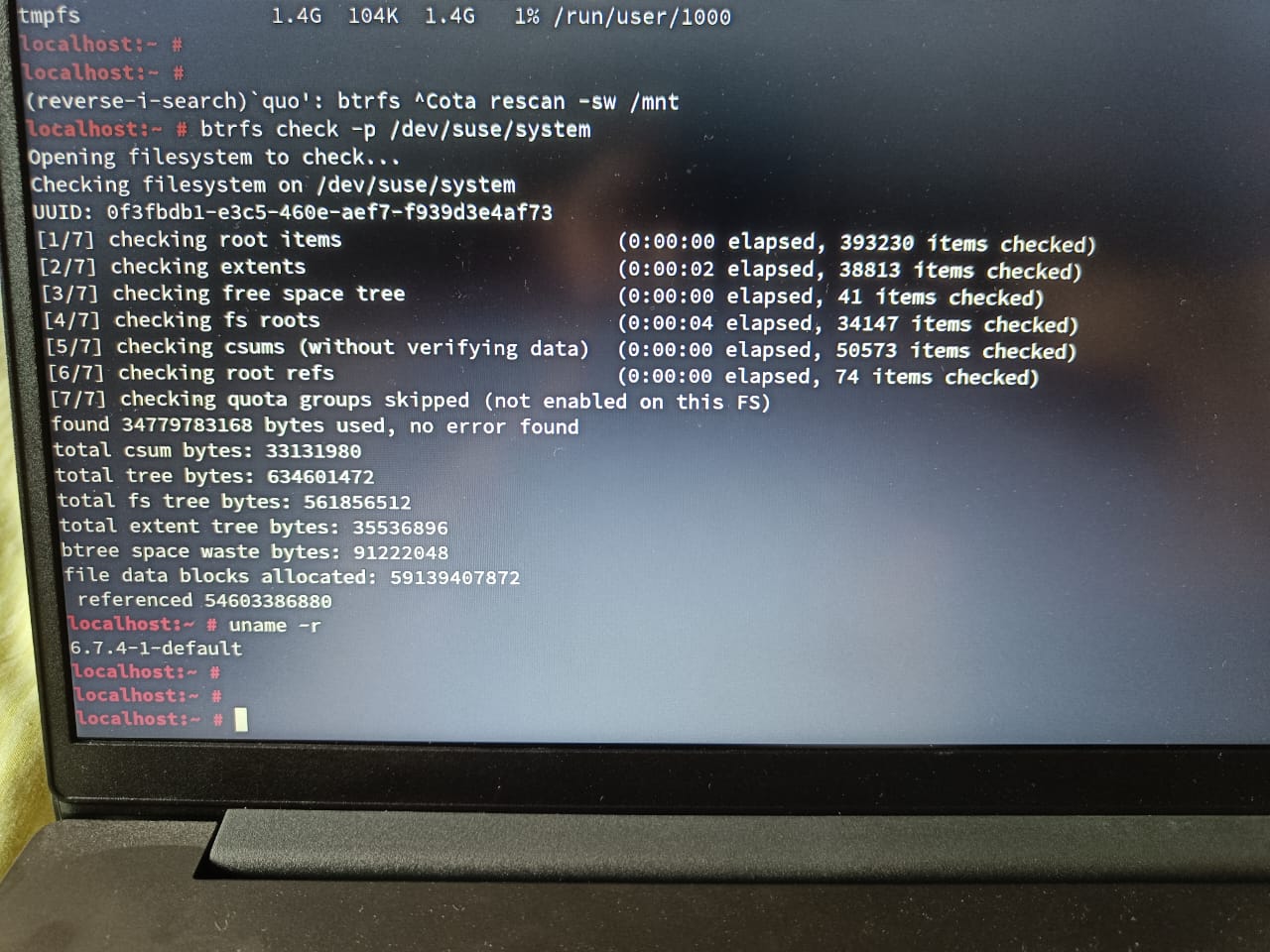
Out of curiosity, I checked my secondary machine from a rescue ISO and it also showed a few errors, though not even 1% of the primary machine.
At the time of the incident on the primary, I was in the process of typing in a reply on this very forum.
Chrome wouldn’t respond, it used to happen sometimes for a few seconds but nothing like this.
I switched to Thunderbird and it too hung, this was a first.
Just had enough time to switch to the terminal and check what was going on, CPU0 was at 100% utilization and systemd-journald was the culprit, it was waiting for disk I/O mostly, so I reckon there were many errors being printed to the journal.
Sadly I wasn’t able to a get a hold of what the errors were as soon after the system crashed.
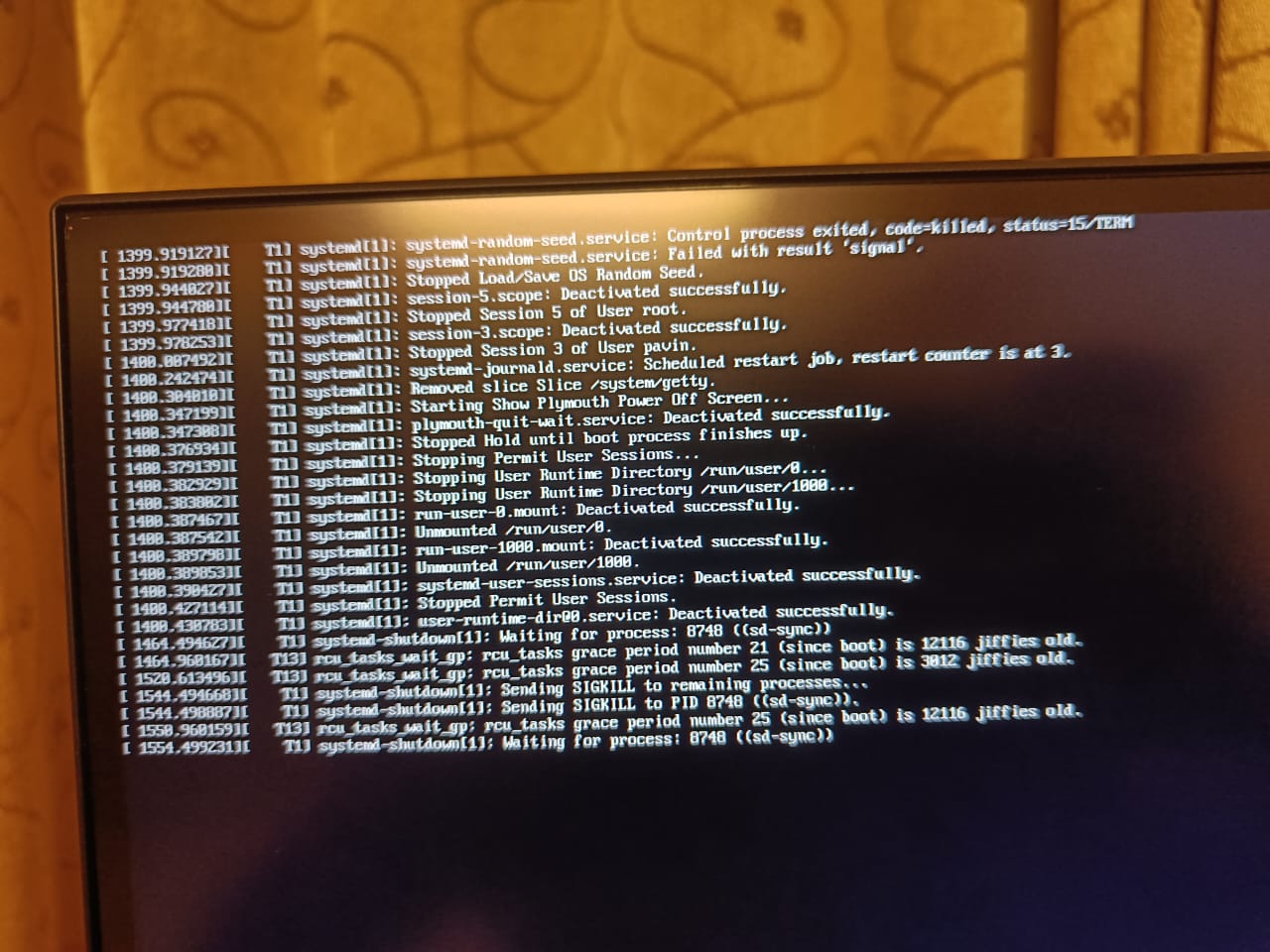
No kernel panic, I was able to switch to a console TTY and do magic sysrq “REISUB” but it took a few attempts to get the system to power down.
Normally in my past experience REISUB was supposed to reboot immediately, but in this case it took several REISUBs and the system just shut down.
Of course the next time I tried to bootup, grub showed an error that it couldn’t access its own themes and of course no kernel and no bootup was possible as it couldn’t mount the root FS.
Currently I’m in the process of restoring the primary from my backups.
These were my pet machines, so I’m quite sad that this happened even after diligently checking the journal logs for any priority 3 errors and my nightly systemd service logs for transactional dup.
None of them showed any issues, all the disks were unmounted correctly on shutdown/reboot. There were no kernel panics or other issues that could’ve lead to this.
My current theories are:
- I ran a btrfs online defrag and balance yesterday to compress existing chunks and then reclaim the space lost due to allocated but partially filled extents.
Problem with theory is that it did not affect the btrfs FS on a SATA SSD in the primary machine, only the NVMe SSD’s root fs was impacted. - There are some issues with the btrfs version in kernels 6.7.x.
The SATA SSD’s working btrfs FS with no errors was created when I was using LMDE (Debian), perhaps this was what saved it. - There are some hardware errors that I don’t know about.
My memory is fine though, memtest and vulkan memtest show no issues.
Smart shows no errors on the NVMe drives themselves, but it doesn’t support performing any self tests.
I was told that Zen2 architecture AMD APU’s have been known to have weird memory issues, with some systems even refusing to POST when running memory at 3200 MHz.
I can confirm this as when I added a 16G module to a free slot in the laptop, I got kernel panics on running graphics intensive load.
Adding an 8G module caused no instabilities. I believe this is because these AMD APU’s onboard graphics reserves/uses a portion of the normal RAM for its VRAM.
Here’s my system details on the secondary machine:
System:
  Kernel: 6.7.4-1-default arch: x86_64 bits: 64 compiler: gcc v: 13.2.1 clocksource: hpet
  Console: pty pts/1 DM: GDM v: 45.0.1 Distro: openSUSE Tumbleweed-Slowroll 20240213
Machine:
  Type: Laptop System: LENOVO product: 82KD v: Lenovo V15 G2 ALC Ua serial: <filter> Chassis:
    type: 10 v: Lenovo V15 G2 ALC Ua serial: <filter>
  Mobo: LENOVO model: LNVNB161216 v: SDK0T76486WIN serial: <filter>
    part-nu: LENOVO_MT_82KD_BU_idea_FM_V15 G2 ALC Ua uuid: dd35a9a6-b90d-4f65-8723-88a4c29167c5
    UEFI: LENOVO v: GLCN46WW date: 03/23/2022
Battery:
  ID-1: BAT0 charge: 38.4 Wh (100.0%) condition: 38.4/38.0 Wh (101.0%) power: 0.1 W volts: 8.7
    min: 7.7 model: BYD L20B2PF0 type: Li-poly serial: <filter> status: full cycles: 60
Memory:
  System RAM: total: 16 GiB available: 13.11 GiB used: 7.03 GiB (53.6%)
  Array-1: capacity: 16 GiB slots: 2 modules: 2 EC: None max-module-size: 8 GiB note: est.
  Device-1: Channel-A DIMM 0 type: DDR4 detail: synchronous unbuffered (unregistered)
    size: 8 GiB speed: 2133 MT/s volts: 1.2 width (bits): data: 64 total: 64 manufacturer: Hynix
    part-no: HMA41GS6AFR8N-TF serial: <filter>
  Device-2: Channel-B DIMM 0 type: DDR4 detail: synchronous unbuffered (unregistered)
    size: 8 GiB speed: spec: 3200 MT/s actual: 2133 MT/s volts: 1.2 width (bits): data: 64 total: 64
    manufacturer: Samsung part-no: M471A1G44AB0-CWE serial: N/A
CPU:
  Info: quad core model: AMD Ryzen 3 5300U with Radeon Graphics bits: 64 type: MT MCP smt: enabled
    arch: Zen 2 rev: 1 cache: L1: 256 KiB L2: 2 MiB L3: 4 MiB
  Speed (MHz): avg: 776 high: 1436 min/max: 400/3900 volts: 1.2 V ext-clock: 100 MHz cores:
    1: 1391 2: 400 3: 400 4: 400 5: 400 6: 1386 7: 1436 8: 400 bogomips: 41528
  Flags: avx avx2 ht lm nx pae sse sse2 sse3 sse4_1 sse4_2 sse4a ssse3 svm
Graphics:
  Device-1: AMD Lucienne vendor: Lenovo driver: amdgpu v: kernel arch: GCN-5 pcie: speed: 8 GT/s
    lanes: 16 ports: active: HDMI-A-1 off: eDP-1 empty: none bus-ID: 04:00.0 chip-ID: 1002:164c
    class-ID: 0300 temp: 37.0 C
  Device-2: Syntek Integrated Camera driver: uvcvideo type: USB rev: 2.0 speed: 480 Mb/s
    lanes: 1 bus-ID: 1-3:3 chip-ID: 174f:2459 class-ID: fe01 serial: <filter>
  Display: server: X.org v: 1.21.1.11 with: Xwayland v: 23.2.4 compositor: gnome-shell driver:
    X: loaded: modesetting unloaded: fbdev,vesa dri: radeonsi gpu: amdgpu tty: 174x43
  Monitor-1: HDMI-A-1 model: Samsung U32R59x serial: <filter> res: 3840x2160 dpi: 140
    size: 697x392mm (27.44x15.43") diag: 800mm (31.5") modes: max: 3840x2160 min: 720x400
  Monitor-2: eDP-1 model: ChiMei InnoLux 0x15f5 res: 1920x1080 dpi: 142
    size: 344x193mm (13.54x7.6") diag: 394mm (15.5") modes: max: 1920x1080 min: 640x480
  API: OpenGL Message: GL data unavailable in console for root.
  API: EGL Message: EGL data unavailable in console, eglinfo missing.
Audio:
  Device-1: AMD Renoir Radeon High Definition Audio vendor: Lenovo driver: snd_hda_intel v: kernel
    pcie: speed: 8 GT/s lanes: 16 bus-ID: 04:00.1 chip-ID: 1002:1637 class-ID: 0403
  Device-2: AMD ACP/ACP3X/ACP6x Audio Coprocessor vendor: Lenovo driver: N/A pcie: speed: 8 GT/s
    lanes: 16 bus-ID: 04:00.5 chip-ID: 1022:15e2 class-ID: 0480
  Device-3: AMD Family 17h/19h HD Audio vendor: Lenovo driver: snd_hda_intel v: kernel pcie:
    speed: 8 GT/s lanes: 16 bus-ID: 04:00.6 chip-ID: 1022:15e3 class-ID: 0403
  Device-4: Thesycon System & Consulting GmbH DX3 Pro+ driver: snd-usb-audio type: USB rev: 2.0
    speed: 480 Mb/s lanes: 1 bus-ID: 1-2.1.1:6 chip-ID: 152a:8750 class-ID: fe01
  API: ALSA v: k6.7.4-1-default status: kernel-api with: aoss type: oss-emulator
  Server-1: PipeWire v: 1.0.3 status: n/a (root, process) with: 1: pipewire-pulse status: active
    2: wireplumber status: active 3: pipewire-alsa type: plugin 4: pw-jack type: plugin
Network:
  Device-1: Realtek RTL8111/8168/8411 PCI Express Gigabit Ethernet vendor: Lenovo driver: r8169
    v: kernel pcie: speed: 2.5 GT/s lanes: 1 port: 3000 bus-ID: 01:00.0 chip-ID: 10ec:8168
    class-ID: 0200
  IF: enp1s0 state: down mac: <filter>
  Device-2: Realtek RTL8822CE 802.11ac PCIe Wireless Network Adapter vendor: Lenovo
    driver: rtw_8822ce v: N/A pcie: speed: 2.5 GT/s lanes: 1 port: 2000 bus-ID: 02:00.0
    chip-ID: 10ec:c822 class-ID: 0280
  IF: wlp2s0 state: up mac: <filter>
  IF-ID-1: wg-suse-laptop state: unknown speed: N/A duplex: N/A mac: N/A
Bluetooth:
  Device-1: Realtek Bluetooth Radio driver: btusb v: 0.8 type: USB rev: 1.0 speed: 12 Mb/s
    lanes: 1 bus-ID: 3-4:2 chip-ID: 0bda:c123 class-ID: e001 serial: <filter>
  Report: btmgmt ID: hci0 rfk-id: 3 state: down bt-service: enabled,running rfk-block:
    hardware: no software: yes address: <filter> bt-v: 5.1 lmp-v: 10
Drives:
  Local Storage: total: 6.6 TiB used: 2.75 TiB (41.6%)
  ID-1: /dev/nvme0n1 vendor: Samsung model: MZALQ256HBJD-00BL2 size: 238.47 GiB speed: 31.6 Gb/s
    lanes: 4 tech: SSD serial: <filter> fw-rev: 5L2QFXM7 temp: 36.9 C scheme: GPT
  ID-2: /dev/sda vendor: Seagate model: BUP RD size: 3.64 TiB type: USB rev: 3.0 spd: 5 Gb/s
    lanes: 1 tech: N/A serial: N/A fw-rev: 0304 scheme: GPT
  ID-3: /dev/sdb vendor: HGST (Hitachi) model: HTS721010A9E630 size: 931.51 GiB type: USB
    rev: 3.0 spd: 5 Gb/s lanes: 1 tech: HDD rpm: 7200 serial: <filter> fw-rev: 0209 scheme: GPT
  ID-4: /dev/sdc vendor: Western Digital model: WD20NMVW-11EDZS2 size: 1.82 TiB type: USB
    rev: 3.0 spd: 5 Gb/s lanes: 1 tech: HDD rpm: 5200 serial: <filter> fw-rev: 1012 scheme: MBR
Partition:
  ID-1: / size: 219.97 GiB used: 19.4 GiB (8.8%) fs: btrfs dev: /dev/dm-1 mapped: suse-system
  ID-2: /boot/efi size: 511 MiB used: 4.7 MiB (0.9%) fs: vfat dev: /dev/nvme0n1p1
  ID-3: /home size: 219.97 GiB used: 19.4 GiB (8.8%) fs: btrfs dev: /dev/dm-1
    mapped: suse-system
  ID-4: /opt size: 219.97 GiB used: 19.4 GiB (8.8%) fs: btrfs dev: /dev/dm-1 mapped: suse-system
  ID-5: /var size: 219.97 GiB used: 19.4 GiB (8.8%) fs: btrfs dev: /dev/dm-1 mapped: suse-system
Swap:
  ID-1: swap-1 type: partition size: 2 GiB used: 0 KiB (0.0%) priority: -2 dev: /dev/dm-2
    mapped: suse-swap
Sensors:
  System Temperatures: cpu: 41.5 C mobo: N/A gpu: amdgpu temp: 37.0 C
  Fan Speeds (rpm): N/A
Info:
  Processes: 436 Power: uptime: 1h 3m states: freeze,mem,disk suspend: deep wakeups: 0
    hibernate: platform Init: systemd v: 254 default: graphical
  Packages: pm: flatpak pkgs: 8 Compilers: gcc: 13.2.1 Shell: Sudo (sudo) v: 1.9.15p5
    default: Bash v: 5.2.26 running-in: pty pts/1 inxi: 3.3.33
Tagging @karlmistelberger as he has quite the experience with btrfs issues on infamous host erlangen.
Of course I want all your inputs on determing the root cause, which is proving to be elusive.