Hey, the following steps are what I have done since reviewing your messages:
Reclone backup (HDD) and verify that backup (HDD) is valid, functions to boot openSUSE Tumbleweed. Also disconnect primary (SSD) drive (after cloning).
Booted live openSUSE recovery USB:
Passed as root: systemctl isolate emergency.targetthen enter root password.
Then passed the following:
Passed as root: btrfs rescue clear-space-cache v2 /dev/mapper/system-root
Passed as root: btrfs rescue clear-space-cache v1 /dev/mapper/system-root <— Some space reported cleaned.
Powercycle and boot machine into operating system (openSUSE Tumbleweed) on backup (HDD).
Passed as root: systemctl isolate emergency.targetthen enter root password.
Passed as root: btrfs check -p --force /dev/mapper/system-root <— Completed with no reported errors - (progress does not show).
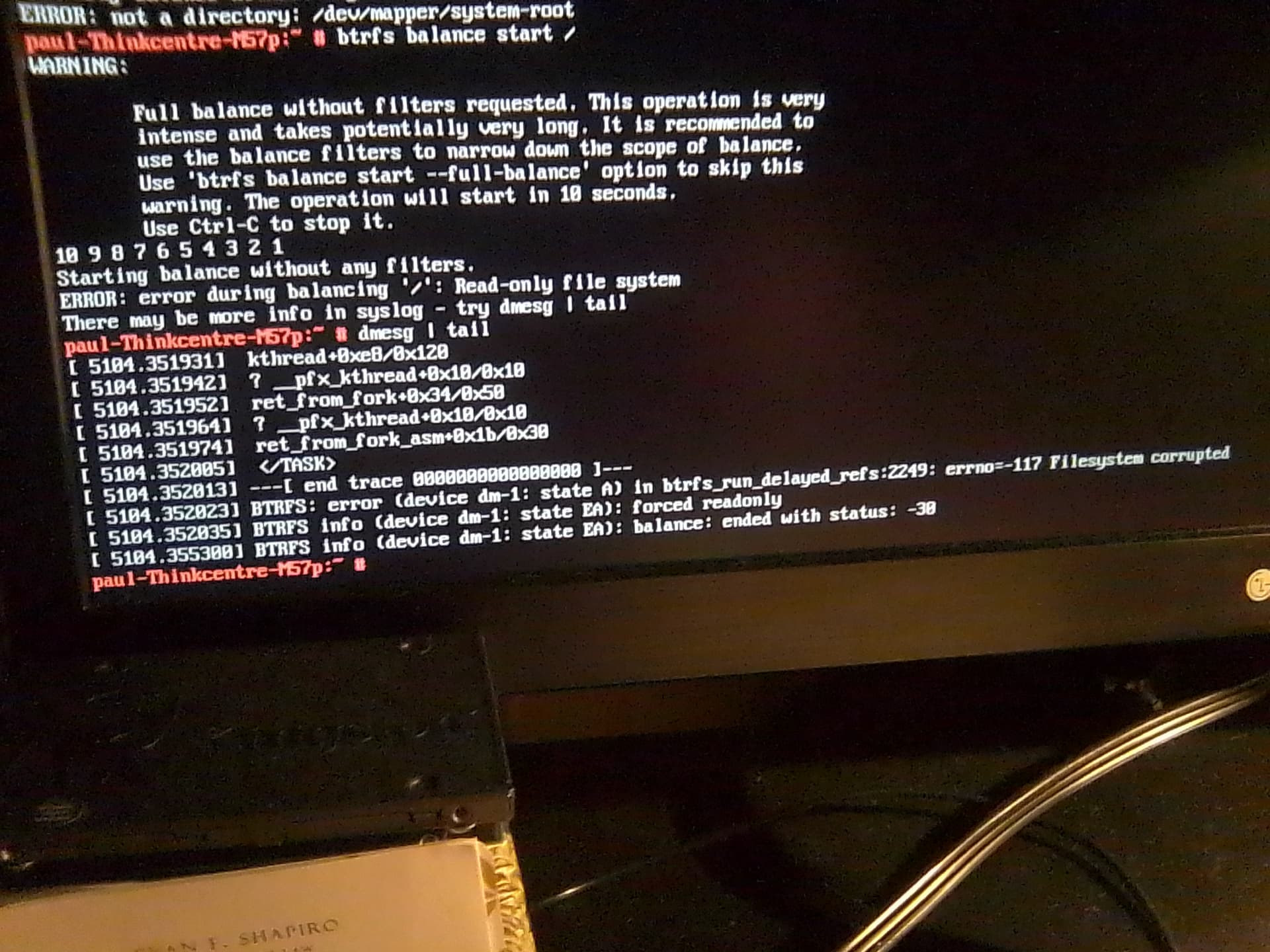
Passed as root: btrfs balance start /
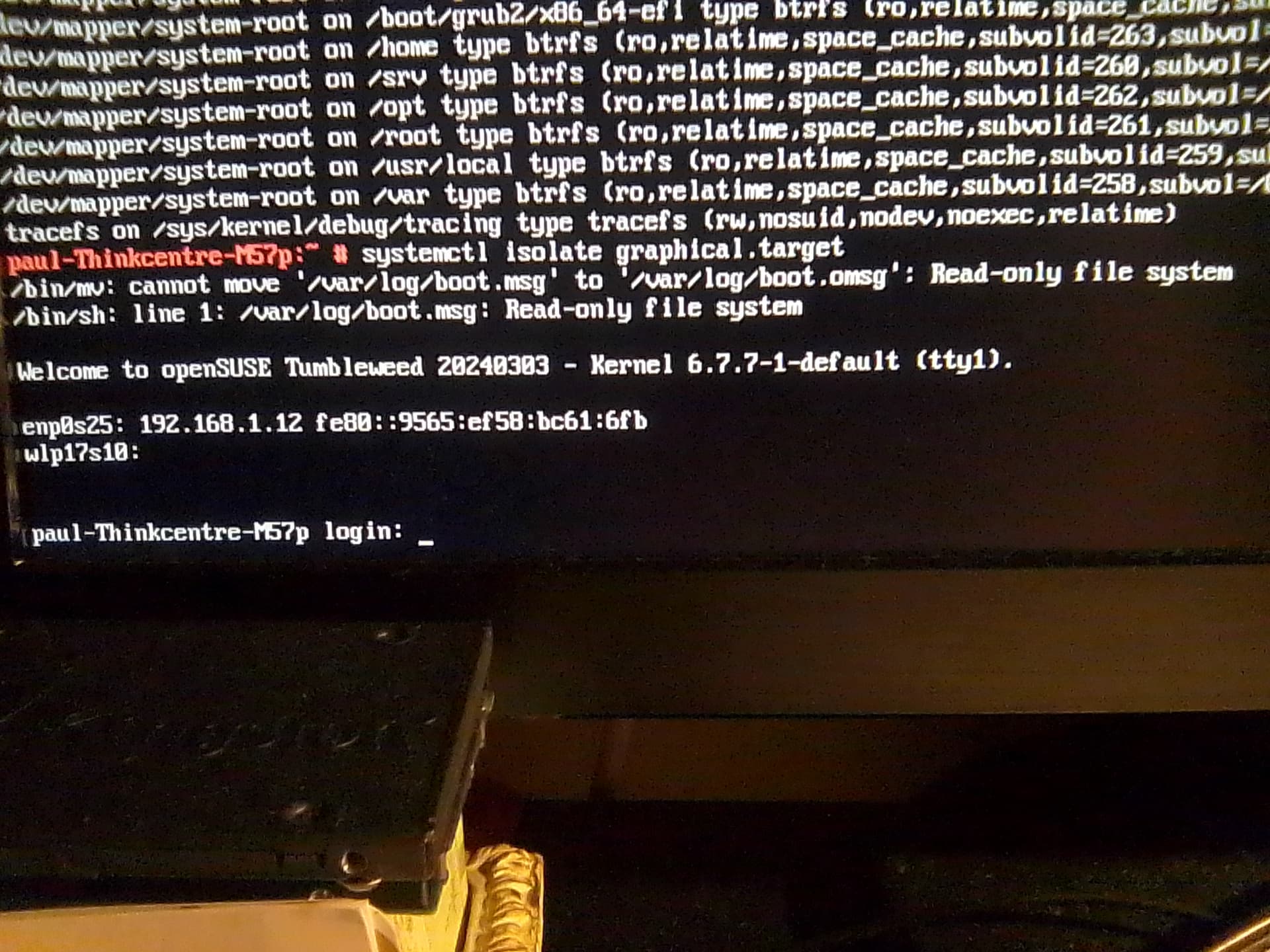
Backup (HDD) became read only again. Also failed to revert to (GUI) with systemctl isolate graphical.target.
Description of outcome: balance completed with same errors as shown in my last message above. I have attached 1 additional most current photo below of this balance result also for verification. Please do see also graphical target error (photo 2 (most likely due to ro - mount):
Hi, I wanted to also report this following information which was passed to me for review:
Partclone.btrfs is known to corrupt filesystems, but the errors should be different. Clonezilla uses partclone.btrfs unless it’s doing the clone with dd
Ah, now here’s something I can help you with
I had to do a restoration recently when my primary machine’s btrfs filesystem crapped out.
It helps to think of btrfs subvolumes as directories you can put stuff into rather than as partitions, only with the added benefit of being able to mount those directories (subvolumes) wherever you wish!
The following steps are from my personal notes, I’ve commented them where appropriate but you must adapt them for your use and feel free to ask me if you need any clarifications:
# Restore to a fresh installation of OS
# Extract files from remote backup
mkdir /backup
cd /backup
# you may not be using borg but you get the idea, put everything into /backup
borgmatic extract --archive latest --destination /backup --verbosity 2

# Edit UUID of block devices with new ones from "lsblk" in:
nano /backup/etc/fstab
# this is only needed if you have encrypted devices
nano /backup/etc/crypttab

# Boot from Recovery ISO.

# Unlock LUKS encrypted volume (only needed if you have encrypted devices):
cryptsetup open /dev/nvme0n1p3 enc

# Rename and create btrfs subvolumes anew (assuming default subvol layout):
# your btrfs volume would most likely be different from /dev/suse/system. Use "lsblk -f" to find out
mount -o compress=zstd,subvol=@ /dev/suse/system /mnt
cd /mnt
mv home home.fresh
mv opt opt.fresh
mv root root.fresh
mv srv srv.fresh
mv usr usr.fresh
mv var var.fresh
btrfs sub cr home
btrfs sub cr opt
btrfs sub cr root
btrfs sub cr srv
mkdir usr
btrfs sub cr usr/local
btrfs sub cr var
cd ~
umount /mnt

# Mount btrfs root volume:
mount -o compress=zstd /dev/suse/system /mnt

# Backup fresh install data:
cd /mnt
mv boot boot.fresh
mv etc etc.fresh
mv usr usr.fresh
mkdir -p usr/local

# Mount btrfs subvolumes:
mount -o compress=zstd,subvol=@/home /dev/suse/system /mnt/home
mount -o compress=zstd,subvol=@/opt /dev/suse/system /mnt/opt
mount -o compress=zstd,subvol=@/root /dev/suse/system /mnt/root
mount -o compress=zstd,subvol=@/srv /dev/suse/system /mnt/srv
mount -o compress=zstd,subvol=@/usr/local /dev/suse/system /mnt/usr/local
mount -o compress=zstd,subvol=@/var /dev/suse/system /mnt/var

# Restore data:
cd /mnt/backup
# your backup contents would be in a different layout, adapt the following commands for your use.
rsync -avHAX --remove-source-files rootfs.latest/ ../
rsync -avHAX --remove-source-files home.latest/ ../home/
rsync -avHAX --remove-source-files opt.latest/ ../opt/
rsync -avHAX --remove-source-files root.latest/ ../root/
rsync -avHAX --remove-source-files srv.latest/ ../srv/
rsync -avHAX --remove-source-files usr-local.latest/ ../usr/local/
rsync -avHAX --remove-source-files var.latest/ ../var/
rmdir rootfs.latest home.latest opt.latest root.latest srv.latest usr-local.latest var.latest
cd /mnt
# here we swap out the restored (old) boot dir with the one from our new (fresh) install
mv boot boot.old
cp -a boot.fresh boot
rmdir backup
# if you had snapper setup for any of the subvolumes other than root "/", you need to re-create them. skip otherwise
rmdir home/.snapshots opt/.snapshots root/.snapshots srv/.snapshots usr/local/.snapshots var/.snapshots
btrfs sub cr home/.snapshots
btrfs sub cr opt/.snapshots
btrfs sub cr root/.snapshots
btrfs sub cr srv/.snapshots
btrfs sub cr usr/local/.snapshots
btrfs sub cr var/.snapshots

# Reboot back into restored OS.
# Optional: Delete unneeded btrfs subvolumes and snapper root snapshots.
You can always start with a new install and copy from backup. I did exactly this when upgrading the storage of infamous host erlangen on 2021-11-24: Upgrading the Hardware - #7 by karlmistelberger
btrfs is extremely stable. No repair needed since birth:
Ok both of your responses are very good. In order for me to understand what went wrong with the btrfs filesystem here, I need to understand more about what went wrong before attempting.
Is a safe assumption of the following true? The likely cause for the current balance errors being experienced → balance ended with status: -30 likely caused by my use of the clonezilla program which uses partclone?
Do not use clonezilla in the future when duplicating a drive with btrfs filesystem or most likely this situation will occur once again?
Don’t use fancy tools on btrfs. Stick to what comes with package btrfsprogs. Always use the latest release. When moving the data to a new drive add the new drive and remove the old one, see man btrfs-device and man btrfs-replace.
I am trying to digest more information about the btrfs filesystem and am not an advanced user as you can see. I figured to ask if the btrfs filesystem here (discussed above) is expected to become worse and worse if continued to be used in it’s current state over the coming month or even year?
I have been considering purchasing another drive (I do not know which type yet), because I think this can allow me to install Tumbleweed fresh. Then I can proceed with attempting to correct the problem with the current primary (SSD) and backup (HDD) without a constant thought of unmitigated failure.
Thanks for your message. As a person who has never used rsync, borg etc this seems a bit overwhelming for me right at the moment. I happened to just read your thread about a btrfs problem you were encountering yourself Btrfs filesystem on primary machine completely destroyed itself, secondary in the process of dying 😭 - #21 by pavinjoseph. In the thread you mention ‘Transactional Update’, I do not know what this really is and will have to read more about it but have a starting note now.
Would you recommend setting “Transactional Update” up immediately on a new OS installation with btrfs?
Also on a new OS installation can you drop a few hints for me to take down on things such as quotas off and so on that one would want to do fairly immediately? I am asking this because I do want to learn how to install a new btrfs filesystem and am now considering a fresh install also but would be a drive short for my backup solution if things go wrong when doing either or. I have learned that without a backup and running a full balance it can create alot of problems. Obviously in my case of cloning back and forth between them with Clonezilla the problem was created it seems.
I understand now that by using Clonezilla with Partclone is what most likely caused the problem I am experiencing with full btrfs balance now. Looking at the openSUSE Wiki and searching for btrfs . No warnings really show suggesting a person might consider shying away from Clonezilla . Would it be a bad thing if something like that was on there (or could it upset the wrong people)? Either way I have created a bug report on bugzilla of my issue before asking here. The link is here for any reference to this post: 1219539 – btrfs --check result in a coredump
The bug report may be not the best and I do not know if it could eventually lead anywhere.
Hey, also if you see this. You aware if there a chart of the btrfs balance errors out there? As mine is -30
Give the TU (transactional-update) docs a read. It’s in an easily digestible format and can be read in a few minutes.
The first thing I would recommend as per my updated setup notes is to turn off btrfs quotas:
sudo btrfs quota disable /
Make sure it stays disabled and no program is turning it back on:
sudo btrfs qgroup show /
The downside is possibly having to manage snapper disk usage yourself, it’s best practice to add a cleanup algorithm when creating a new snapshot. In sudo snapper list make sure the column Cleanup has an associated value such as timeline or number.
Personally I would recommend TU, as its basic premise is not very complicated and it does save you the headache of having to rollback when an update goes wrong or you want to be certain the dup always exits cleanly, TU would fail if the dup exit code from zypper is anything other than 0 (success). Being atomic transactions mean each TU action (dup for example) either successfully completes in its entirety or does not complete at all. There can be no in between state of an inconsistent system due to update breakage, power loss, crash, etc.
I have no experience with this program, perhaps try contacting the developers to see if they might know more about the specific issue you’re having. Curious why you opted to use this as opposed to just dd, it always works!
No advanced knowledge required. However users need to be consistent. Defects always reduce the number of options available. It’s hard to predict what the consequences are.
You are using device mapper which complicates administration by adding another layer of devices: Device mapper - Wikipedia. You may try and get rid of it. btrfs is really great with minimal partitioning:
erlangen:~ # fdisk -l /dev/nvme1n1
Disk /dev/nvme1n1: 1.82 TiB, 2000398934016 bytes, 3907029168 sectors
Disk model: Samsung SSD 970 EVO Plus 2TB
Units: sectors of 1 * 512 = 512 bytes
Sector size (logical/physical): 512 bytes / 512 bytes
I/O size (minimum/optimal): 512 bytes / 512 bytes
Disklabel type: gpt
Disk identifier: F5B232D0-7A67-461D-8E7D-B86A5B4C6C10

Device           Start        End    Sectors  Size Type
/dev/nvme1n1p1    2048    1050623    1048576  512M EFI System
/dev/nvme1n1p2 1050624 3907028991 3905978368  1.8T Linux filesystem
erlangen:~ #
Backup existing subvolumes, partition the SSD as above and restore subvolumes.
Give the TU (transactional-update) docs a read. It’s in an easily digestible format and can be read in a few minutes.
I am able to digest the information but it is taking me longer than a few minutes. I did not know about “transactional-update” before.
Curious why you opted to use this as opposed to just dd, it always works!
I simply did not know. I have used dd mainly for copying .iso images to usb and not for duplicating a disk of any kind before. Do you happen to have a nice reference for dd like you provided for Transactional Update? I know I can look it up. Malcom Lewis gave some tips and then I lost my keepassXC file for 2 days of notes and had to start from a backup a while ago (I pulled the usb out of pc while mounted ).
Right now quotas are off for certain on this machine.
sudo snapper list
https://paste.opensuse.org/pastes/e67f2f5ad936
Shows all algorithm snapshots ‘numbered’ two of the single custom snapshots I have created manually are not numbered and one has a * next to it. Time to review Snapper again for me also it appears.
It’s no longer recommended to use transactional-update as the developer does not intend to support it in the future for systems with normal read-write root fs.
I searched for dd examples and this article popped up, looks good to me:
man 1 dd is also quite small compared to others, so it can be read in a few minutes.
dd is quite powerful, easy to learn and use but also very dangerous just like rm. Use with caution
The * next to a snapshot means it’s the currently active one, i.e., the default subvolume (root) from which the system was booted.
I use KXC too, but have its database stored in a git directory tracked by Github, so it’s synced remotely. You may want to do something similar using a cloud service or shared directory (NFS/SMB).
Okay, good
That’s one btrfs feature that’s definitely broken as of now.