On https://en.opensuse.org/SDB:Live_USB_stick it says:
To make USB device bootable with EFI(Secure boot capabilities) wiping all data from it, run:
live-fat-stick --isohybrid /path/to/openSUSE-filename.iso /dev/sdX
But below that it says:
Multiple iso images from multiple distributions can be added to the USB device with vfat partition when not using “isohybrid” option, boot menu will offer a choice of distribution to boot from. Scripts does not format or remove data from the device.
I had tried the --isohybrid, but it prevents the flash drive from adding new files.
My goal was to create a bootable flash drive that I can add new .ISOs and boot from them by editing the grub menu installing it on an EFI system. I do not know the words.
Is this possible?
But maybe what I really wanted to do is install it from my hard drive. Which I tried for 16.0, but something changed and it wouldn’t load from the grub menu. So I would have the same issue on a flash drive grub menu.
I wanted to try the 16.1 alpha and see if it has the same issues as 16.0. Is that possible to load it from my existing hard disk grub menu? The 15.x did okay, but probably new parameters for 16.x.
Because I had set the menuentry to something similar to
      menuentry "openSUSE-Leap-15.1-DVD-x86_64 ISO install" {
        set isofile="/Downloads/LinuxISO/openSUSE-Leap-15.1-DVD-x86_64.iso"
        set root=(hd0,gpt7)
        loopback loop $isofile
        linux (loop)/boot/x86_64/loader/linux install=hd:$isofile nosplash showopts
        initrd (loop)/boot/x86_64/loader/initrd
      }
But unlike 15.1, 15.5, 15.6, the 16.0 did not work. I don’t recall the error message, but like something wasn’t set right. Maybe after starting to load, it said, can’t find install files.
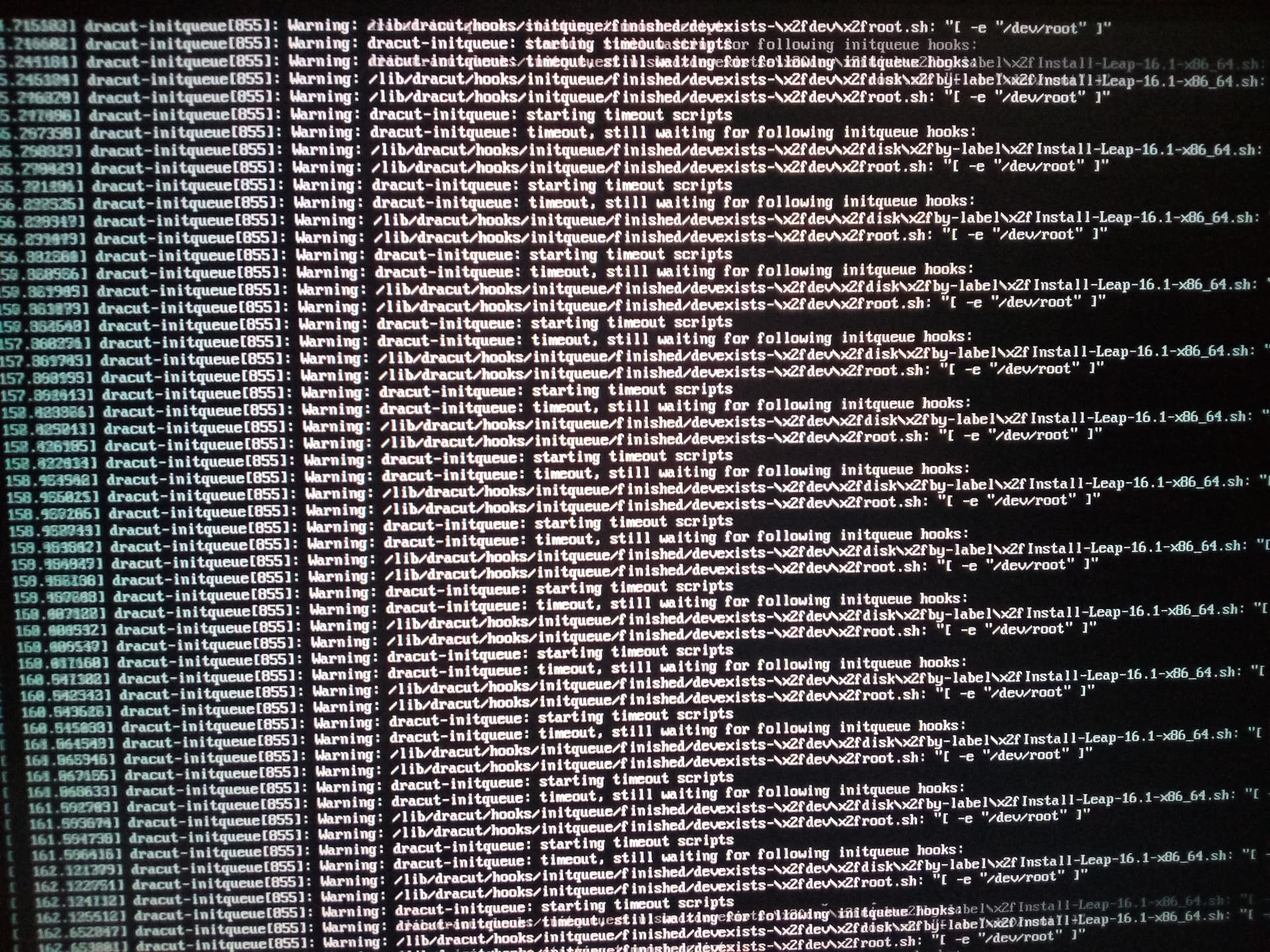
Because that is what I did, substituting in 16.1 for the 15.1 in the menu entry. It went through and loaded some stuff, paused for a long time, then showed the following screen: