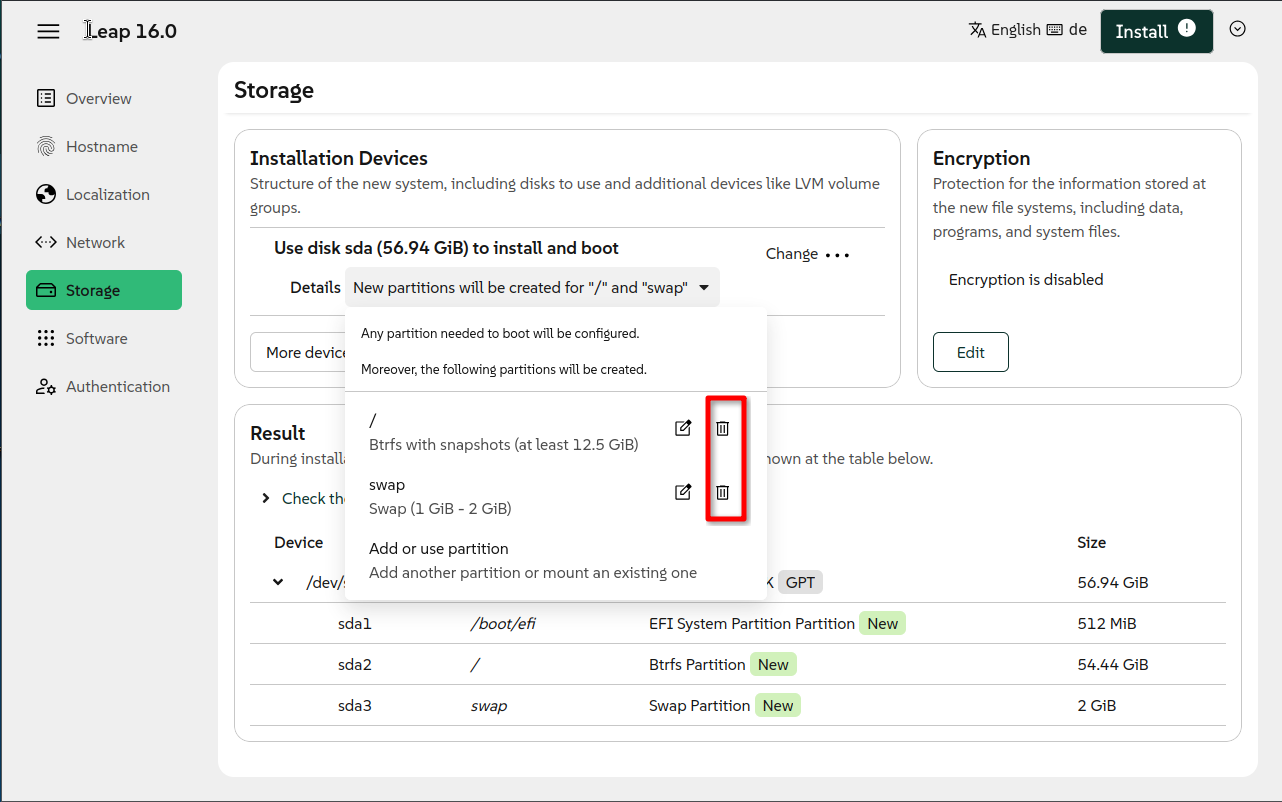
Yes it is easily possible to change /boot/efi with Agama and Leap 16.0 to any size you want. It does not take much and can be found by playing a little bit with Agama…you can’t destroy anything until you have fully configured all necessary installation steps (software, user, passwords, …) and hit install.
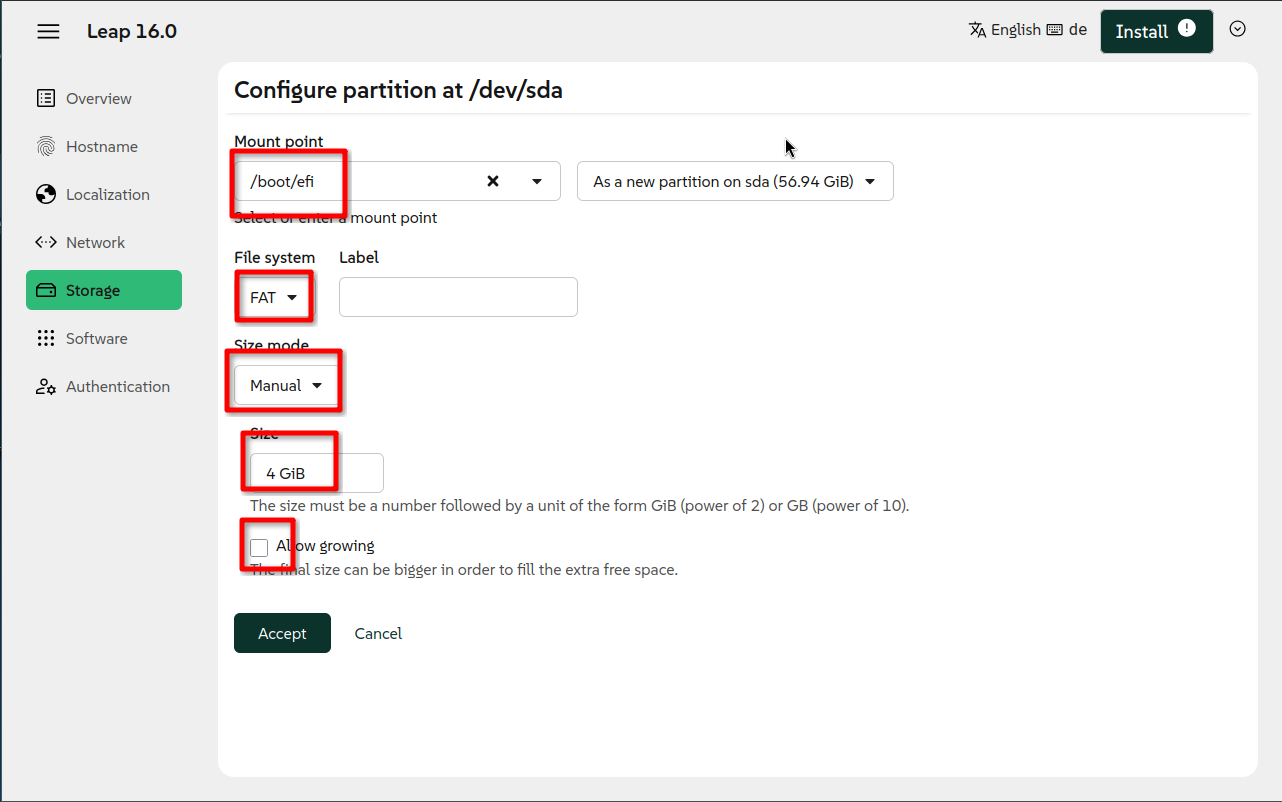
Following an example how to create 4 GiB /boot/efi partition.
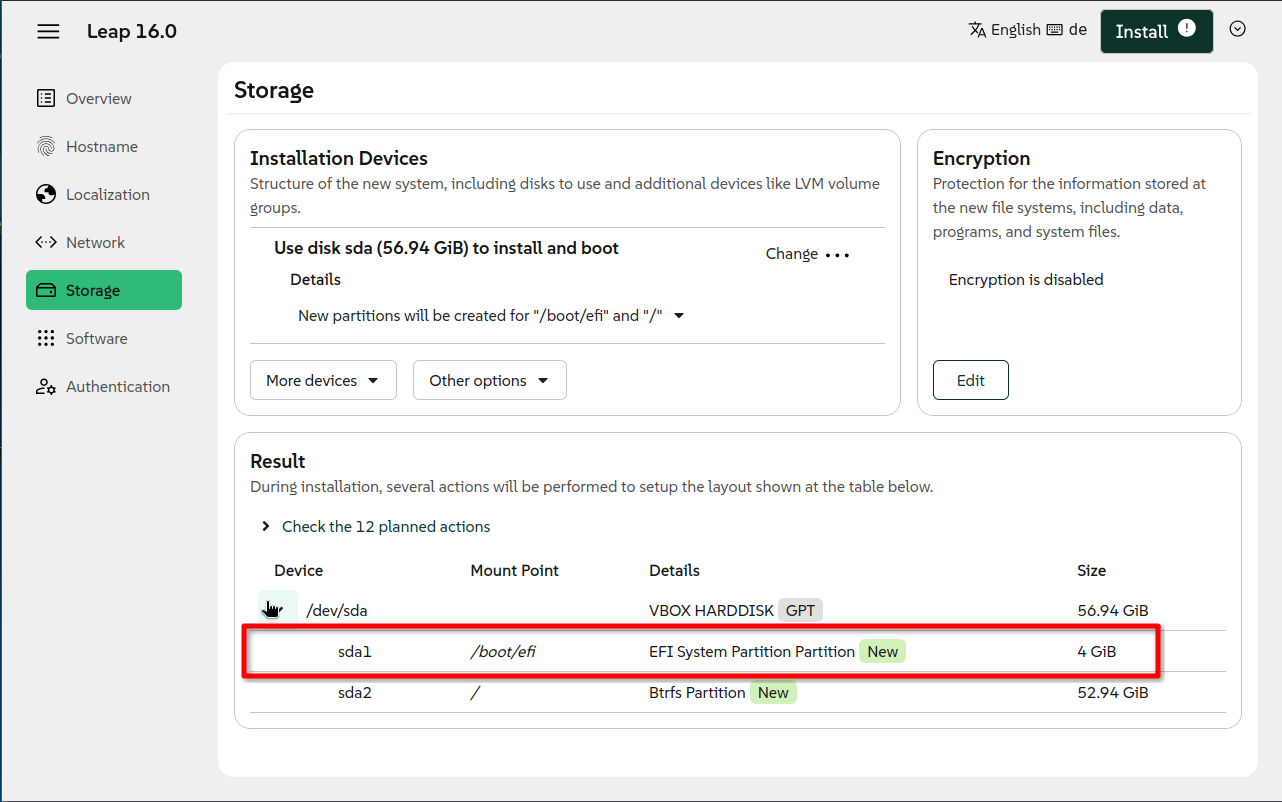
Add another partition for / with btrfs and automatic growing and snapshot(and swap if required or wanted) The final disk layout will look smth like this (without swap for this example):
I tried to delete everything, but somehow it still show /boot/efi :: 512. I didn’t think of just recreating it, I was always looking for a /boot/efi change size.
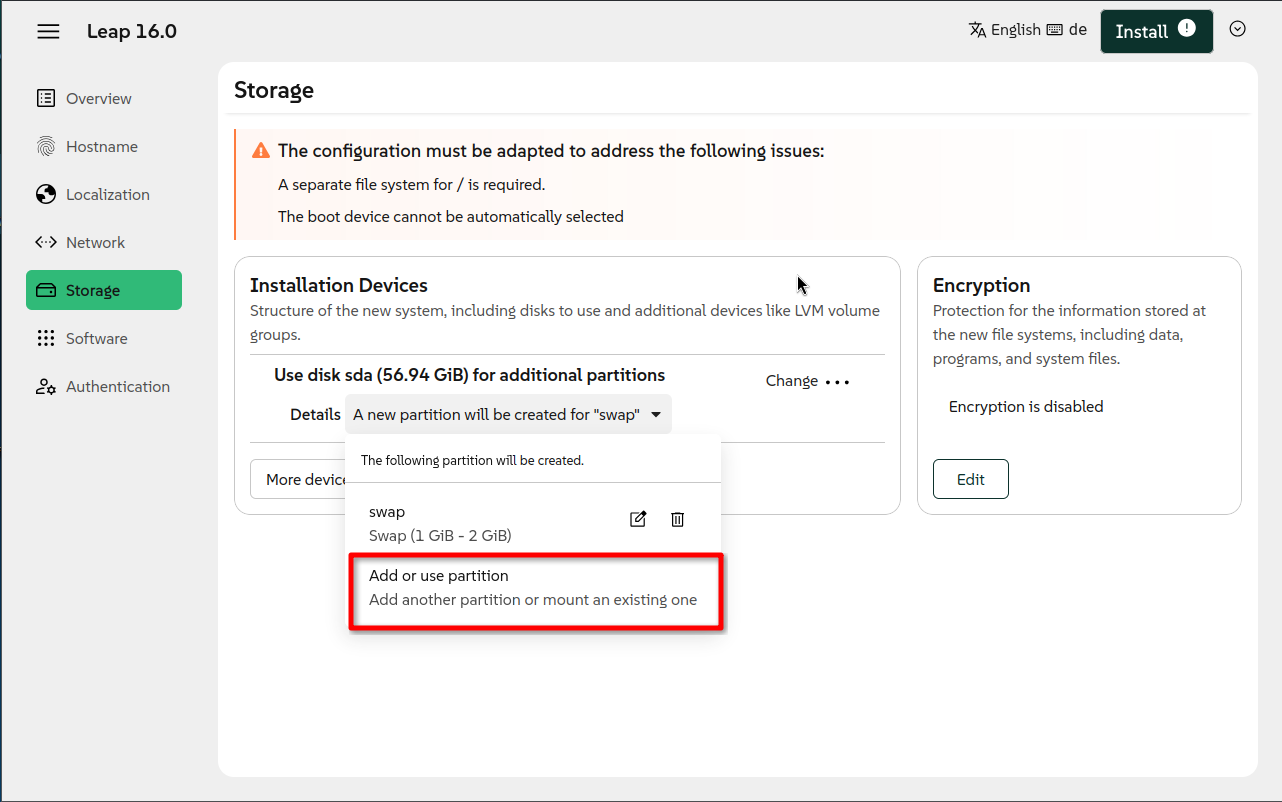
I found an even easier way which does not need recreation of the partion setup. Do not delete the initial proposal. Simply hit “Add or use partition” (second screenshot) and make the same settings for /boot/efi as in the third screenshot (as example 4 GiB). It will simply overwrite the installer suggestion of 512 MiB with the value you set there.
So this is the resizing option you where searching for.