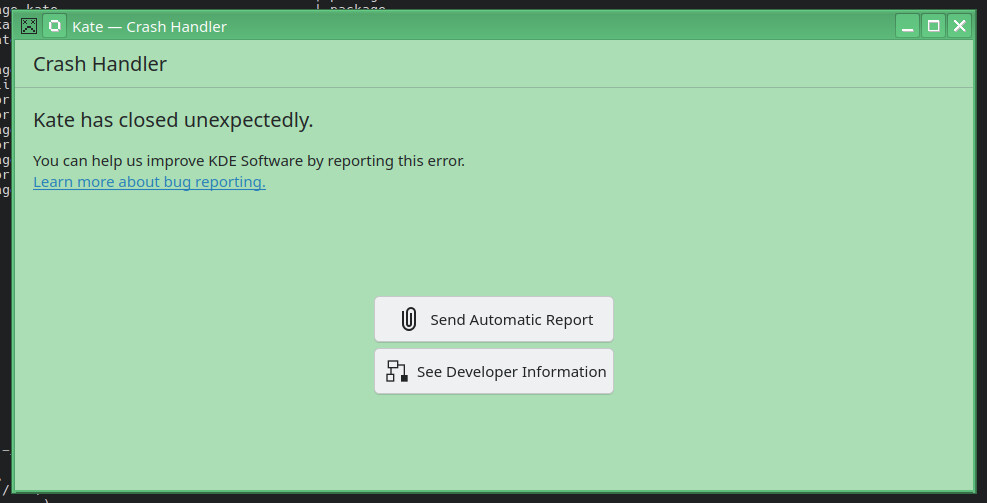
Installed Leap 16 from scratch, no fancy stuff running (just LAMP).mI was browsing my logs, and see a lot of these messages coming by. Every 10 seconds.
What is your advice to do now? Need more info?
As root I did:
cumulus:/var/log # systemctl status drkonqi
Unit drkonqi.service could not be found.
cumulus:/var/log # systemctl status drkonqi-coredump-launcher
Unit drkonqi-coredump-launcher.service could not be found.
cumulus:/var/log # systemctl status drkonqi-coredump
Unit drkonqi-coredump.service could not be found.
2025-12-28T18:00:26.223272+01:00 cumulus systemd[2473]: drkonqi-coredump-launcher.socket: Unit needs to be started because active unit sockets.target upholds it, but not starting since we tried this too often recently. Will retry later.
2025-12-28T18:00:36.471993+01:00 cumulus systemd[2473]: drkonqi-coredump-launcher.socket: Unit needs to be started because active unit sockets.target upholds it, but not starting since we tried this too often recently. Will retry later.
2025-12-28T18:00:46.721722+01:00 cumulus systemd[2473]: drkonqi-coredump-launcher.socket: Unit needs to be started because active unit sockets.target upholds it, but not starting since we tried this too often recently. Will retry later.
hightower-i5-6600k:~ # systemctl status drkonqi
Unit drkonqi.service could not be found.
hightower-i5-6600k:~ # systemctl status drkonqi-coredump-launcher
Unit drkonqi-coredump-launcher.service could not be found.
hightower-i5-6600k:~ # systemctl status drkonqi-coredump
Unit drkonqi-coredump.service could not be found.
hightower-i5-6600k:~ #
I used kate instead of kwrite when reviewing above link. Got jammed up a bit but now see: systemd[1]: drkonqi-coredump-processor@7-214636-0.service: Deactivated successfully.
So I am fairly sure Dr. Konqi is working on the machine.
To add a bit to this. I still do not understand how to correctly display the status of the systemd drkonqi-coredump-processor@.service
# systemctl status drkonqi-coredump-processor@.service
Failed to get properties: Unit name drkonqi-coredump-processor@.service is neither a valid invocation ID nor unit name.
# systemctl list-unit-files
Then look for drkonqi-coredump-processor@.service enabled enabled
Such as drkonqi-coredump-processor@123-abc-0.service, you can check their status individually: systemctl status drkonqi-coredump-processor@<instance>.service where <instance> is 123-abc-0 or whatever ID it is, (get this info from the journal output).
Passing in Konsole here:# journalctl -b | grep "systemd-coredump"
Result (from multiple systemd-coredump related entries) includes the following entry line: systemd[1]: systemd-coredump@7-214636-0.service: Deactivated successfully.
BTW: Seeing many many lines here also of > Dec 28 22:16:42 hightower-i5-6600k systemd[3906]: drkonqi-coredump-launcher.socket: Unit needs to be started because active unit sockets.target upholds it, but not starting since we tried this too often recently. Will retry later.
I did put a lot of effort into crashes like this one for the 25.08 release.
so please upgrade when you can and try again with 25.08.
I managed to fix the major crash issue when viewing the “To-Do” list but, the minor crashes are persisting.
I’m considering moving over to KDE Plasma 6 from the “KDE:Applications” repositories – Kontact is complaining that, the current version is more than 6 months old and, suggesting that I upgrade …
But, I’ll be doing that after, I’ve raised a Post in this forum to discuss the issue – the move to the latest KDE Plasma version was suggested in another Post but, at that point in time it didn’t function as expected for me …
so much appreciated al these comments/suggestions. Thanks!
All these symptoms are in line with my observations. The initial drkonqi-trigger was an error I made by trying a ‘dotnet 10’ application using ‘dotnet 8’. This was easily solved. But after that, the drkonqi messages keeps flooding my logfiles (at exactly every 10 seconds, for many days).
But, it didnt cause any disturbance to performance or functionality. Everything was smooth. But I want these logfiles also as clean as possible.
In the end, I disabled/stopped every drkonqi (version related items and removed drkongi6 from the system. After reboot, no messages anymore (which is obvious of course).
Having read all these information in this thread, I am thinking to reinstall drkonqi6 again, and workaround/tweak the mentioned suggestions. Running --user as root, for example.
FYI, I installed KDE Plasma 6, but I am only running stuff as a server (LAMP), and only remote accessing by SSH.
Assuming Leap 16.0, the default System Administration is by means of Cockpit.
The only issue I can currently see for a Leap 16.0 Server without a Terminal Screen and Keyboard is that, Myrlyn doesn’t seem to have a curses mode – you’ll have to manage the RPM packages by means of a CLI and Zypper.
Progressive insight. I installed a DE, made everything working as I wanted it. And after a couple of days I decided to move the NUC into the meter cupboard. So not accessing it anymore using a DE, but remotely by SSH.
If I had this insight earlier, I would’ve installed it without a DE, no question about that. But now, it’s not worth the effort to do this all over again, just for not having a DE.
Yes, I am remotely administrating the server with Cockpit now, port 9090. Works without problems. And zypper I can manage