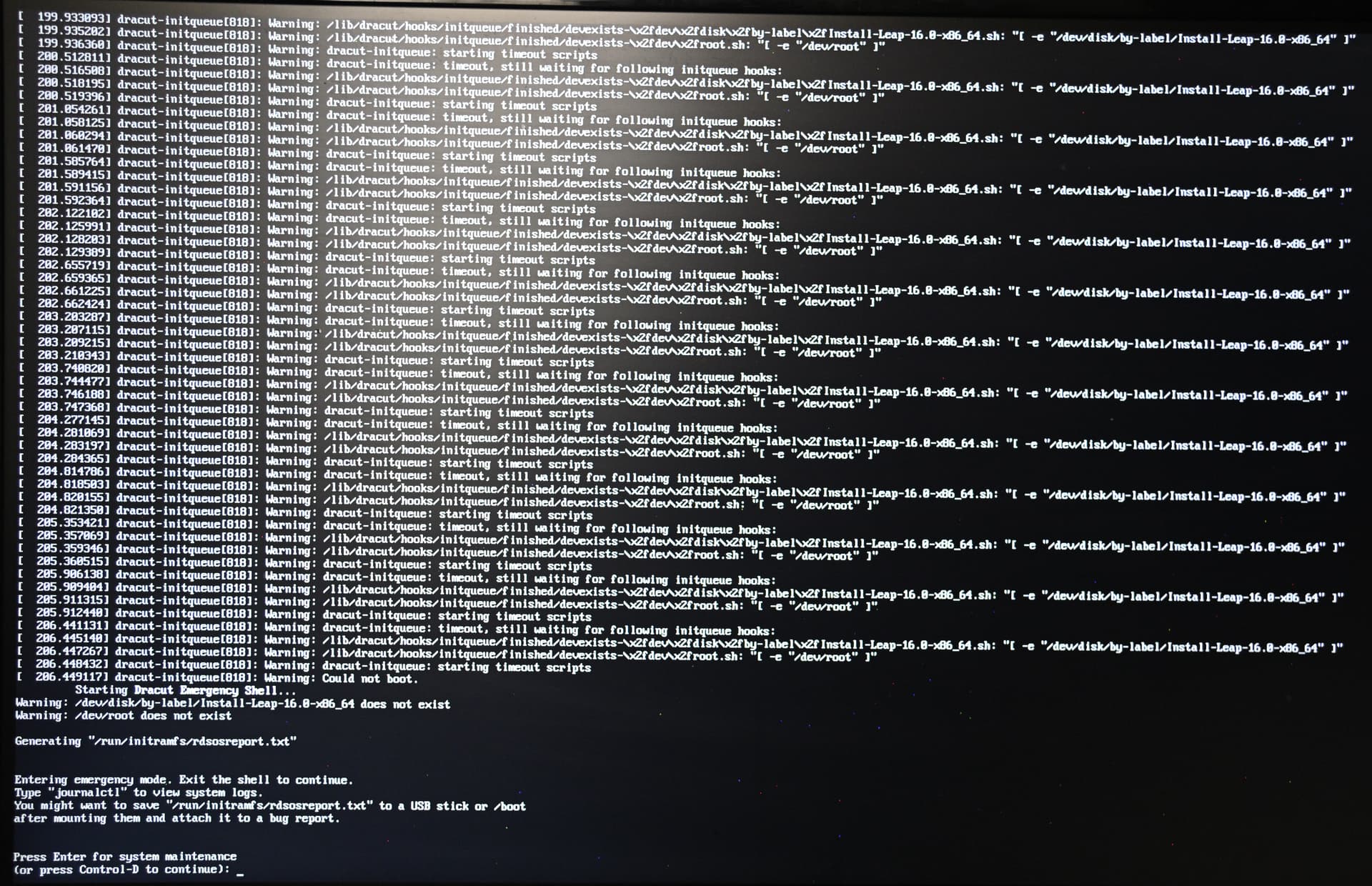
15.6 was working fine. Tried an inplace upgrade to 16.0 which didn’t complain until reboot until core services wouldn’t start (dbus, avahi, etc). Created stick and tried both “install” and “rescue” with both having the same result (image below):
1 Like
So, if you use Rufus to create the stick make sure it writes as DD… 
And what happens if you press CTRL+D. Does it go on to boot ok after the filesystem check?
For sure - is the installed OS working as expected for you now?
I manage to get install to run (formatting disks first), now trying to work out how to manage the system with YAST gone for a hike and lots of functionality no longer obvious (even as root).
You know what, after 10 minutes looking at openSUSE 16 I’m going back to 15.6 - 16 is horrid and not configurable - getting rid of this aweful OS
2 Likes
That’s no solution. If you need specific guidance just ask. Specific topics for each issue ideally.
Strange – continuous upgrades since SuSE Linux 8.1 –
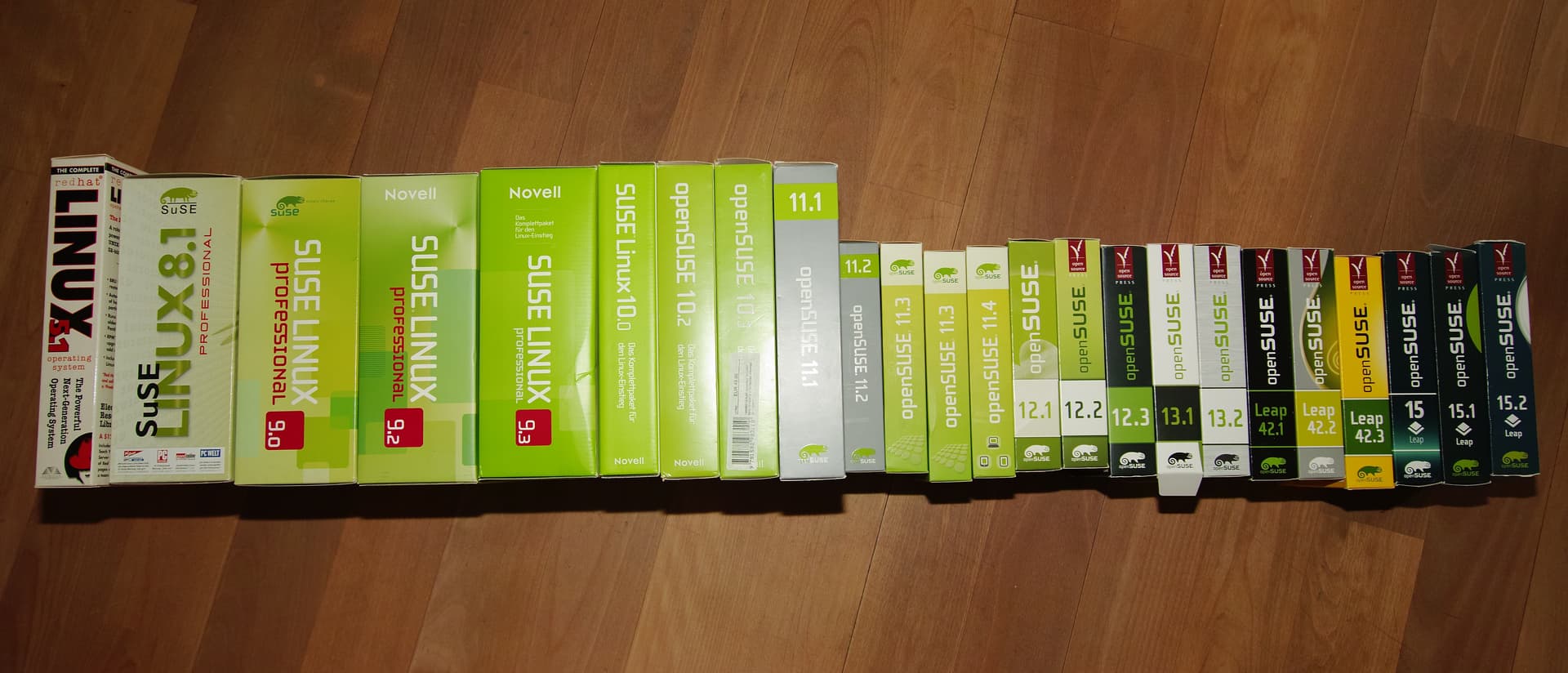
Albeit, also with Mainboard, CPU, Memory and Disk upgrades in between the system upgrades … 
#
# Red Hat Linux Version 5.1 (Manhattan):        Summer 1998
#
# ----------------------------------------------------------------------------
#
# SuSE Linux 8.1:                               Autumn      2002
# SuSE Linux 9.0:                               Autumn      2003
# SuSE Linux 9.2:                               Autumn      2004
# SuSE Linux 9.3:                               Spring          2005
# SuSE Linux 10.0:                             Autumn     2005
#
# openSUSE 10.2:                                Winter      2006
# openSUSE 10.3:                                Autumn   2007
#
Operating System: openSUSE Leap 16.0
KDE Plasma Version: 6.4.2
KDE Frameworks Version: 6.16.0
Qt Version: 6.9.1
Kernel Version: 6.12.0-160000.7-default (64-bit)
Graphics Platform: Wayland
Processors: 12 × AMD Ryzen 5 8600G w/ Radeon 760M Graphics
Memory: 32 GiB of RAM (30.5 GiB usable)
Graphics Processor: AMD Radeon Graphics
Manufacturer: ASUS
At least you have another six months or so to plan and learn about the new installer etc… It was a recommendation to do a fresh install as there are numerous changes with Leap 16.0.
Install and use opensuse-migration-tool.
Another point to change your view of the world –
- YaST is no longer being maintained – it hasn’t been deprecated – it’s history …
- Leap 16 uses “Cockpit” → <https://localhost:9090/>
It’s OK – it has a Disk Partitioner and System Process tools and, User and Group tools and, a Package Update/Patch tool … - For Package Management “Myrlyn” does everything the YaST Packet Manager did.
- SELinux is replacing AppArmor …
Yes, it’s a different world but, not so different …
But then, with my age of ¾ of 100 years plus 1 year, maybe I’m more receptive to change than the younger generation …
Hey @dcurtisfra I’m 5/8 of 100 years uh almost 3/4 in a few months only my take is yast one stop shop is really gonna be missed  here.
here.
@conram Most day-to-day admin tasks ordinary users care about are already covered by the graphical tools mentioned above. The need to use YaST for explicit hardware configuration has largely disappeared. If you run into an issue where you think YaST might have helped, start a topic and guidance can be provided.
@deano_ferrari Sorry about that. So far I don’t have any issues and if there will be issue occur I will not hesitate to ask. I’m not for something else it’s just that during yast time you open it and you can do almost anything to configure. I don’t have to open another application and type my password for another thing to configure. That’s why I call it the one stop shop. At my age and had two retinal reattachment I just want to click click click and avoid typing to much to avoid too many typos. This new introduction to new era of openSUSE configuration , I welcome it with an open arms.
I’ve been using SUSE/openSUSE for the past 20 years and it never failed.
This topic was automatically closed 7 days after the last reply. New replies are no longer allowed.