An opensuse slowroll server gets 0 update for half a month. I checked the os-update package which has setup for daily update and it’s been half a month. I read CVE threat like daily and the server telling me nothing to do is scary. Is it true though?
sudo journalctl -u os-update.service | grep Nothing
...
Oct 10 00:01:25 TSERVER os-update[6758]: Nothing to do.
Oct 15 01:04:12 TSERVER os-update[3256]: Nothing to do.
Oct 16 01:39:01 TSERVER os-update[3728]: Nothing to do.
Oct 17 00:31:57 TSERVER os-update[4151]: Nothing to do.
Oct 18 01:01:59 TSERVER os-update[4619]: Nothing to do.
Oct 19 01:09:51 TSERVER os-update[5077]: Nothing to do.
Oct 20 01:09:50 TSERVER os-update[5543]: Nothing to do.
Oct 21 00:00:58 TSERVER os-update[5946]: Nothing to do.
Oct 22 00:53:58 TSERVER os-update[6423]: Nothing to do.
Oct 23 01:48:48 TSERVER os-update[7025]: Nothing to do.
Oct 24 00:34:57 TSERVER os-update[7449]: Nothing to do.
Oct 25 00:03:05 TSERVER os-update[7893]: Nothing to do.
Oct 26 01:53:07 TSERVER os-update[8402]: Nothing to do.
Oct 27 01:51:15 TSERVER os-update[8856]: Nothing to do.
Oct 28 01:17:04 TSERVER os-update[9283]: Nothing to do.
Oct 29 01:50:18 TSERVER os-update[9749]: Nothing to do.
Oct 30 00:20:07 TSERVER os-update[10169]: Nothing to do.
Oct 31 01:31:59 TSERVER os-update[10649]: Nothing to do.
Edit: It’s possible that I might have manually updated once or twice but I don’t remember now.
sudo zypper-log will tell you if you’ve updated. Add -r n (n being a number) to check the last n rotated logs if you don’t see much in the most recent log.
sudo journalctl -u os-update.service --since 2026-10-26
Oct 26 01:52:42 TSERVER systemd[1]: Starting Update of system...
Oct 26 01:52:43 TSERVER os-update[8377]: Repository 'update-slowroll' is up to date.
Oct 26 01:52:45 TSERVER os-update[8377]: Repository 'repo-non-oss' is up to date.
Oct 26 01:52:45 TSERVER os-update[8377]: Repository 'repo-oss' is up to date.
Oct 26 01:52:55 TSERVER os-update[8377]: All repositories have been refreshed.
Oct 26 01:52:55 TSERVER os-update[8402]: Loading repository data...
Oct 26 01:52:57 TSERVER os-update[8402]: Reading installed packages...
Oct 26 01:52:59 TSERVER os-update[8402]: Warning: You are about to do a distribution upgrade with all enabled repositories. Make sure these repositories are compatible >
Oct 26 01:52:59 TSERVER os-update[8402]: Computing distribution upgrade...
Oct 26 01:53:07 TSERVER os-update[8402]: Nothing to do.
Oct 26 01:53:07 TSERVER os-update[8376]: Update was successful
Oct 26 01:53:08 TSERVER os-update[8428]: No core libraries or services have been updated since the last system boot.
Oct 26 01:53:08 TSERVER os-update[8428]: Reboot is probably not necessary.
Oct 26 01:53:08 TSERVER systemd[1]: os-update.service: Deactivated successfully.
Oct 26 01:53:08 TSERVER systemd[1]: Finished Update of system.
Oct 26 01:53:08 TSERVER systemd[1]: os-update.service: Consumed 9.560s CPU time over 25.419s wall clock time.
...
“Nothing to do” and “Update was successful”?
“Reboot is probably not necessary” and “zypper needs-rebooting”
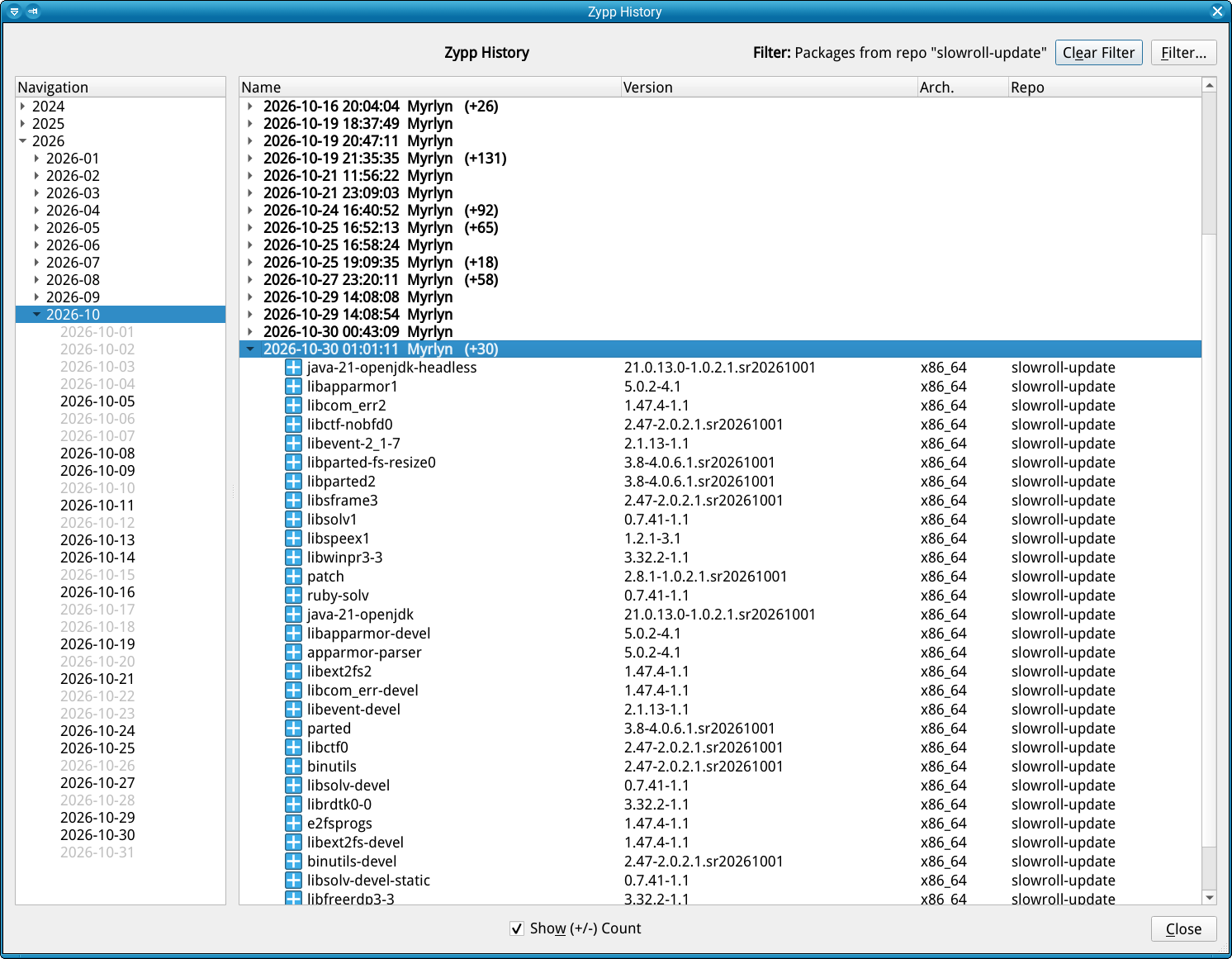
Did it actually update or not?
Add the PID after zypper-log to get more information from that specific instance.
You can also run sudo less /var/log/zypp/history to get a full history of what zypper has been doing. Hit End to go to the end of the history. It’s long and unwieldy to navigate, though.
Just a side note: I’d never had a look at Show History in Myrlyn. Much cleaner than digging through /var/log/zypp/history by hand if you’re just looking for what packages have changed and when. Bravo again, @shundhammer!