Oh yes! Sorry!
Was it actually at the very beginning — or had the tag been added later? Because I really missed that it’s a TW thread. Sorry, again.
Then, yes, myrlyn or zypper. AND you can find and install it (for TW). As the user already did, obviously. 
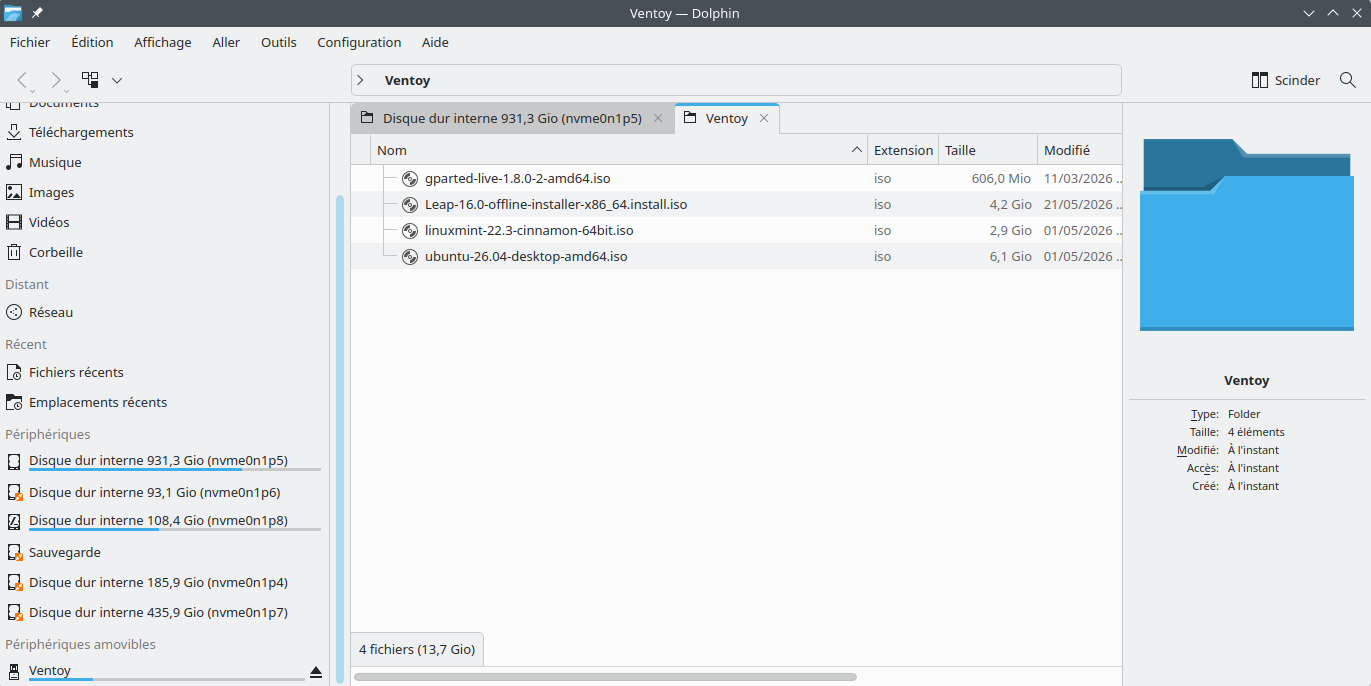
This print screen will better explain :
The logged device is named Ventoy and contain all these distos’s Iso’s.
Ventoy is installed as package in PCLinuxOS. When running, it open a screen to create a bootable stick.
That is what i search : a package that can make the same work
I don’t have more to add, sorry. For Windows, there would be https://pendrivelinux.com/yumi-multiboot-usb-creator/#yumi-exfat-download , nice! But for Linux I only know Ventoy or the solution mentioned by @swannema
@swannema @C7NhtpnK
I think, i will use swannema’s idea : a little work, Yessss !
I will test it with another USB stick.
Thanks to all 
Update:
04/09/2026 - YUMI-exFAT-1.0.3.7.exe: Updated to use Ventoy 1.1.11 bootloader, addressing the display issue when UEFI booting Windows/WinPE ISO.
Oh, does it mean this tool is built upon Ventoy in some way? Haven’t known…
Great!
You already should have a solution for single ISOs. Maybe, you get a solution for multiple ISOs soon.
I only use Ventoy in cases where it obviously works (but make use of the multiple ISOs function!). For my OS (i.e. openSUSE) install I chose another way.
In short, no.
Because to do so, you need to inject something into memory in order to actually boot from the ISO. This is why Ventoy works the way it does.
We know what Ventoy is, and how it works. And it is not supported as a tool for installing openSUSE distributions. It might work, but we have no way of knowing what additional changes it’s making to the installation environment, so it is not supported.
I use it myself occasionally for booting live ISO images, but never for installing from.
I’ve looked at how it is built myself, and the build process is (honestly) a confusing mess, even as documented by the developer themselves. That makes the code very difficult to even audit properly.
Can it be used to install TW? Probably. Will we support it? Probably not. If you run into a problem that nobody else has, the default assumption will be that Ventoy is introducing something that’s causing breakage, and we’re going to ask you to reinstall without it to reproduce the problem.
@C7NhtpnK You do realize that it uses a binary blob that can inject anything into your system?
@malcolmlewis
Heuuu !!!
My Tumbleweed was installed by ventoy without problems.
You say :
“You do realize that it uses a binary blob that can inject anything into your system?”
How it is possible to verify if all is Ok or not with my install ?
You don’t, whole point of Social Engineering and ability to potentially infect a system…
openSUSE Project provides Live USB’s to test, rescue etc. You can spin up an iso image with qemu to test if wanting. None of which require using third party tools.
You would need to build/compare all of these… https://github.com/ventoy/Ventoy/blob/master/BLOB_List.md
1 Like
@malcolmlewis
That’s not quite what I meant to say.
When my PC broke down in January this year, I didn’t know which distribution to install, as my old distro wouldn’t install.
I asked my daughter (someone I trust) to create a bootable USB stick for me using Ventoy (as her distribution has it in its repositories) and to put four main distributions on it (the best-known ones, including OpenSUSE) so I could test them on my very new hardware.
Three of them failed on a few points that were important to me: the printer wasn’t recognised, the Wi-Fi network was detected but not the wired network, and I couldn’t get the VPN to work.
Only OpenSUSE Tumbleweed managed to recognise everything and install everything properly.
What I didn’t realise at the time was that Ventoy was causing problems with OpenSUSE.
I’ve only just found that out.
That’s why I’m asking if there’s a way for me to tell whether the installation has been affected by Ventoy.
Hard to say, I only use official media, have multiple USB devices to use, one good thing about the Agama installer is only needing two, one for the Leap series and one for Tumbleweed/MicroOS series. I have a Rescue USB I just dd a new image onto every now and again.
@C7NhtpnK Did you look at the spec, there is no building at all, it’s all just blobs and scripts to install… This is not allowed on the openSUSE Build Service as in distributing blobs this way…
1 Like
Wouldn’t it be important to inform people who want to download OpenSUSE Tumbleweed, Leap and Slowroll not to carry out the installation using Ventoy?
And to let them know that they won’t receive any support if they use Ventoy?
Because there’s nothing about this on the official page!
You can criticise users for being careless, but not if they haven’t been informed in advance.
If I’d had that information, I would have asked on the forum how to carry out the installation without Ventoy.
This isn’t a criticism I’m making here, just a suggestion for something to include on the official download page.
It would be a useful addition and an improvement to the quality of the site.
No. Ventoy should document that it doesn’t support openSUSE*.
When I installed Tumbleweed in February, Agama wasn’t included in the ISO yet.
I discovered Agama (which I didn’t like at all) when I set up a dual-boot system with Leap16 (when there was that big update in early May).
So Ventoy didn’t detect Agama in my case.
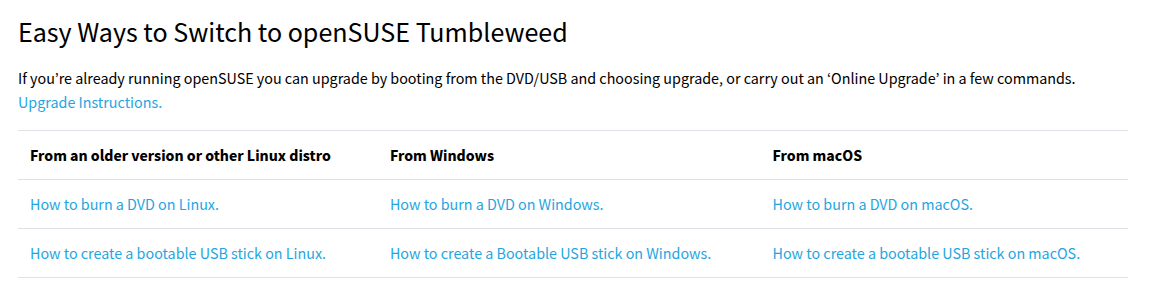
To answer to your last message, this https://en.opensuse.org/SDB:Live_USB_stick is a wiki page.
When a user search for downlod, he find https://get.opensuse.org/ and here there no warning
I don’t know what you really need, but maybe have a look at live-fat-stick:
Information for package live-fat-stick:
---------------------------------------
Repository     : repo-oss
Name           : live-fat-stick
Version        : 0.4.2-4.21
Arch           : noarch
Vendor         : openSUSE
Installed Size : 18,0 KiB
Installed      : No
Status         : not installed
Source package : live-fat-stick-0.4.2-4.21.src
Upstream URL   : https://github.com/cyberorg/live-fat-stick
Summary        : Tool for creating live USB stick with a FAT partition
Description    :
    This tool creates multi-boot capable USB stick/hard disk images with
    whole ISOs on a FAT32 partition, keeping existing data untouched.
I haven’t used it in ages, so cannot recommend, but at least it is in the OSS repo for Tumbleweed.
@knurpht
Oh !
Please see here : https://www.ventoy.net/en/distrowatch.html
On line 14, opensuse is OK
@Zlinux1 Why should there be a warning, the page you linked to has the appropriate methods for creating the openSUSE install media?
https://get.opensuse.org/tumbleweed/
Regarding Agama, it’s a separate iso image and AFAIK will always be.