Found the solution. The udev rules for NVidia card has the sound disabled. Commenting out this setting and rebooting fixed it. HDMI now appears as an option under Configure Audio Devices.
- Edit the udev rules for your Nvidia card
$ sudo vi /lib/udev/rules.d/90-nvidia-udev-pm-G05.rules
(Note: the .rules filename maybe different; look for a .rules filename containing nvidia-udev)
- Look for the lines:
# Remove NVIDIA Audio devices, if present
ACTION=="add", SUBSYSTEM=="pci", ATTR{vendor}=="0x10de", ATTR{class}=="0x040300", ATTR{remove}="1"
- Comment out the line beginning with ACTION (in vi, using the cursor keys, move to beginning of the second line, press
ito insert characters, type#) :
# Remove NVIDIA Audio devices, if present
# ACTION=="add", SUBSYSTEM=="pci", ATTR{vendor}=="0x10de", ATTR{class}=="0x040300", ATTR{remove}="1"
-
Save the file and exit vi: In vi, press
:then typewq(to write and quit) and press ENTER. -
Reboot
-
Plug in your HDMI cable into your computer.
-
Choose your audio device. Right click the sound icon on the right hand side of the taskbar (in KDE) and select “Configure Audio Devices”
-
Select HDMI from the drop-down list or radio button under the “Playback Devices” section.
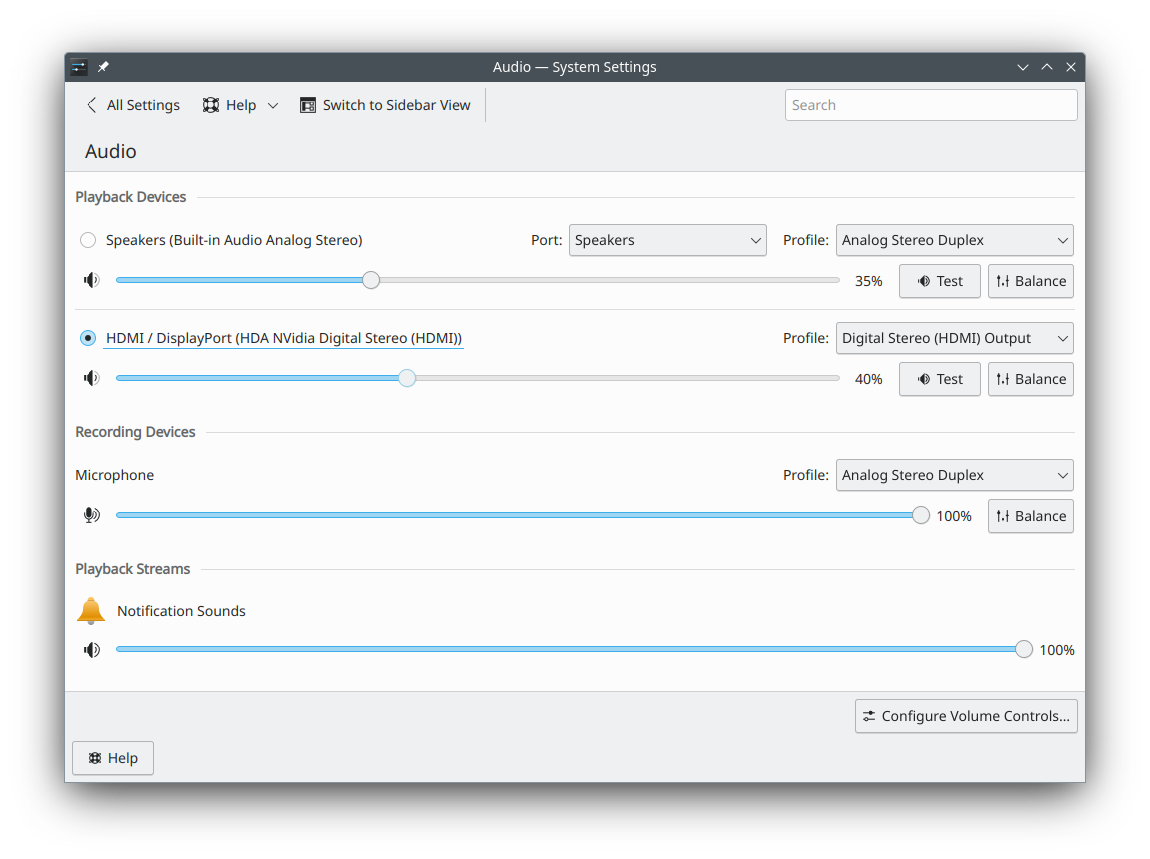
Thanks God! (Was praying earlier to find a solution  )
)
Two helpful online articles that pointed me to the solution:
No HDMI Audio on Nvidia 1660 Super (Driver 460) & Ubuntu 20.10
NVidia HDMI not an option for audio output
Resolved! Thank you to everyone who was kind to offer help and solutions! Loving openSUSE and the community.