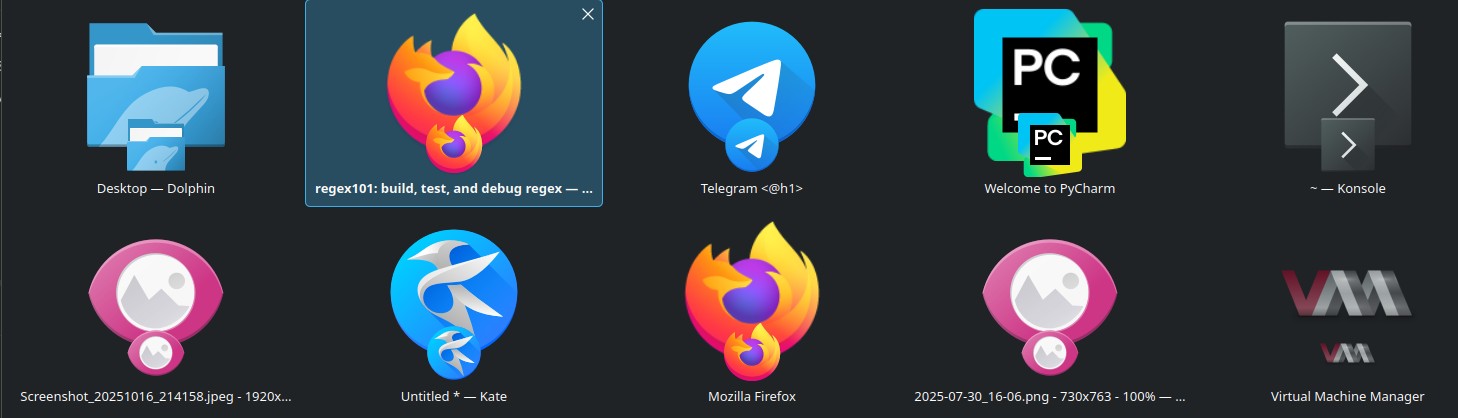
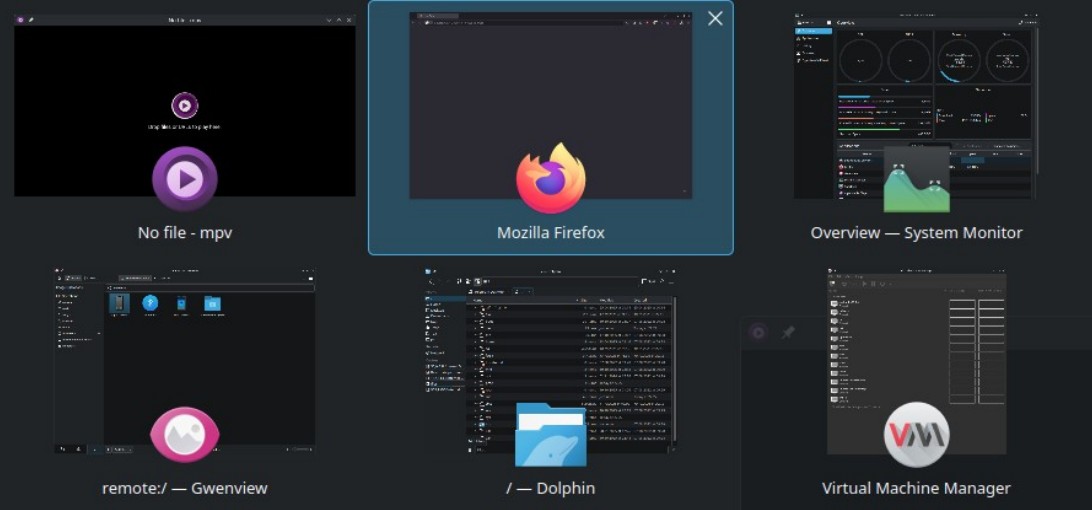
I’ve been using OpenSUSE Leap with KDE Plasma for several years and this is how the task switcher (named “Thumbnail Grid” in the KDE Plasma settings) looked like all that time:
Now I want to bring the old style without previews back as they only distract me but I couldn’t find a way to do that in KDE Plasma 6.4.2 Wayland. I tried all the task switcher options in the settings but none of them does what the first screenshot displays.
Does someone know if it’s possible to disable those previews? I know there are similar task switchers with similar behaviour and without previews but I want the exact same one without previews.
Yeah, I already noticed that it does work in X11 and switched to it immediately but it has no effect when using Wayland. I’d like to know if it’s possible in Wayland too.
You can configure KDE task switcher previews by going to System Settings > Workspace > Window Management > Task Switcher and choosing a different “Visualisation” style. For the “Icons-Only Task Manager,” you can enable large window previews by right-clicking the taskbar, selecting “Configure Icons-Only Task Manager,” and changing the “Clicking grouped tasks” option to “Shows large windows previews”.
Thanks for the feedback!! … it’s good to know that … many folks (such as myself) will find this feedback informative, i.e., the lack of expected functionality in wayland. (which is why we only use X11).
The first screenshot looks like some leftovers from really old Plasma 5 releases or alternate visualisations (former alternative visualisation for Plasma 5 are no longer available for Plasma 6 as everything changed). Maybe you had an alternative visualisation installed in the past (prior Leap 15.6). So it seems like you have leftovers in your user profile.
A clean Leap 15.6 installation with Plasma 5 and “Thumbnail grid” shows the preview like in your second screenshot. This is independent from X11 or Wayland, no matter the Wayland bashing from some uninformed users. This can be verified by a fresh test installation in a VB.
Thumbnail grid has a preview (thumbnail means preview). It is the same on Plasma 5 and 6.
Something like this working on X11 but not on Wayland might be a consequence of Wayland’s much stricter security policies: On Wayland, one program can’t simply grab a screenshot of another one, unlike on X11. See also this discussion.
So this feature might be out of reach on Wayland for the forseeable future; that’s not anything that the KDE developers can easily fix on their side.
I’m right now using Plasma 6 with X11 with a task switcher that has no previews, exactly like on the first screenshot in the first post.
If you’re correct about a leftover profile, then I guess I simply need to find and apply it to the Wayland session, though I don’t know where to look for it.
I logged in with another user and indeed the task previews were there. That means the issue is not with X11/Wayland but with Plasma configs which, for some reason, configure one user profile to display task previews while another profile not to.
I couldn’t find which configs are responsible for that, simple copying all files ~/.config/kde* and ~/.config/plasma* from my usual user account to a new account didn’t change anything.
Thanks everyone, at least now I know the reason for that behaviour.
Grown user profiles can show such erratic behaviour. Desktop environments like Gnome or Plasma are extremely complex and change over time. It is normal that a user profile might show some strange behaviour after many years of version changes and updates.
The easiest way to see this, is when you have a box which had all updates of the complete Plasma 5 release cycle and you update it to Plasma 6. Now compare the visuals and settings of this grown profile with a completely pristine Plasma 6 installation. Due to leftover settings from Plasma 5 the old profile looks different from the fresh Plasma 6 one. On some boxes i had still settings from Plasma 5 in systemsettings available, which were removed in Plasma 6.
That is why i usually decide to setup a box completely fresh after some years of usage. Getting rid of leftovers from the last years.
Finally found the setting that changes window previews behaviour in X11.
it’s this setting in ~/.config/kwinrc:
[Compositing]
Enabled=false
sadly that setting doesn’t change anything for Wayland session.
I don’t get at all why having window previews is being forced everywhere. Had to disable them for Firefox tabs, Plasma taskbar, tried to disable them in Wayland… I’m staying on X11 for now.