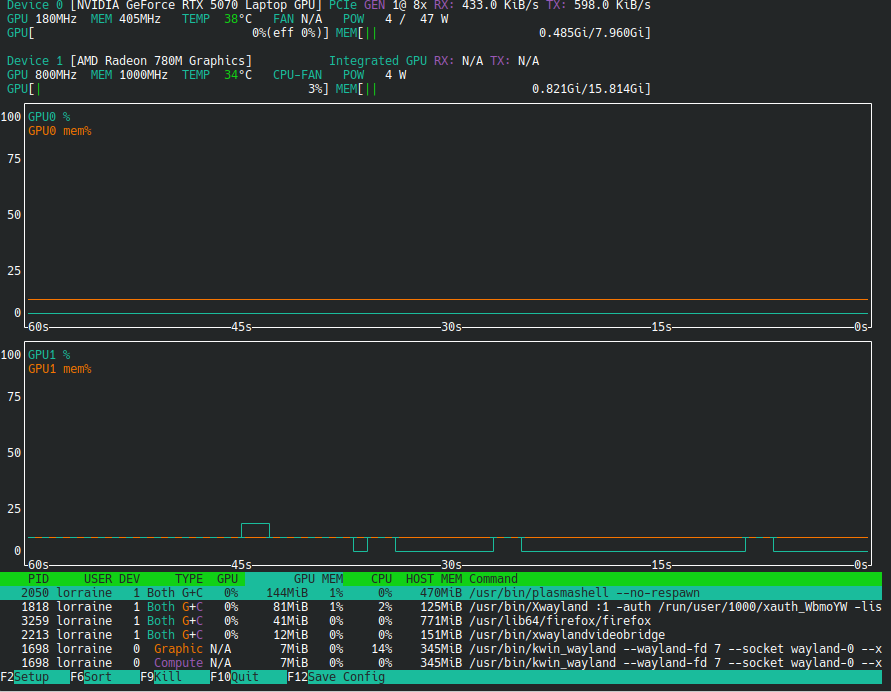
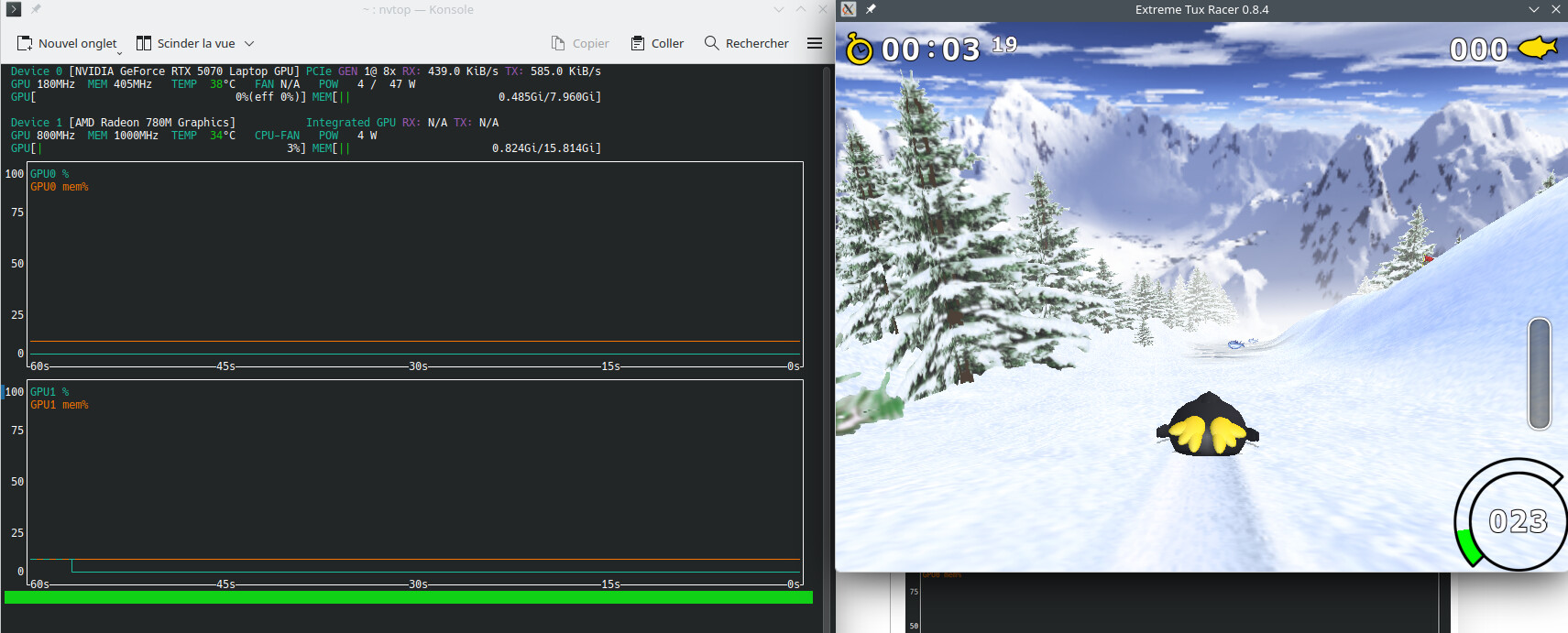
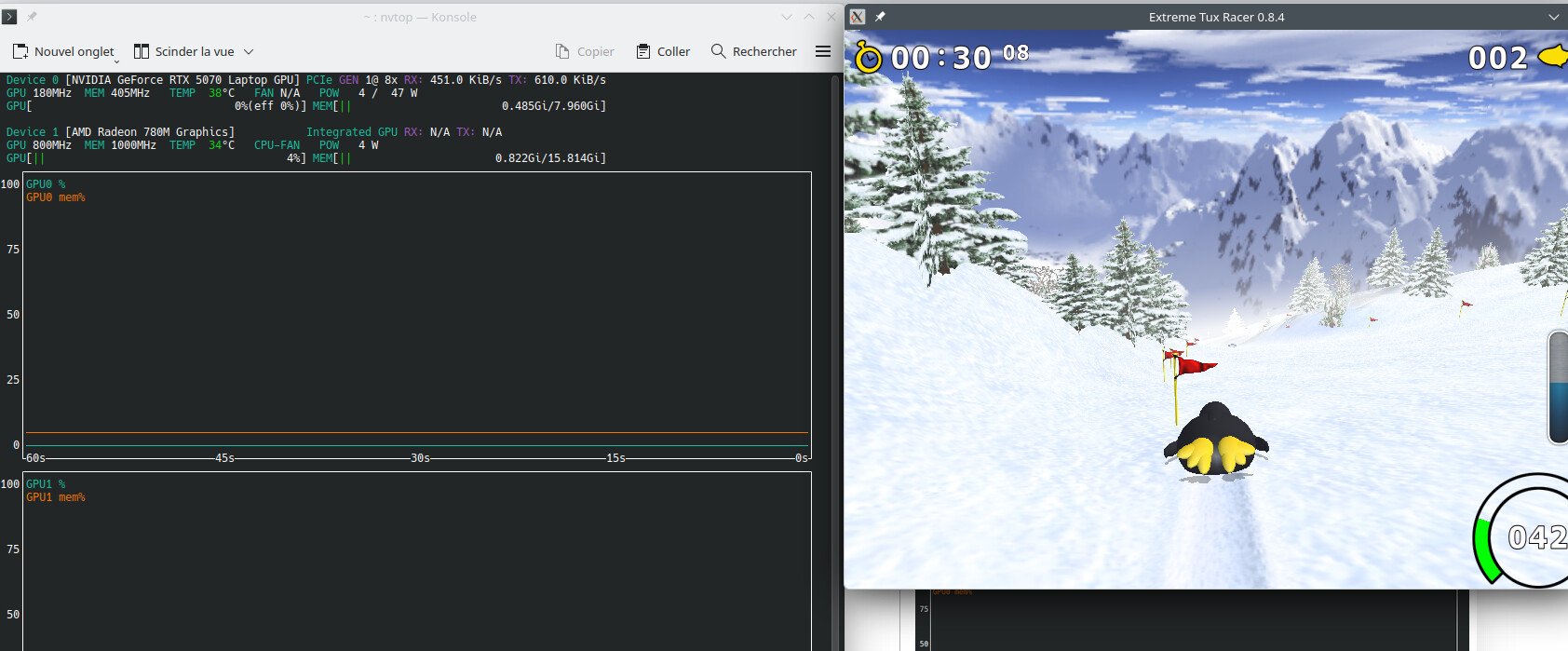
@Shortwave8115
Not now, i have GDM as default to be able to answer to you.
You can see what i have for the moment (i will change to sddm and will use `systemd.unit=multi-user.target)
lorraine@llinux:~> sudo update-alternatives --config default-displaymanager
[sudo] Mot de passe de root :
There are 4 choices for the alternative default-displaymanager (providing /usr/lib/X11/displaymanagers/default-displaymanager).

  Selection    Path                                  Priority   Status
------------------------------------------------------------
  0            /usr/lib/X11/displaymanagers/gdm       25        auto mode
  1            /usr/lib/X11/displaymanagers/console   5         manual mode
* 2            /usr/lib/X11/displaymanagers/gdm       25        manual mode
  3            /usr/lib/X11/displaymanagers/sddm      25        manual mode
  4            /usr/lib/X11/displaymanagers/xdm       10        manual mode

Press <enter> to keep the current choice[*], or type selection number:
Do you really se the output from systemctl show display-manager.service ? there are more than 70 lines !
I will try now with systemd.unit=multi-user.targetat boot.
lorraine@llinux:~> sudo zypper se SDDM
[sudo] Mot de passe de root :
Rafraichissement du service 'NVIDIA'.
Rafraichissement du service 'openSUSE'.
Chargement des données du dépôt...
Lecture des paquets installés...

S  | Name                        | Summary                              | Type
---+-----------------------------+--------------------------------------+-------
   | kalpa-themes-sddm           | SDDM Light/Dark themes for Kalpa     | paquet
i  | plasma6-sddm-theme-openSUSE | SDDM theme for openSUSE              | paquet
   | sddm                        | QML-based display manager (Qt5)      | paquet
i  | sddm-branding-openSUSE      | openSUSE branding for SDDM (Qt5)     | paquet
i+ | sddm-conf                   | SDDM configuration editor            | paquet
i+ | sddm-conf-lang              | Translations for package sddm-conf   | paquet
   | sddm-config-wayland         | Config to let SDDM run using wayland | paquet
   | sddm-greeter-qt5            | SDDM Greeter for Qt5 themes          | paquet
i  | sddm-greeter-qt6            | SDDM Greeter for Qt6 themes          | paquet
i  | sddm-kcm6                   | A sddm control module for KDE        | paquet
i  | sddm-kcm6-lang              | Translations for package sddm-kcm6   | paquet
i  | sddm-qt6                    | QML-based display manager (Qt6)      | paquet
i  | sddm-qt6-branding-openSUSE  | Plasma 6 branding for SDDM           | paquet
   | sddm-wayland-miriway        | Miriway SDDM greeter configuration   | paquet
lorraine@llinux:~>
lorraine@llinux:~> sudo systemctl status switcheroo-control.service
[sudo] Mot de passe de root :
○ switcheroo-control.service - Switcheroo Control Proxy service
     Loaded: loaded (/usr/lib/systemd/system/switcheroo-control.service; enabled; preset: enabled)
     Active: inactive (dead)
lorraine@llinux:~> sudo switcherooctl list
lorraine@llinux:~>
And i can’t see in KDE what i have in Gnome.
In Gnome, when clicking right on the game “tuxrace”, i have the option to use the dGPU Nvidia.
In KDE, when clicking right on the same game, i have no option for choice the dGPU.
The question is : what i’m using ? AMD or Nvidia ?
A user from KDE Discuss says it’s better to user CUDA 610 or 615 driver and add nvidia-drm.modeset=1 and if don’t work try adding in addition initcall_blacklist=sysfb_init.
Perhaps it’s a good idea to change my actual driver but not for the rest.
This seems say Nvidia must be running, not an AMD GPU.
What do ypu think about this ?
And could you give me the way for :
uninstall Nvidia 07
cancel the repo Nvidia
install the repo CUDA
install Nvidia 615 or 610
how to know what is the good driver for me (NVIVIA GeForce RTX 5070)
As I see it, that is in the nature of “Dynamic”, some processes do use the discrete GPU when the system sees fit. The actual usage is 0%, meaning that the GPU is likely used with a very low duty cycle and the power at 4W is less than 8% of maximum…
Try to explicitly launch some heavy app on the Nvidia and see what changes.
You may also have a better view installing nvtop which should show what GPU each running process is actually using.
The “stable” branch for RTX5070 is still 595.99, the “New Feature” branches (610, 615) are for developers and early adopters.
I think your system is working and you may not wish to go down other rabbit holes with still beta drivers, but if you feel different @malcolmlewis should be able to advise better.