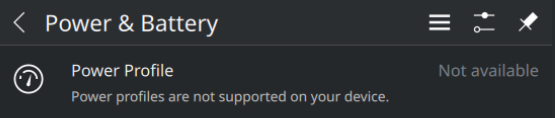
@malcolmlewis @fkrueger Solved it! Much appreciations!
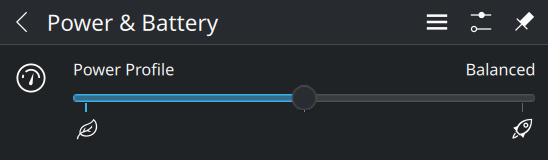
After solution (now):
Before solution:
@fkrueger Should the user remove the power profiles daemon and install the TLP package(s)? I only use power profiles here.
Now, since it’s working, you could also check out tlp’s power profile daemon, but this depends on your needs.
Yeah, I was thinking about messing around with PPD, TLP and the kernel variables, now that we’ve found the solution. Might be a great excuse to come back here. Commands post-solution show that driver registered is still acpi_cpufreq, and amd_pstate is still unusable by the kernel. Perhaps that is worth a bug report?
I think not being able to use amd-pstate is a hardware issue and the system BIOS. Maybe poke around some more in there(?).
I assume the same. From other sources and whatever I could gather from Lenovo’s support portal, the hardware I am running deliberately has access to amd_pstate blocked, as seen in many newer Lenovo laptops. Sadly my attempts to enter the “advanced UEFI” also failed (I did not attempt much as I can’t afford a bricked laptop right now), and the strongest documentation that I could find talking explicitly about the whole CPPC and amd_pstate situation was in the Arch Wiki.
I’d send an email to Lenovo support and ask them direct…
Great suggestion. Will do that.
You should get in touch with Lenovo’s Firmware Team, since they have to implement the support of amd_pstate in the BIOS (and they refused to do it in the past for some Thinkpad models). Try to reach Mark Pearson, technical lead of the Linux team at Lenovo: mpearson-lenovo@squebb.ca
I’ll send them an email explaining my situation and asking about implementation of amd_pstate in the hardware I’m running.
TLP isn’t the magic bullet for lenovo power management that it once was, with more modern Thinkpads, power-profiles-daemon or tuned provide pretty much the same level of optimization.
On older Thinkpads, you may very well see more benefits with TLP
About PPD or tuned providing equivalent levels of optimization, would you say that this is true for other equally modern laptops in other Lenovo lineups (IdeaPad, ThinkBook etc)?
I honestly don’t know. I have zero experience with them, and know that Lenovo doesn’t really certify them for linux use. It’s much more hit or miss with the non-thinkpad lines.
Do not randomly acronymize stuff. A PPD is a Postscript Printer Description file. For a moment I thought “How does this come in?”.
The GUI to change power profiles in Power and Battery tab (KDE Plasma 6) works in case of both Power Profiles Daemon and TLP, if I do (Thanks to Malcolm Lewis),
update-bootloader --add-option ideapad_laptop.allow_v4_dytc=Y
update-bootloader --config
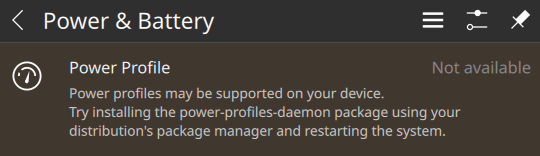
If the kernel parameter ideapad_laptop.allow_v4_dytc=Y is present but Power Profiles Daemon and TLP both are absent in the system, then the GUI returns
Yup, I’d install power-profiles-daemon and all should be fine…
This topic was automatically closed 7 days after the last reply. New replies are no longer allowed.