I’ve used and still am using Plasma 5 on different distros, but I never seen the following before:
In TW fully updated with Plasma 6, I cann’t grab the rim of a window with left mouse button to resize. When I hover over the rim, I expect to see the mouse pointer changing to a “resize” icon, but that doesn’t happen here. I run the system settings up and down, but cann’t find any setting that could explain this. What am I missing???
The function you describe is standard and the same between Plasma 5 and 6. I’m not aware that you can disable it (never searched for such feature to disable).
Is this an upgrade from Plasma 5->6? Did you try with a fresh user profile to rule out user settings?
No, no upgrade. This is a fairly recent installation of TW and as far as I remember it came with Plasma6.
I’ll try your suggestion with a fresh user.
Made a new user, logged out of current user and logged in with new user. Same behavior.
Does this happen to all windows from all installed applications?
Happened on dolphin, kate, firefox, konsole.
Ok, but this are not all installed applications. I’m asking because if it only happens to some windows/apps, you might have some application dependend rules applied.
Took in the menu the list of all applications and opened all of them one by one. After finishing all up the the K’s, I picked a few others down in the alphabet. Nowhere I can fetch the rim.
Can you post screenshots or photos?
HerePrintscreen
I do not see any window decorations there. So they must have been switched off somewhere.
So what??? That’s how I work everywhere. I switch off all effects in Plasma in any distro I run.
I am not running Plasma 6 nor Wayland (that is what you probably have), but for me windows decorations and effects are different things.
The decorations are the upper broader panel with the buttons for maximising, iconising and closing of the window and the smaller side and border ones that only are used for the resizing. None of them there: no resizing using the mouse on them.
Effects are all those CPU/GPU spoiling things like windows being moved to there ions (and back) in a sort of flow instead of doing the direct on click and many more of those fancy things. I also have all of them switched off.
Some misunderstanding. I notice now that by showing overlapping windows in the screenshot and not giving the full width of the desktop, the decorations do not show, but I can assure you they are there in the upper black panel of each application.
@hcvv was not speaking about effects, but about window decorations. If you look at my screenshot, Firefox clearly as them :
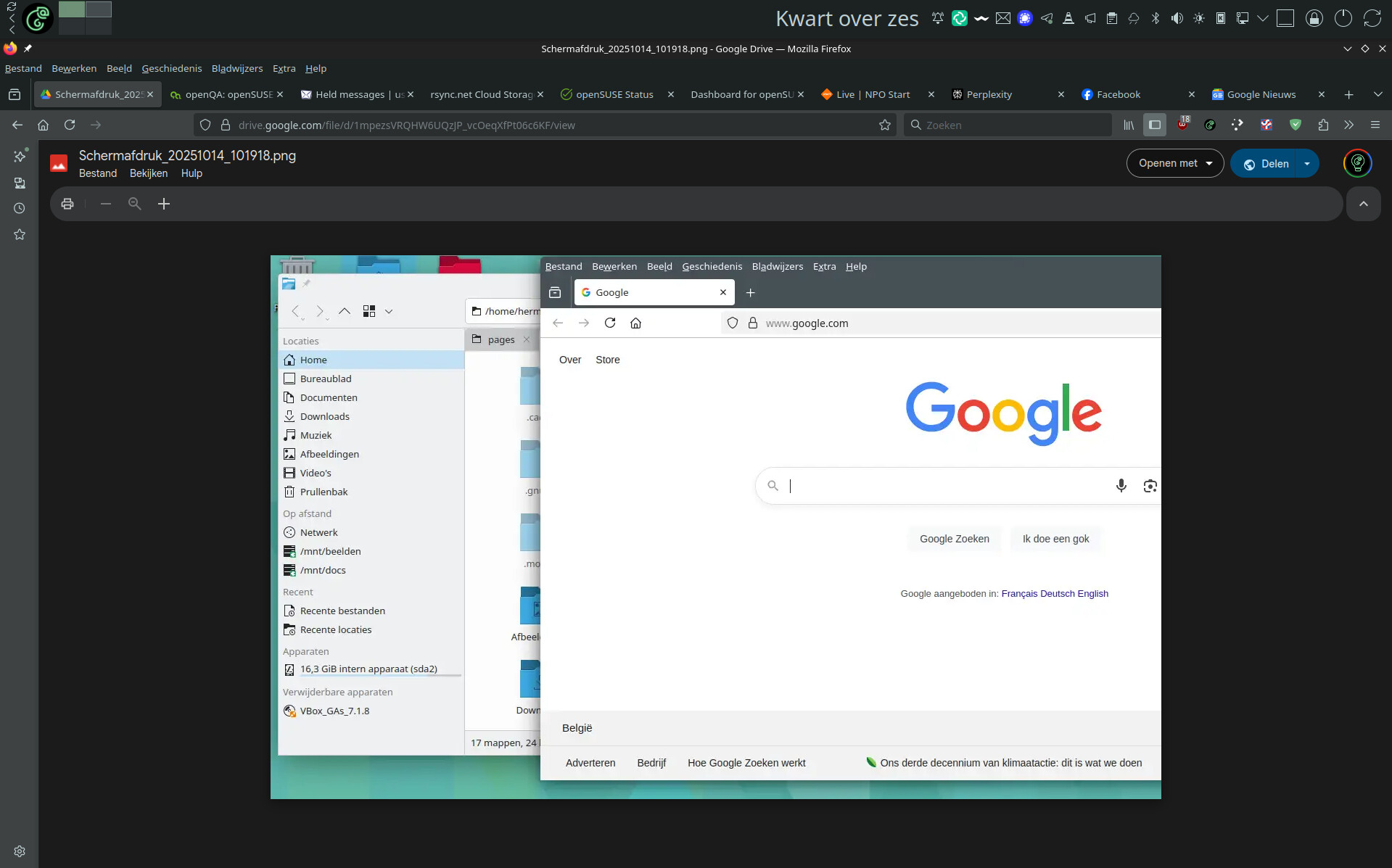
Another idea: could it be a custom mouse icon theme? Which simply doesn’t properly change the form when hovering over the border of a window?
The screenshot is missleading. By default, Firefox does not show the menu-/titlebar. And the window icons (“decorations”) are on the same level as the tabs.

Aaaand another question for @hermviaene . Is this a Wayland or X11 session? Did you try to switch between them at the SDDM screen when logging in as user? I’m running wayland on all my boxes and don’t have such issues.
1 Like
Bingo!! It was X11, switched to Wayland and all is well. Should have thought before, but in oder to keep things simple (I hoped) never paid attantion to it.
And yes, I allways switch the menubar on in Firefox. That should never be a problem.
This topic was automatically closed 30 days after the last reply. New replies are no longer allowed.