@greylinux maybe you hit my bug… https://bugzilla.opensuse.org/show_bug.cgi?id=1212959?
its possible , maybe i should try without the combustion script and setup manually, maybe it will create the partition table then
@greylinux so does your install stop like mine when using combustion?
ok so I managed to get it working by removing set -e from the script
df -kh / shows that 100% is in use when i try and install the additional cockpit packages after first boot
@greylinux yes, so run the btrfs command in the bug report, then should be fine. Feel free to add your voice to the bug report 
1 Like
thank you so much for your help that worked like a charm, I should have read the full bug report.
now to try and tinker some more with the system to get it how I want it
@malcolmlewis I have a few more questions, since tinkering with microos.
I currently have an SSD mounted on /media on my fedora server, you mentioned I should create the mounts using combustion before mounting them in cockpit. So would you advise against mounting to /media as it currently doesn’t exist on the system , should I use /mnt or will combustion create /media if I add the mkdir line to the script?
also I have 3 lines that didnt work from my script and I’m wondering why , they work after first boot , so I’m not sure why they wont before .
these are
hostnamectl set-hostname opensuse-server

timedatectl set-timezone Europe/London

loginctl enable-linger $CREATE_NORMAL_USER
its not a problem that I have to do it after first boot, I’m just curious as to why they don’t work in the script
thanks again for all your support
For my ssd I have to create (in my case /archive) via the script, then could use cockpit to mount. As long as your not using a ‘system’ directory, /media should be fine. I use udiskie to mount runtime attached storage to /run/media//…
I use the following for locale and hostname;
##
echo "Setting Local Timezone..."
rm /etc/localtime
ln -s /usr/share/zoneinfo/America/Chicago /etc/localtime
echo "Setting Hostname..."
echo $NODE_HOSTNAME > /etc/hostname
##
For the loginctl, not sure, you may need to trigger via a firstboot systemd service to run once…
1 Like
not sure if its a bug , but the selinux cockpit plugin suggests that Install setroubleshoot-server to troubleshoot SELinux events. however setroubleshoot-server is installed.
its possibly related to if I use sealert for anything for example sealert --help
I get
Traceback (most recent call last):
  File "/usr/bin/sealert", line 57, in <module>
    from setroubleshoot.util import get_identity, load_plugins, log_init, log_debug
  File "/usr/lib/python3.11/site-packages/setroubleshoot/util.py", line 2, in <module>
    from six.moves import range
ModuleNotFoundError: No module named 'six'
have you experienced this ?
@greylinux yes, sealert won’t work, but your missing python311-six. The problem is no libreport available for sealert. I did build it locally, but needs more work to clean up.
1 Like
@greylinux do your really need it?
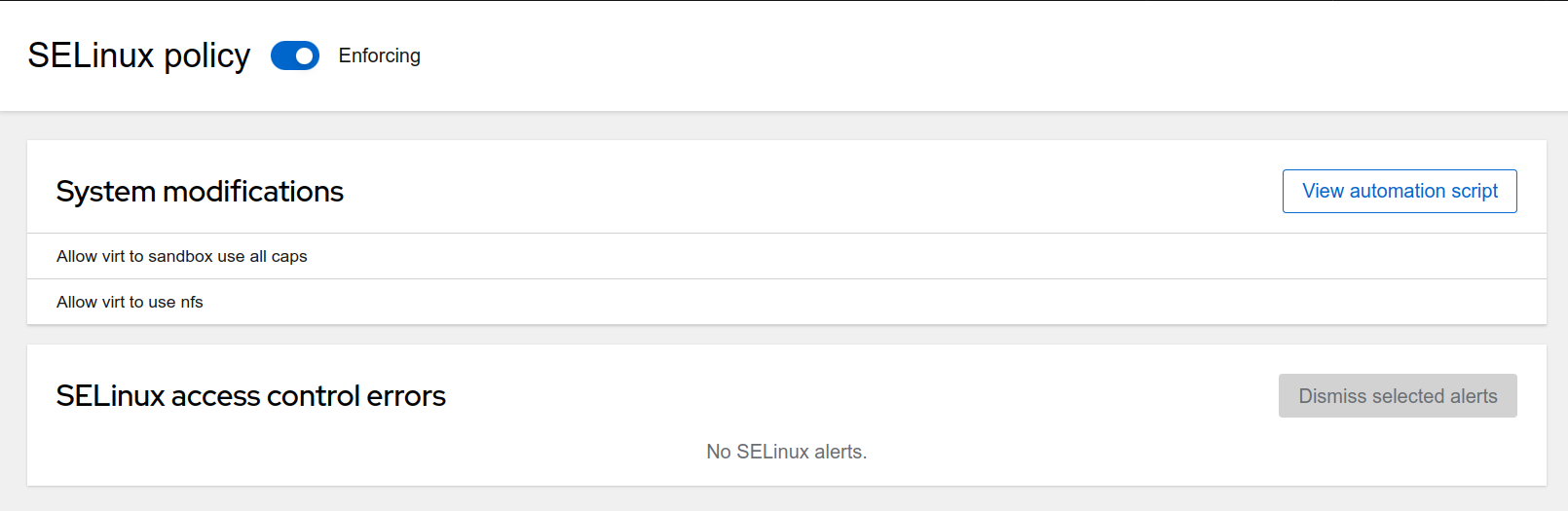
Well I had a few selinux issue on fedora to do with access to USB devices for home assistant container and a couple of other access issues and honestly I wouldn’t have know with out some way of seeing the errors , its not so much the GUI , but I’m not sure you can see the errors in terminal without sealert either.
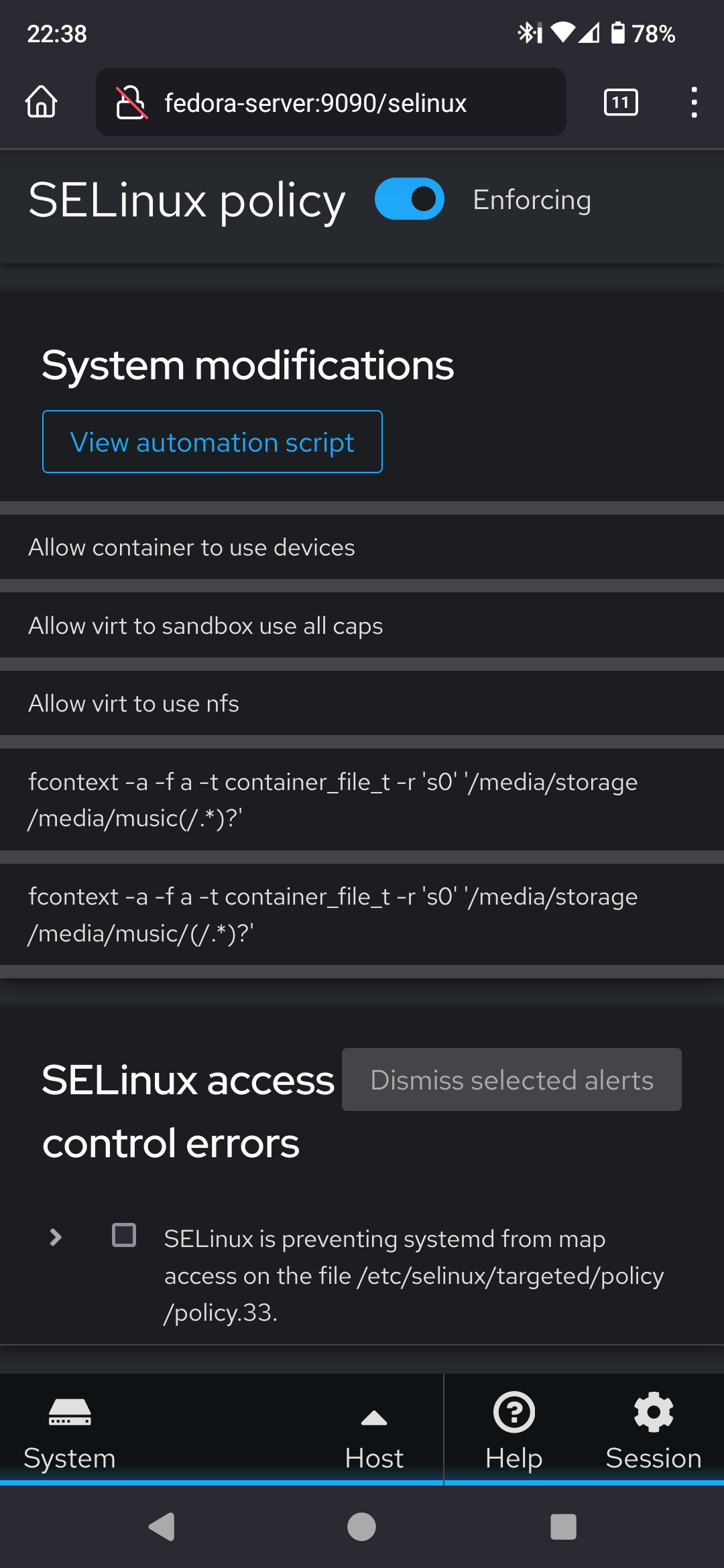
This is my current fedora server .
Not sure why one is duplicated though .
@greylinux can you provide a list of the libreport rpms installed so I can see what needs building…
@malcolmlewis Of course ,what command would show all the libreport rpms ? I can have a look tomorrow and post it for you in the morning.
Also just to check you mean on the microOS install with the issue , not the current fedora one ?
rpm -qa | grep libreport will probably work just fine.
1 Like
@greylinux yes the fedora setup, so I can see what is needed and what can be excluded…
1 Like
libreport-2.17.10-1.fc38.x86_64
libreport-web-2.17.10-1.fc38.x86_64
python3-libreport-2.17.10-1.fc38.x86_64
libreport-plugin-bugzilla-2.17.10-1.fc38.x86_64
libreport-plugin-kerneloops-2.17.10-1.fc38.x86_64
libreport-plugin-ureport-2.17.10-1.fc38.x86_64
libreport-cli-2.17.10-1.fc38.x86_64
libreport-fedora-2.17.10-1.fc38.x86_64
libreport-plugin-logger-2.17.10-1.fc38.x86_64
libreport-plugin-systemd-journal-2.17.10-1.fc38.x86_64
this is from the fedora install
1 Like
@greylinux and of those installed rpm’s have been used?
I suspect these ones are not used;
libreport-web, libreport-plugin-bugzilla, libreport-plugin-ureport and libreport-fedora.
@greylinux ok, I have a test build, you should only need;
- python3-libreport2
- libreport-filesystem (noarch package)
- libreport2
- satyr
https://mirrorcache-us.opensuse.org/repositories/home:/malcolmlewis:/TESTING/openSUSE_Tumbleweed/
Download and manually install with transactional-update pkg install /path/to/file1 /path/to/file2 etc
@malcolmlewis I’m not sure I understand, I couldn’t find any of those packages except satyr in any of the repositories from your link. Although I did only used the search on the site.
Thanks for taking the time to resolve this issue though.