The cd command changes the terminal’s current directory to the directory you specify.
Some useful terminal path notations you might encounter:
~ means your home directory
~/Downloads means your Downloads directory
. means the current directory
./file.rpm means file.rpm in the current directory
.. means the directory above
cd .. means go up one directory
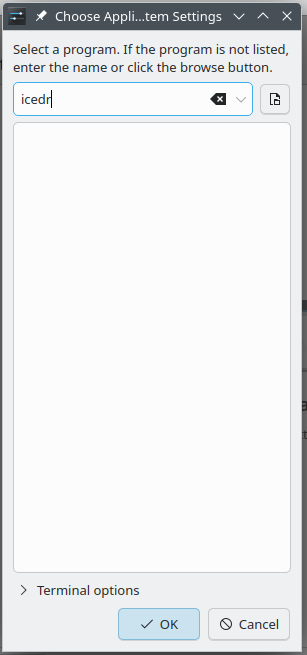
still no luck…I’m possibly looking in the wrong place or need to add a script?
I looked at the add script section and ctrlH to show hidden files but .bin isn’t in the list (other hidden files are)
I moved it to the hidden bin folder as you suggested (which is hopefully not Trash! I’m from the UK so we chuck rubbish in the bin  )
So in ~/.local/ ?
Anyway, you can find it with something like find ~ -name "*.AppImage"
(That will do a recursive search of your home directory and and show the full path to any AppImages it finds.)
Yeah, I can get it to do that…and once you’re logged in the once it will usually, on startup, once you have pointed startup to the iso it will just open the app and you select mount.
No. Nothing to do with mounting or isos.
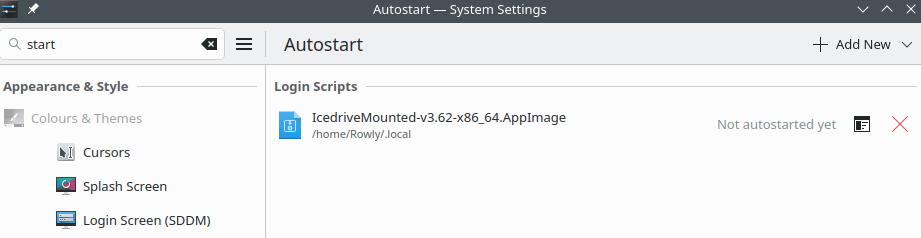
BOOM that worked! Brilliant. thanks.
So, you are on KDE Plasma? If you want it to start on your user login, that is the correct place to have it. Except you have it in ~/home/Rowly/.local.
I’m on KDE plasma. Where is the correct place to have it? I moved it to the bin folder, but it shows in local…I don’t understand that. I dragged and dropped. I have now dragged and moved it into bin which is contained in local.
To be clear - I was talking about updating the OS from 15 to 16 etc. every 2 years which is the main advantage of TW. Of course I update Tumbleweed regularly but probably not daily as you suggest, I assume security updates are common to both Leap & TW, although maybe TW needs more maybe? A quick sudo zypper dup while using the PC is not that onerous I find,
Great, I have all the apps I need for now, my Drive mounts on startup.
I will need to make Libre Office writer compatible with Word. I’m used to adding ttfmsfonts but I can’t see that in Discover…any ideas?
Once that’s done I can confidently start fiddling with all the other bits.
It’s available from the graphics repo. This is considered an additional/experimental repository rather than part of the standard Leap base, so maybe best to disable it once you’re done…
sudo zypper addrepo https://download.opensuse.org/repositories/graphics/16.0/graphics.repo
sudo zypper install fetchmsttfonts
1 Like
Thanks deano, I disable it in…?
You can do it graphically via Myrlyn (Extras > Configure Repositories) or with your newly acquired terminal skills 
To get your current repo list
zypper lr -U
then disable it by its repo number or alias
sudo zypper modifyrepo --disable <repo-alias>
For example, if it is called “graphics”, then
sudo zypper modifyrepo --disable graphics
1 Like
I’m just checking the online chat room that the OU use for tutorials. The camera is working on my laptop but the microphone and speakers aren’t working.
I looked in sound…
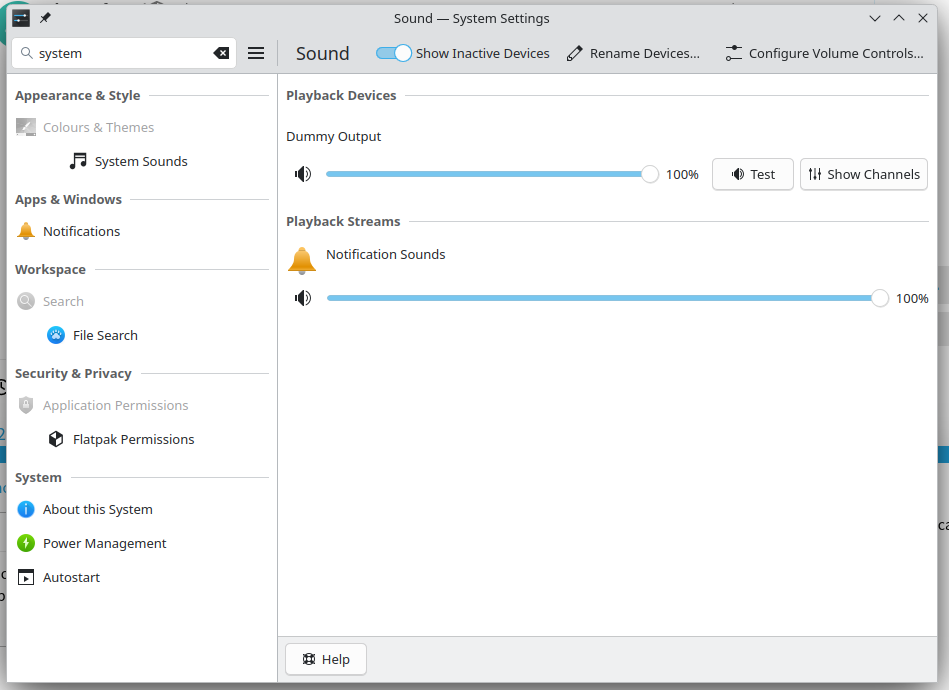
Where do I detect/configure this stuff?
I installed sof-firmware and bingo…ah, only speakers. I will continue to search for microphone answers.