Leap installer (with the web-based GUI) had the option for Xfce, but only a Wayland version. Today I tried it and I really like it.
Xfce Wayland desktop on Leap comes with labwc as its compositor, which is in my experience really fast and unlike some other fast compositors, still incorporates xwayland for compatibility which I really appreciate. The monitor settings are editable with GUI, which is not something I expected from a labwc desktop, but greatly appreciated.
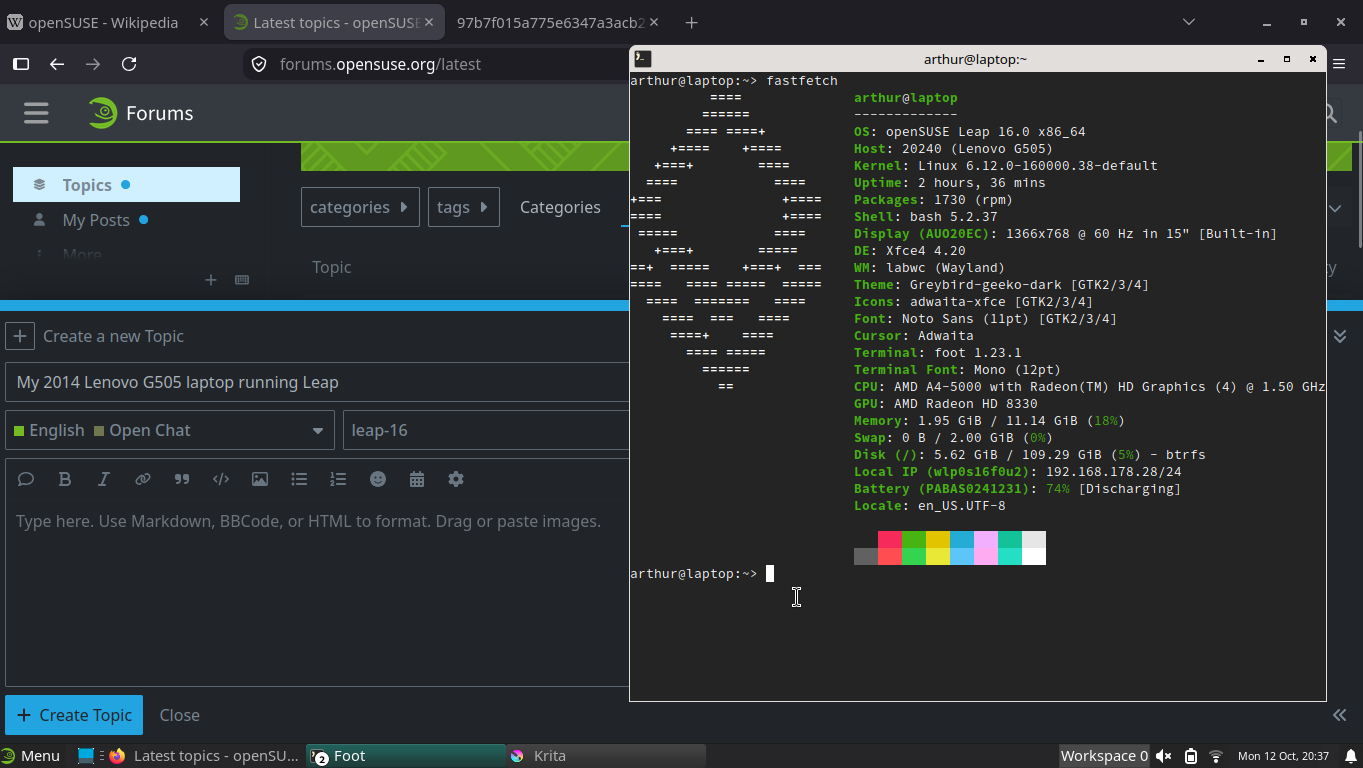
By default keybinds there seemed to be no binding for an app launcher, so I added the ability to open whisker menu with left super key in .config/xfce4/labwc/rc.xml
    <keybind key="Super_L" onRelease="yes">
      <action name="Execute" command="xfce4-popup-whiskermenu" />
    </keybind>
Reference: https://labwc.github.io/configuration.html
I swapped Xfce Terminal to Foot because of the lighter footprint (pun intended)
Also installed wlsunset, because I’m a sucker for orange tinted screens in the evening/night. To get accurate activation times, I went to https://openstreetmap.org, clicked roughly where my city was, got my coordinates, and added this command to the Xfce startup jobs:
wlsunset -l <latitude> -L <longitude>
(Replace <> with your own values ofcourse)
Then I downloaded some free (as in beer) Linux-native 2D games from https://itch.io, and played them without any stuttering! They were Six Cats Under and Echo Chamber (I can recommend  )
Craziest thing to me has been actually that the battery lasts very long. Because it was from the fleamarket, I expected horrible battery life, but this seems to last at least 4 hours with continous browser use (albeit with heavy adblock, and avoiding big tech social media). I also added some more DDR3 ram I had laying around, but this was far from necessary.
And because this laptop is true Lenovo thinkpad style, I can swap battery compartment as easy as plugging in a USB, if I ever need to do a battery replacement!
PS: Install brightnessctl or otherwise your brightness keybinds are not going to work, because labwc keybinds defaults to it for brightness change : )
