@fracasula yup, nomodeset does that… always append direct from Grub on boot, then once tested add via YaST bootloader.
Force the re-install of the Nvidia drivers again, else perhaps switch to the hard way with your setup…
@fracasula yup, nomodeset does that… always append direct from Grub on boot, then once tested add via YaST bootloader.
Force the re-install of the Nvidia drivers again, else perhaps switch to the hard way with your setup…
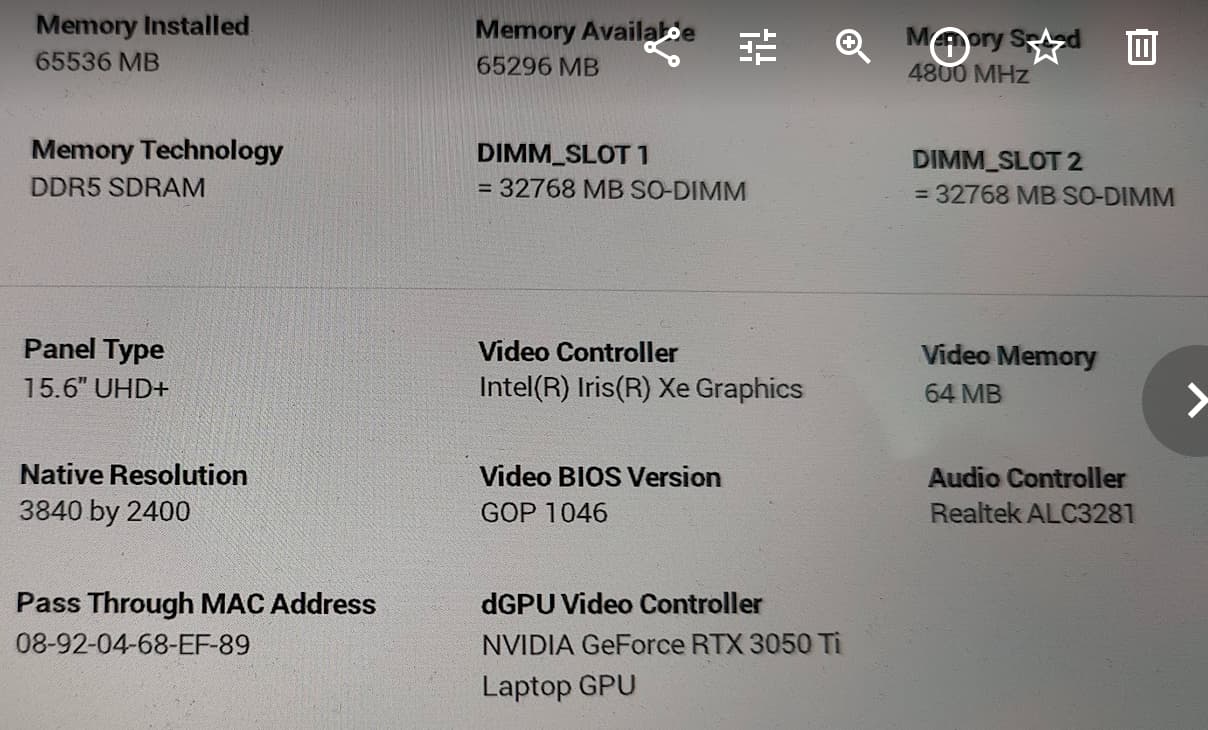
@malcolmlewis I managed to get this output now which should be much better since previously it was showing just the nouveau kernel module:
$ /sbin/lspci -nnk | grep -EA3 "VGA|Display|3D"

0000:00:02.0 VGA compatible controller [0300]: Intel Corporation Alder Lake-P GT2 [Iris Xe Graphics] [8086:46a6] (rev 0c)
	Subsystem: Dell Device [1028:0b19]
	Kernel driver in use: i915
	Kernel modules: i915
--
0000:01:00.0 3D controller [0302]: NVIDIA Corporation GA107M [GeForce RTX 3050 Ti Mobile] [10de:25a0] (rev a1)
	Subsystem: Dell Device [1028:0b19]
	Kernel modules: nouveau, nvidia_drm, nvidia
0000:a4:00.0 Unassigned class [ff00]: Realtek Semiconductor Co., Ltd. RTS5260 PCI Express Card Reader [10ec:5260] (rev 01)
I noticed though that when I run sudo dracut -f --regenerate-all in the logs I get this interesting error:
dracut-install: Failed to find module 'nvidia_drm'
dracut[E]: FAILED:  /usr/lib/dracut/dracut-install -D /var/tmp/dracut.reNkP0/initramfs -N ^i2o_scsi$ --kerneldir /lib/modules/6.5.9-1-default/ -m nvidia nvidia_drm nvidia-modeset nvidia-uvm
It’s the only failure that I can see from the cmd output. Will be doing some research on it now, posting here also in the meantime in case you might know what could cause it.
The dracut warning is about an really old kernel 6.5.9. There might some devel package or smth missing for it, but it doesn‘t matter as long as the actual kernel 6.6.x are working…
Makes sense thanks @hui 
@fracasula So the module is loading now, instead of nosimplefb can you replace that with nvidia_drm.modeset=1 or may need both… At grub press the ‘e’’ key to edit and use the arrow keys to get to the line starting with linux, press the end key and append as required, F10 to boot.
@malcolmlewis I tried both already. I also noticed that I was getting several nvidia releated errors in my dmesg output so I went the "hard way " as you suggested.
As per “hard way” tutorial I added this to my grub (all 4 settings but I tried also adding nosimplefb=1 and I tried without): SDB:NVIDIA the hard way - openSUSE Wiki
So now I have the proprietary NVIDIA-Linux-x86_64-535.146.02.run installed, I enrolled the MOK, regenerated everything with dracut as well and the output of lspci is the same as before:
0000:01:00.0 3D controller [0302]: NVIDIA Corporation GA107M [GeForce RTX 3050 Ti Mobile] [10de:25a0] (rev a1)
	Subsystem: Dell Device [1028:0b19]
	Kernel modules: nouveau, nvidia_drm, nvidia
0000:a4:00.0 Unassigned class [ff00]: Realtek Semiconductor Co., Ltd. RTS5260 PCI Express Card Reader [10ec:5260] (rev 01)
The good thing is that now finally the dmesg errors are gone and there is nothing alarming there about nvidia. Still switcheroo isn’t showing the nvidia card as an option 
I really don’t know what else I might be missing, I’m thinking maybe I can start from scratch with a new installation (format) but it’s the laptop that I use for work so that’s going to require some time.
Here some dmesg records, maybe they can be useful:
[    0.000000] Command line: BOOT_IMAGE=/boot/vmlinuz-6.6.3-1-default root=/dev/mapper/system-root splash=silent resume=/dev/system/swap quiet security=apparmor mitigations=auto rd.driver.blacklist=nouveau nouveau.modeset=0 modprobe.blacklist=nouveau nvidia-drm.modeset=1 nosimplefb=1
...
[    7.627805] audit: type=1400 audit(1702221878.813:5): apparmor="STATUS" operation="profile_load" profile="unconfined" name="nvidia_modprobe" pid=1326 comm="apparmor_parser"
[    7.627808] audit: type=1400 audit(1702221878.813:6): apparmor="STATUS" operation="profile_load" profile="unconfined" name="nvidia_modprobe//kmod" pid=1326 comm="apparmor_parser"
One last thing I tried from this tutorial is to update the /usr/lib/udev/rules.d/61-gdm.rules files to comment this line:
GOTO="gdm_prefer_xorg"
@fracasula So what are the BIOS settings available for the GPU’s?
@malcolmlewis none.
Nothing else shows up, I searched online as well, it’s not possible to disable it so in theory it’s always on.
I also have the latest BIOS already (i.e. 1.18.0), I did all the updates via Tumbleweed.
@malcolmlewis Do you think it might make sense to retry the whole installation on X11 instead? Maybe it’s a compatibility issue with Wayland.
@fracasula I’m running X11 here on GNOME, much better experience, I have two Nvidia GPU’s 
I would suggest at install, edit the install grub and append the nosimplefb=1 complete the install, then remove suse-prime and see how it goes with just the Intel GPU to start.
@malcolmlewis haha fair enough, guess I’ll have to retry the whole thing on X11 then.
I’ll try to remove everything first and get back to just having Intel. Then as you suggest add nosimplefb=1 to Grub . About suse-prime, I had set it as taboo so I’ll leave it like that for now.
Do you reckon it’d be possible to have the G06 drivers from the repos installed working on X11? I see that only the G05 come with the X11 related package.
Anyhow, thank you so much for you help. If I manage to try tomorrow I’ll post here the results.
@fracasula Yes, G06 works, all your seeing is the name change /repackaging they did for G06.
Note, I install the hard way with cuda and cudnn…
pinxi -Gxxz

Graphics:
  Device-1: NVIDIA GP104GL [Tesla P4] driver: nvidia v: 545.29.06 arch: Pascal
    pcie: speed: 2.5 GT/s lanes: 16 bus-ID: 03:00.0 chip-ID: 10de:1bb3
  Device-2: NVIDIA TU117GLM [Quadro T400 Mobile] driver: nvidia v: 545.29.06
    arch: Turing pcie: speed: 8 GT/s lanes: 16 ports: active: none
    off: DP-1,DP-2,DP-3 empty: none bus-ID: 04:00.0 chip-ID: 10de:1fb2
  Display: x11 server: X.Org v: 21.1.9 with: Xwayland v: 23.2.2
    compositor: gnome-shell v: 45.2 driver: X: loaded: nvidia
    gpu: nvidia,nvidia-nvswitch display-ID: :0 screens: 1
  Screen-1: 0 s-res: 3840x2160 s-dpi: 96
  Monitor-1: DP-1 pos: top-left res: 1920x1080 dpi: 94 diag: 598mm (23.53")
  Monitor-2: DP-3 pos: primary,bottom-c res: 1920x1080 dpi: 94
    diag: 598mm (23.53")
  Monitor-3: DP-5 pos: top-right res: 1920x1080 dpi: 94 diag: 598mm (23.53")
  Monitor-4: DVI-D-1-0 size-res: N/A
  API: EGL v: 1.5 platforms: device: 0 drv: nvidia device: 1 drv: nvidia
    device: 4 drv: swrast gbm: drv: nvidia surfaceless: drv: nvidia x11:
    drv: nvidia inactive: wayland,device-2,device-3
  API: OpenGL v: 4.6.0 compat-v: 4.5 vendor: nvidia mesa v: 545.29.06
    glx-v: 1.4 direct-render: yes renderer: NVIDIA T400/PCIe/SSE2
  API: Vulkan v: 1.3.268 surfaces: xcb,xlib device: 0 type: discrete-gpu
    driver: nvidia device-ID: 10de:1fb2 device: 1 type: discrete-gpu
    driver: nvidia device-ID: 10de:1bb3
So far no luck, I seem unable to even login under X11
@fracasula at grub edit and add the option nomodeset, graphics won’t be good but should get a desktop up.
Nope, nomodeset always gives me a black screen, I don’t know why.
Anyway, what is the nosimplefb=1 for?
@fracasula it’s as described a simple f(rame) b(uffer) for booting, once the nvidia driver is added they collide, hence it’s disabled with no and a 1… Did you try without? Add plymouth.enable=0 to disable plymouth running at boot.
@malcolmlewis I was exhausted so I gave up and started from scratch. I couldn’t figure out a way to make it work.
I got it working at the first attempt in X11 with suse-prime (not the hard way though).
Snapshots created as well, I’ll have to remember to always check whether I loose the ability to switch between updates and rollback as necessary.
Now I’m trying to figure out fractional scaling which seems to be an experimental feature.
Thanks again for your help!
@fracasula it seems very hardware specific as to what works which way with the likes of suse-prime or prime render offload… Glad you have it sorted now