Need help setting up 2nd monitor with asus proart motherboard

~ xrandr

im running i3 on a bare installation with leap16.

Screen 0: minimum 320 x 200, current 2560 x 1440, maximum 16384 x 16384
HDMI-1 connected primary 2560x1440+0+0 (normal left inverted right x axis y axis) 553mm x 311mm
  2560x1440     59.95*+
  1920x1440     60.00   
  1856x1392     60.01   
  1792x1344     60.01   
  2048x1152     59.90    59.91   
  1920x1200     59.95    59.88    59.95   
  2048x1080     60.00    24.00   
  1920x1080     59.96    60.00    50.00    59.94    59.93   
  1600x1200     75.00    70.00    65.00    60.00   
  1680x1050     59.95    59.95    59.88   
  1400x1050     74.76    59.98   
  1600x900      59.99    59.94    59.95    59.82   
  1280x1024     75.02    60.02   
  1440x900      59.95   
  1400x900      59.96    59.88   
  1280x960      60.00   
  1440x810      60.00    59.97   
  1368x768      59.88    59.85   
  1280x800      59.95    59.99    59.97    59.81    59.91   
  1152x864      75.00   
  1280x720      60.00    59.99    59.86    60.00    50.00    59.94    59.74   
  1024x768      75.05    60.04    75.03    70.07    60.00   
  960x720       75.00    60.00   
  928x696       75.00    60.05   
  896x672       75.05    60.01   
  1024x576      59.95    59.96    59.90    59.82   
  960x600       59.93    60.00   
  832x624       74.55   
  960x540       59.96    59.99    59.63    59.82   
  800x600       75.00    70.00    65.00    60.00    72.19    75.00    60.32    56.25   
  840x525       60.01    59.88   
  864x486       59.92    59.57   
  720x576       50.00   
  700x525       74.76    59.98   
  800x450       59.95    59.82   
  720x480       60.00    59.94   
  640x512       75.02    60.02   
  700x450       59.96    59.88   
  640x480       60.00    75.00    72.81    75.00    60.00    59.94   
  720x405       59.51    58.99   
  720x400       70.08   
  684x384       59.88    59.85   
  640x400       59.88    59.98   
  576x432       75.00   
  640x360       59.86    59.83    59.84    59.32   
  512x384       75.03    70.07    60.00   
  512x288       60.00    59.92   
  416x312       74.66   
  480x270       59.63    59.82   
  400x300       72.19    75.12    60.32    56.34   
  432x243       59.92    59.57   
  320x240       72.81    75.00    60.05   
  360x202       59.51    59.13   
  320x180       59.84    59.32   
DP-1 disconnected (normal left inverted right x axis y axis)
DP-2 disconnected (normal left inverted right x axis y axis)

ASUS ProArt X670E-CREATOR WiFi… i’ve connected the usb port with a usbc to dp connectiion and its for the life of me never worked? i connected it without powerfuling off first. ( i guess it says not to that too. ) but ive rebooted it a bunch for varous resons and xrandr never says its connected.? dm,e

Mod edit: Output as preformatted text.
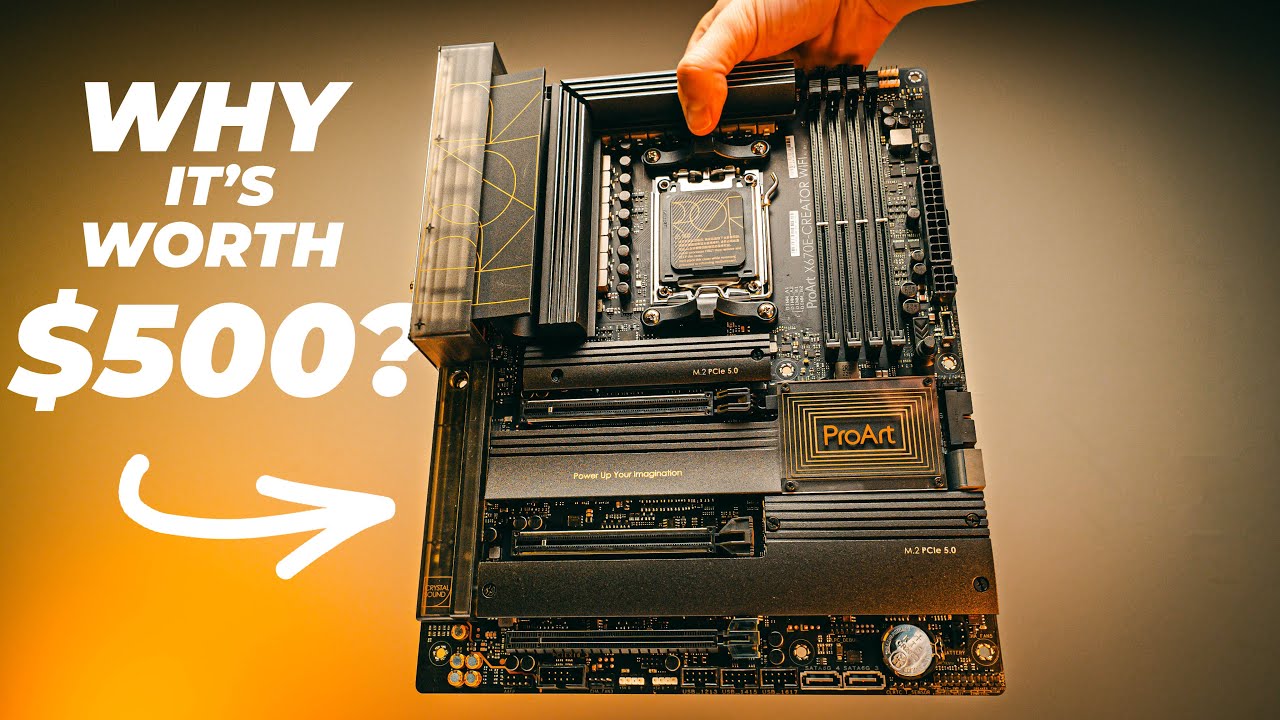
I looked on Asus’ page for ProArt X670E-CREATOR WiFi and failed to find any explicit indication that any of its USB-C ports support DisplayPort. IME, if it’s not explicit in specs, or so indicated on the I/O panel, it’s not supported. I have a 6 year old Asus Rocket Lake Intel like that. I’d complain to Asus about all those provided USB-C ports not supporting DP if my observation is correct.

That page seems to be describing a motherboard intended for latest and greatest dGPU users, thus, unfortunately, providing only a single HDMI output for APU graphics support, instead of a DP which could support MST for up to 9 DP displays daisy-chained.

Hi AFAIK the typec (usb: typec: Add driver for DisplayPort alternate mode) kernel module should drive it… I have some USB-A monitors, they use the udl module and work fine.

2 of the usbc ports are display port things. if you look up the xrnadr it shows 2 display ports.

It’s fairly routine to see more GPU outputs listed than physically exist, as well as identify them incorrectly, e.g.:

$ lspci -nnk | grep VGA
00:02.0 VGA compatible controller [0300]: Intel Corporation Kaby Lake-S GT2 [HD Graphics 630] [8086:5912] (rev 04)
$ xrandr
Screen 0: minimum 320 x 200, current 1920 x 1200, maximum 16384 x 16384
HDMI-1 disconnected primary (normal left inverted right x axis y axis)
HDMI-2 connected 1920x1200+0+0 (normal left inverted right x axis y axis) 518mm x 324mm
   1920x1200     59.95*+
...
DP-1 disconnected (normal left inverted right x axis y axis)
HDMI-3 disconnected (normal left inverted right x axis y axis)
DP-2 disconnected (normal left inverted right x axis y axis)

Though 5 outputs are listed, this PC with 9 year old Gigabyte motherboard actually has the following physical GPU outputs, of which a maximum of 3 can be used at once:

  • 1 DisplayPort
  • 1 HDMI
  • 1 DVI (only current connection, on HDMI-2)
  • 1 VGA (#2 DP connector)

I have an Asus same age that almost matches the above, except that there is no connector that matches HDMI-1, but there is one matched to “HDMI-3”, even though only two HDMI connectors exist.

Another PC: a 5 year old Asus with only 1 USB-C, which does not support DP. All that are connected are correctly labeled, but there exists no third HDMI connector, only the three connectors with connected displays.

$ lspci -nnk | grep VGA
00:02.0 VGA compatible controller [0300]: Intel Corporation RocketLake-S GT1 [UHD Graphics 730] [8086:4c8b] (rev 04)
$ xrandr
Screen 0: minimum 320 x 200, current 3600 x 2640, maximum 16384 x 16384
HDMI-1 connected 1920x1200+0+0 (normal left inverted right x axis y axis) 519mm x 324mm
   1920x1200     59.95*+
...
HDMI-2 connected 1680x1050+1920+0 (normal left inverted right x axis y axis) 473mm x 296mm
   1680x1050     59.95*+
...
DP-1 connected primary 2560x1440+0+1200 (normal left inverted right x axis y axis) 598mm x 336mm
   2560x1440     59.95*+  74.92
...
HDMI-3 disconnected (normal left inverted right x axis y axis)
...

Here’s an ASRock, older than all those above, that shows both count and labels that match the physical connectors:

$ lspci -nnk | grep VGA
00:01.0 VGA compatible controller [0300]: Advanced Micro Devices, Inc. [AMD/ATI] Kaveri [Radeon R7 Graphics] [1002:130f]
$ xrandr
Screen 0: minimum 320 x 200, current 4160 x 2640, maximum 16384 x 16384
DVI-D-1 connected 1680x1050+1920+0 (normal left inverted right x axis y axis) 473mm x 296mm
   1680x1050     59.95*+  59.88
...
VGA-1 connected 1600x900+2560+1200 (normal left inverted right x axis y axis) 443mm x 249mm
   1600x900      59.98*+  59.95    59.82
...
DP-1 connected primary 2560x1440+0+1200 (normal left inverted right x axis y axis) 598mm x 336mm
   2560x1440     59.95*+  74.92
...
HDMI-1 connected 1920x1200+0+0 (normal left inverted right x axis y axis) 519mm x 324mm
   1920x1200     59.95*+
...

if you at the rear panel thing. in the manual. 2 usb c ports are DP things.

you can see it here too…

i goit the cable from amazon and it said its support linux…

On Asus website I couldn’t get images with both enough resolution and size to make out the labels at the connection ports. Given what you say, it seems a support contact with Asus may be in order. Are you using the latest firmware version?

As @malcolmlewis suggested, you may need to add that alternate mode driver/module if it’s not included in in your initrds already. See if lsinitrd /boot/initrd | grep typec or lsmod | grep typec produce results. If none, try modprobe typec_displayport and modprobe typec to see if other display(s) light up.

I never had my hands on such HW, so I am commenting only on the basis of my understanding of ASUS docs.
AIUI you can connect one of those USB-C output ports to an USB-C equipped monitor (say, an ASUS PROART PA279CRV) via an USB-C to USB-C video certified cable.
Connecting those outputs to a monitor equipped only with DP ports via an USB-C to DP adapter cable is not going to work.
The fact that ASUS officially supports Windows 11 only on that Mobo might add another hurdle.

Did you check chapter 2.1.10 of the motherboard manual regarding the setup of USB4/Displayport configuration?

ASUS has a crappy website. Not possible to directly link the manual…the above link is not working pasted here as link. And their “international” site is broken, so when you try to open the support site of a hardware model it sends you back to the mainpage.

I was able to reach the motherboard manual from the german website. Not from the international/english one.

this link doesn’t work

Assuming that you are based in Germany the following link should work:
https://www.asus.com/de/motherboards-components/motherboards/proart/proart-x670e-creator-wifi/helpdesk_manual/?model2Name=ProArt-X670E-CREATOR-WIFI
then scroll down to download the User Manual in a version that suits you.
Links to individual manuals expire so there is no use posting them here.