QUESTION:
I was curious if anyone can point to a good / not-difficult to install & configure GNU/Linux app for video resolution up-scaling and also frame rate up-scaling that uses deep machine learning, AND that does not require a GPU (where many machine learning apps require a GPU)? Not to difficult is important - as (per my comments below) I struggled with more complex apps.
DETAILS:
To explain, I have some old home digicam videos from year 2003 to 2005 timeframe, taken at 320x240 resolution and 15fps (I even have some at 160x120 resolution). I would like to improve quality of these, increasing frame rate to say 30fps, and increasing resolution to 640p. This is not as impossible as it may sound with deep machine learning, although obviously there are major quality limitations.
I can do this with ffmpeg, but of course the quality is not the same as that of using deep machine learning to do the same. For ffmpeg, one command line I use is:
Converts to 854x640 and then increases frame rate to 120 fps:
videofile="input"; ffmpeg -i $videofile.AVI -vf "scale=854:640" temp_640p.mp4; ffmpeg -i temp_640p.mp4 -filter:v minterpolate -r 120 $videofile"-640p-120fps".mp4; rm temp_640p.mp4
where input.AVI is the original video. This will output a video at 854x640 resolution at 120fps entitled “input-640p-120fps.mp4”.
or sometimes I find it better to reverse the order and increase the frames per second first … ie :
Converts to 120 fps, and then increases resolution to 854x640 :
videofile="input"; ffmpeg -i $videofile.AVI -filter:v minterpolate -r 120 temp-120fps.mp4; ffmpeg -i temp-120fps.mp4 -vf "scale=854:640" $videofile"-120fps-640p".mp4; rm temp-120fps.mp4
where input.AVI is the original video. This will output a video at 854x640 resolution at 120fps entitled “input-120fps-640p.mp4”
This actually gives a better quality video, than if I simply played the original video with vlc or with smplayer, or if I simply performed resolution up-scaling with handbrake.
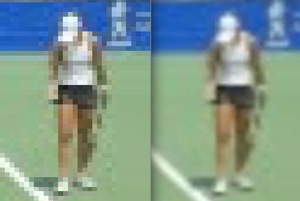
Here is a comparison of handbrake (on the left) to ffmpeg (on the right). The original video was only 160x120, and I up-scaled this to 864x640.
I also stabilized the video (on the right) with ffmpeg
However its no deep machine learning creation, which applies AI techniques to create a higher quality output video. I believe deep machine learning can do better than ffmpeg.
So can anyone offer any advice here?
I researched this a bit, and the best I could find were apps that required a container and knowledge of python.
vapour-synth: For example “vapour-synth” might provide some functionality in this area, but I find instructions for basic users (like myself) on how to use it lacking. The instructions for vapoursynth immediately dive into ‘script’ files which clearly are not bash scripts, and leaves me lost.
Image-super-resolution (ISR): An app for image resolution upscaling is called “Image super-resolution” (ISR)but I can not see if it (1) can be adapted for videos, nor (2) if not having a GPU is an issue. I also note in reading it requires python knowledge that I don’t have, and recommends container use of which I have no experience (nor conducted any research).
SVT - I could not figure out how to use this app to create quality videos that were as good as I could do with ffmpeg. As far as I can tell, it does not use effective deep machine learning, albeit I could be wrong. Its been a year since I played with SVT.
Further, neither vapour-synth nor ISR are simple for me to use. I failed trying to figure out how to use vapour-synth as its reference to scripts (that were not bash shell scripts) totally lost me.
Any references / guidance as to basic/simple correct direction would be appreciated. *
(I did read part of the manuals and also some blogs/user-guides for vapour-synthh and ISR, but I believe they assumed I had a level of knowledge of python and containers which I do not have as they totally lost me when they went into non-bash scripts.)*
.