The first user always had root privileges because they were the person installing the system and therefore set the root password.
In a single user setup where you are installing the system, if sudo needs the root password or not, nothing has changed because you are the one who set the root password. In a single user setup if the system is configured to not have a root password, the first user can elevate to root because of course they can, they’re the one setting it up. Again, and this is very important, in a single user setup literally nothing has changed regarding the actions that user can perform. The only change is in how that user elevates their access.
Requiring the root password to use sudo completely negated all the benefits that sudo gives, it made using sudo a pointless exercise.
Using sudo allows you to only give the commands that need to be elevated to users and provides the logging of every time those actions are performed. You can also remove the password from the root user and prevent anyone logging into the root user and bypassing those controls.
The person installing the system always had the option to create a first user account. That first user account didn’t have root privileges until 16.0. It was typically added to user groups like ‘cdrom’, ‘audio’ etc., but it didn’t get root privileges - directly or indirectly.
Now it’s also added to ‘wheel’, and with the ‘sudo-policy-wheel-auth-self’ package that first user gets elevated permissions.
To start, both [su |su -]and sudo have their pros and cons, I don’t have any opinion here, and am not religiously convinced about either.
Some thoughts and experiences.
I myself am lazy, but despite of that I use an algorithm that allows me to create and use 23 character passwords for root and web accounts. To avoid having to type that password to often I use a /etc/sudoers.d/1st_user . 1st_user file that gives the first user basically full root access. 1st_user has a 10 char password. Real root accounts have either no password or the long one.
On su: It gives the user root- access for the time of the session, the user has to wait for the things running in the session, use something like <command | script && exit, otherwise the session will not end.
On sudo: the session ends after a in sudo-compiled in value. Except *buntubased distros this defaults to 5 minutes. One can change this by putting Default timestamp_timeout=<value_here>in a/etc/sudoers.d/timout` file.
On su: users get full root access, no matter what.
On sudo: in /etc/sudoers one can limit the elevation for users, so that they f.e. cannot do sudo su
All this above was not created from AI, it comes from handwritten notes by /me from when I was studying for some LPI cert training in 2013. I did veryfy the actual notes per AI agent to see if they were still accurate.
I just wanted to make sure I was clear on this. When it is asking to define a root password or not, what it is really asking is whether you want to define a root user or not?
If so, I think the wording on the question needs to be changed. Because I took a negative response to mean to create a root user without a password.
My understanding is that you do not need to “create a root user” since user# 0 always exists to allow system programs to run with its (unlimited) permissions.
What changes is being able to actually log in to the system with those unlimited permissions, in that case using the conventional username “root”.
If you define a password for “root” you can login using that username and that password. If you do not define a password, you simply cannot login to the system issuing the username “root” at login, since no password will grant you access.
Please note that it is possible to define a “root password” afterwards, even if that needs a procedure to define a password hash to be stored on the system (which the installer does automatically for you).
But I’m open to be corrected by Henk, who managed *NIX long before I landed on Linux
Sorry, but does people here really need a basic course on Unix/Linux? About users and processes and files? And ownership and permissions?
I guess there is enough about that to be found on the Internet (WWW), specially in English. And yes, I made one that can be found in the dark caves of the openSUSE forums, but it is in Dutch. (I can provide a link when you think you can learn something from it).
OK, fine, but, there are two systemd modes – “rescue” and “emergency” – which need the password of the user “root” to be useful.
If the user “root” is locked with no password set then, you’ll either have to boot a rescue system to repair the system or, re-install it …
A possible solution is, to do what MIT did many, many years ago with their Network Name Server –
Lock the machine physically into a cage within a very secure computer room.
Ensure that only a very small number of trusted staff had the (physical) key needed to enter the cage.
Ensure that, it was only possible to login to the user “root” from the physical keyboard within the cage directly attached to the machine.
And, please do not forget, by default “sudo” logs it’s activity – it’s in the man page –
By default, sudo will only log the command it explicitly runs. If a user runs a command such as ‘sudo su’ or ‘sudo sh’, subsequent commands run from that shell are not subject to sudo’s security policy. The same is true for commands that offer shell escapes (including most editors). If I/O logging is enabled, subsequent commands will have their input and/or output logged, but there will not be traditional logs for those commands. Because of this, care must be taken when giving users access to commands via sudo to verify that the command does not inadvertently give the user an effective root shell. For information on ways to address this, see the Preventing shell escapes section in sudoers(5).
While this is open chat so you are free to steer the discussion even off topic, please don’t try to read my mind; that’s simply:
if you don’t define a root password, there is no password whatsoever that can allow you to login with the username “root”.
Using sudo is another matter; I was only trying to clear an apparent misunderstanding by @dt30 , full stop.
I think I have spent too much time on this thread already.
That then is a 'blocked" password. There is then stored an encrypted password that can not answer to any password when encrypted.
It is something different the “no password”. which is an empty field in either/etc/password or, nowadays always, in etc/shadow. This basically allows without any password asked for.
My question was specifically about the question on install, whether one wanted to define a root password. The way I understand it now, I think the question at install time should be changed to something of the order,
Do you wish to have access to the root user? If so, set a password.
Fine Henk, at least yours is an explanation based on technical facts.
So:
SHADOW(5)                                                                                                               File Formats and Configuration                                                                                                              SHADOW(5)

NAME
       shadow - shadowed password file
<snip>
       encrypted password
           This field may be empty, in which case no passwords are required to authenticate as the specified login name. However, some applications which read the /etc/shadow file may decide not to permit any access at all if the password field is empty.
<snip>
“blocked password” : that is what Ubuntu does (or at least did 15 yrs ago when I used it);
“no password”: please pay attention to the sentence where the manpage reads However, some applications which read the /etc/shadow file may decide not to permit any access at all if the password field is empty.
since that is exactly what Leap 16.0 does when the root password is blank, in other words not set up.
bruno@localhost:~> sudo cat /etc/shadow
root::20363::::::
<snip>
bruno@localhost:~> su -
Password:
su: Authentication failure
bruno@localhost:~>
But of course:
bruno@localhost:~> sudo su -
[sudo] password for bruno:
localhost:~ #
since there should be a way of managing the system, but that is not “logging in as root” but “gaining superuser privileges via sudo”.
in my typical usecase I think is (for safety security reasons) better the old suse way, user password for login and root password for administtrative actions, users are in the users and wheel group so some automatically actions like mount and adduser can be done without root password (editing the sudoers and other files to allow them and using rootpw) becouse the use of my laptops are among many users and sometimes somebody access as another user already opened and knowing the password but don’t knowing root password so in this way the damages they can do are limited
I don’understand completly the new openSUSE way.
Please, let’s consider the the second installatation mode (whithout root password).
If I have understood right, un this case the system has at start only a user with extended privileges, anyway less ones then a admin (root privileges).
Can a priviliged user define an admin? If yes, that is a bit inconsistent: an user with some privileges deputize another one, with more privileges then himself!
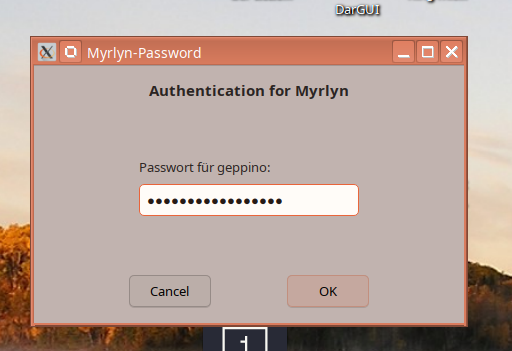
I installed Leap 16.0 with user and root and I was surprised, it is possible to install applications via Myrlin with my user password, while I need the root one for launch zypper install.
I also noticed, If I as first user add (i.e.) a new subfolder, this get the my user name and as group also my name! There is no more the group “Users”?
And if yes, is there a logical reason under this decision (no more Users group)?
When I start “myrlyn” as a user, it asks for the root password (on Leap 16.0).
Yes. This seems to be common practice in many distros.
It does not actually make sense (in my opinion). The whole purpose of “group” permissions, is that you can put several people in the same group and allow them to use group permissions of sharing. But if everyone has a private group, there is no sharing. The only effect is that trying to set up special groups for sharing become more complicated.
Incidentally, when I have tried using Ubuntu, then if I want to do something as root, I just do:
sudo bash
That gives me a root shell, so is about the equivalent of using “su” in openSUSE.

 . I come from AT&T UNIX System V. What you write is 100% correct.