Yeah, I’m stuck here on a few laptops.
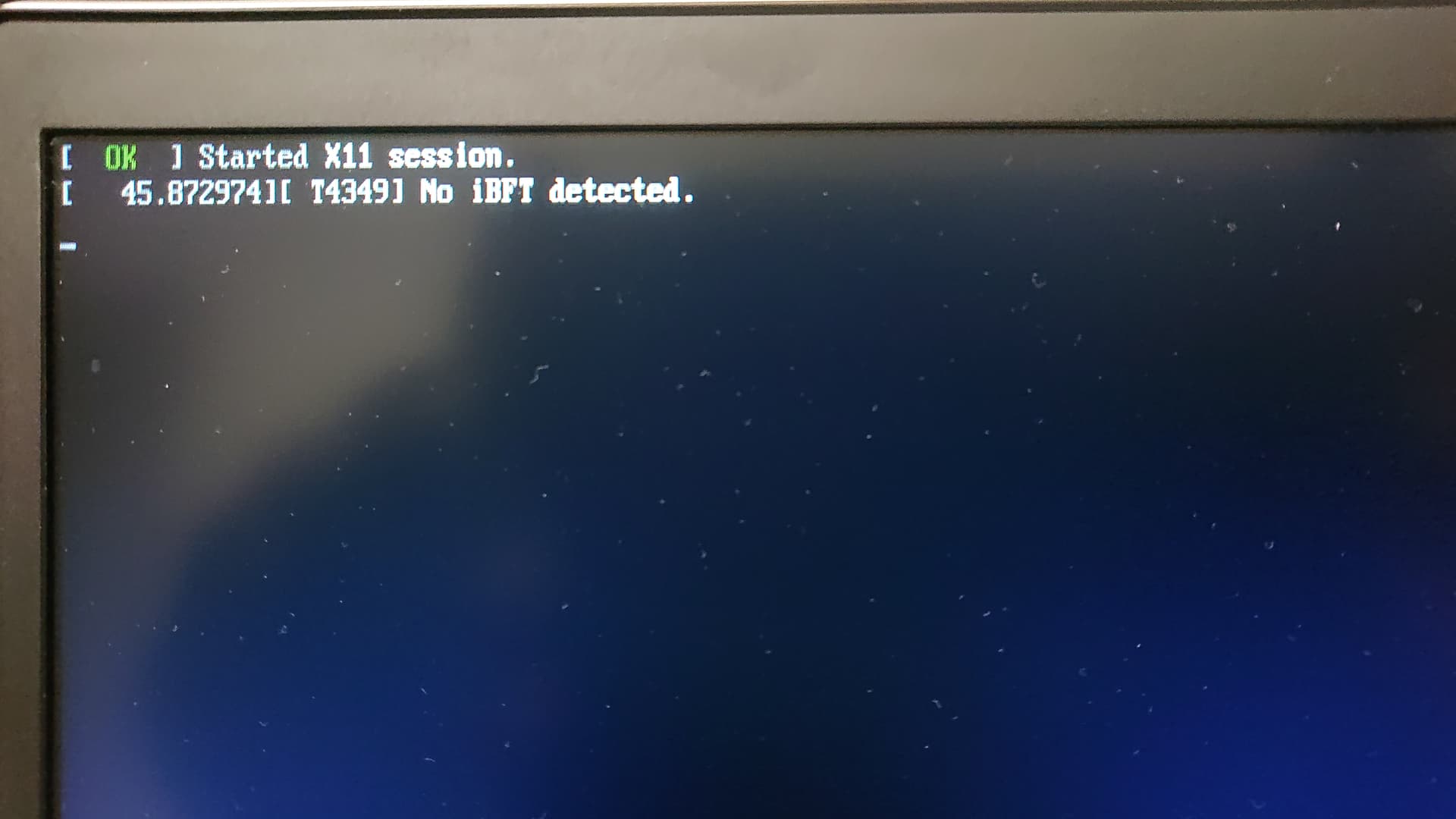
So, you’re attempting to install 16-beta onto true hardware (on multiple machines) vs installing to a virtual machine??
1 Like
Thats why I love HP 17inch Zbooks. They can hold 4 drives.
Looks like I’ll have to install 15.6 and then update the repos.
Not a fan of this new installer. 
Any discussion on giving us the choice to use the previous installer instead forcing the new and still experimental installer? 
@jonzn4suse It’s a done deal… https://agama-project.github.io/blog/2025/01/21/Agama-11
I agree completely !! As it stands now, it’s as if we’ve gone back to the 1980’s. Very very limited options to perform a more granular install. The “feedback” during an install is also very lacking.
It was released too soon - too many missing options.
I just recently attempted to install Leap 16 again … Agama got halfway thru the install, then paused for 10-15 minutes, then stopped. No information whatsoever. I attempted to install two more times - same outcome … it would get about 1/2 way thru the install, then the loooooong pause with no feedback whatsoever about the delay, them bombed out.
So, now I will have to wait when openSUSE decides to release an off-line (standalone) installation ISO. I could have downloaded a 4+ GB ISO in less time than the 3 attempts (which was far beyond 4 GB ) that failed. Keep in mind, this Agama is, at the moment, just a “network installer”.
@myswtest Won’t happen unless a) someone creates issues at github for their problems or b) steps up and makes it so…
2 Likes
I:
- installed Leap 16.0 Alpha 6 a couple of times for try it in a VM. I wrote this:
- installed Slowroll (it’s the same installer) twice in VMs, one on my laptop. I wrote these:
- installed MicroOS in a VM.
They have 8 months to improve the process. It woult help that you report issues when you find a problem.
I cannot run yast2. “Qt GUI wanted but not found.” How do I install Qt GUI?
yast2-control-center-qt installed?
libQt5Gui5 installed?
No provider for it found.
libQt5Gui5 is installed
You are not the only person with the issue.
There is no YaST(2) on our Leap 16 either. I did attempt to do a “zypper in yast*” and it only installed about 4-5 packages.
When I executed “yast2”, what showed up on the screen is “yast”, the text mode version. And the ONLY option that displayed is a module named, “Miscellaneous”, but there was nothing else to offer.
It seems openSUSE is switching the “YaST Software” module to a product called “Myrlyn” … so if you want to manipulate software, you need to run “Myrlyn”. Or use zypper.
What’s happening with the future of the rest of the YaST modules is unknown. There is no YaST in Leap 16 right now … but of course, this is in pre-Alpha. 
(but you would think that even in a pre-alpha openSUSE product, the long standing YaST would exist)
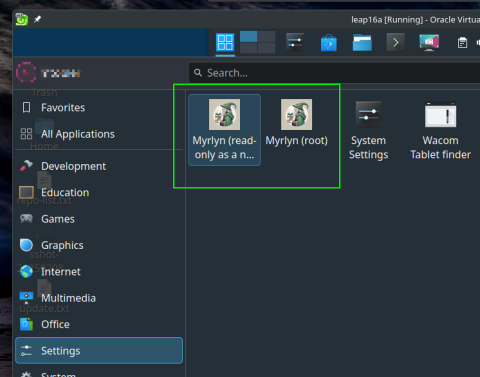
@myswtest Cockpit…
Yea, I read something about that, but it wasn’t clear of its future.
And it’s not included in current Leap 16 alpha.
However, I did try two different zypper commands and they resulted in different outputs:
# zypper in cockpit*
That results in 223 new packages to be installed. Then I did this:
# zypper in cockpit
Which resulted in 17 packages to be installed.
So, it’s unclear to me, which I would execute, or if we need to wait a bit longer for a possible update that will include Cockpit ?
@myswtest Nooooo… don’t do that… use the flatpack client as this has everything needed to run…
If installing the rpms, you only need the plugins and cockpit-bridge, the workstation adds lot’s of extra stuff and httpd.
So here is my ADS-B system it’s running Leap 15.5, nothing cockpit related installed…
zypper se cockpit
Loading repository data...
Reading installed packages...

S  | Name                     | Summary                                                                      | Type
---+--------------------------+------------------------------------------------------------------------------+--------
   | cockpit                  | Web Console for Linux servers                                                | package
   | cockpit-bridge           | Cockpit bridge server-side component                                         | package
   | cockpit-devel            | Development files for for Cockpit                                            | package
   | cockpit-doc              | Cockpit deployment and developer guide                                       | package
   | cockpit-kdump            | Cockpit user interface for kernel crash dumping                              | package
   | cockpit-machines         | Cockpit user interface for virtual machines                                  | package
   | cockpit-networkmanager   | Cockpit user interface for networking, using NetworkManager                  | package
   | cockpit-packagekit       | Cockpit user interface for packages                                          | package
   | cockpit-pcp              | Cockpit PCP integration                                                      | package
   | cockpit-podman           | Cockpit component for Podman containers                                      | package
   | cockpit-selinux          | Cockpit SELinux package                                                      | package
   | cockpit-storaged         | Cockpit user interface for storage, using udisks                             | package
   | cockpit-system           | Cockpit admin interface package for configuring and troubleshooting a system | package
   | cockpit-tukit            | Cockpit module for Transactional Update                                      | package
   | cockpit-ws               | Cockpit Web Service                                                          | package
   | microos_cockpit          | Web based remote system managemet                                            | pattern
   | patterns-microos-cockpit | Web based remote system managemet                                            | package
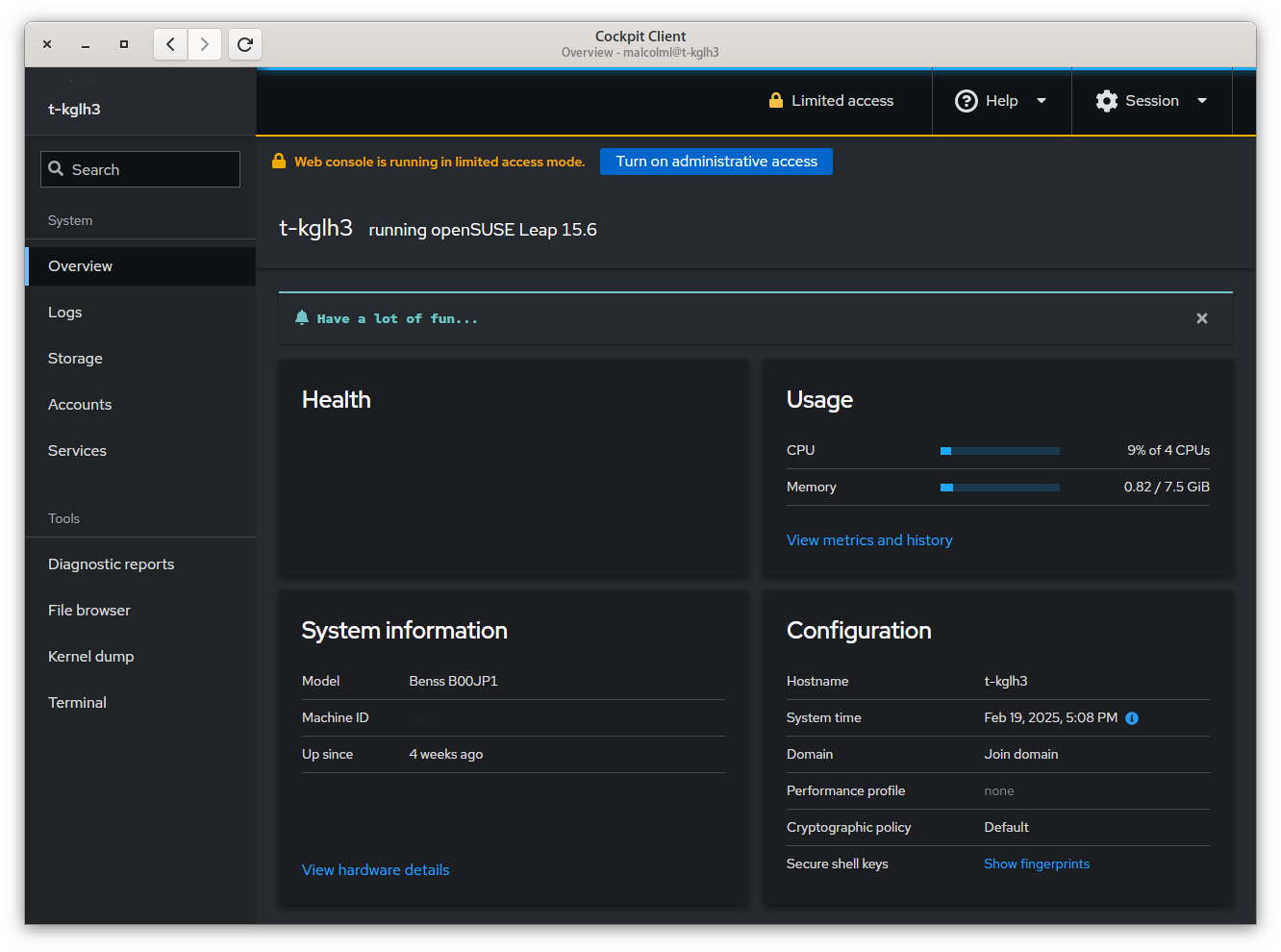
On my Tumbleweed host I have the flatpak org.cockpit_project.CockpitClient installed as my user (all my flatpaks are, not system).
I only use ssh, so the cockpit client connects over ssh (as my user)…
1 Like
@myswtest I use a script to add flatpaks…
#!/usr/bin/bash

cd ~/

file="~/.flatpak_added"

if [ ! -f "$file" ]

then

   echo "Creating flathub repo and adding flatpaks..."

   # Add flathub repository as user
   flatpak --user remote-add --if-not-exists flathub https://flathub.org/repo/flathub.flatpakrepo

   # Install flatpak applications
   flatpak --user install --noninteractive flathub \
                                    com.github.tchx84.Flatseal \
                                    org.videolan.VLC \
                                    org.cockpit_project.CockpitClient

   touch ~/.flatpak_added

   echo "Flathub and flatpaks added..."

else

   echo "Flathub and flatpaks already added as your user..."

fi
1 Like
Thanks @malcolmlewis …
I fired up Discover and did a search for “Cockpit” and it showed up, so clicked Install.
After the installation, I went to the Plasma menu and clicked on Cockpit.
It requested a machine to connect to, so I entered “localhost” and clicked on the “Login” button … it automagically logged in as my regular user.
A pop up suggested I provide the root user password, so I have Admin priveleges, and did so.
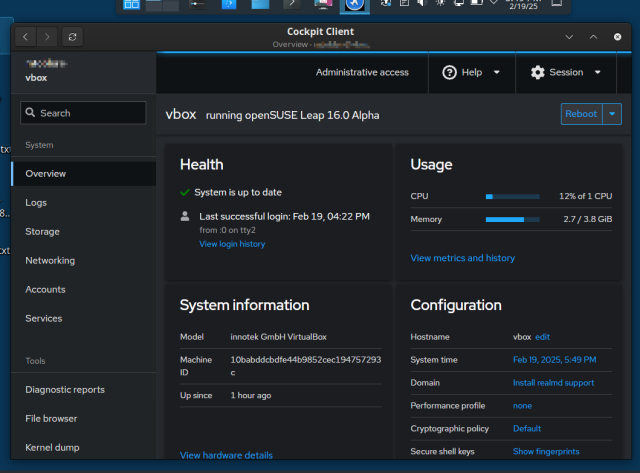
It took about 1+ minutes to initialized everything, so here we go (screenshot):
So, now to browse around and familiarize myself with all the various modules.
Thanks @malcolmlewis !!!
Myrlyn works! But how to know?
How to know? What? If it works? It does - it’s a default install / included with Leap 16 pre-Alpha. It’s the replacement for YaST Software module … and oddly enough, its looks just like the YaST interface, and organized as such.
Here’s a brief overview:
I did not read the news, and did not know to try myrlyn until this thread.