I inserted comments in mp4files with exiftool exiftool -overwrite_original -Comment="commentoporcaeva" videoprova.mp4
and it works also for -Subtitle and Keywords and others
now I thought that gwenview would show comments also for mp4 files but googling I get that it doesn’t have this feature.
Now I would like to have shown the comments (and maybe also subtitle and keywords) in the sidebar when mp4 is playing, is there a software that do this?
and also, is the exiftool the correct way to do this?
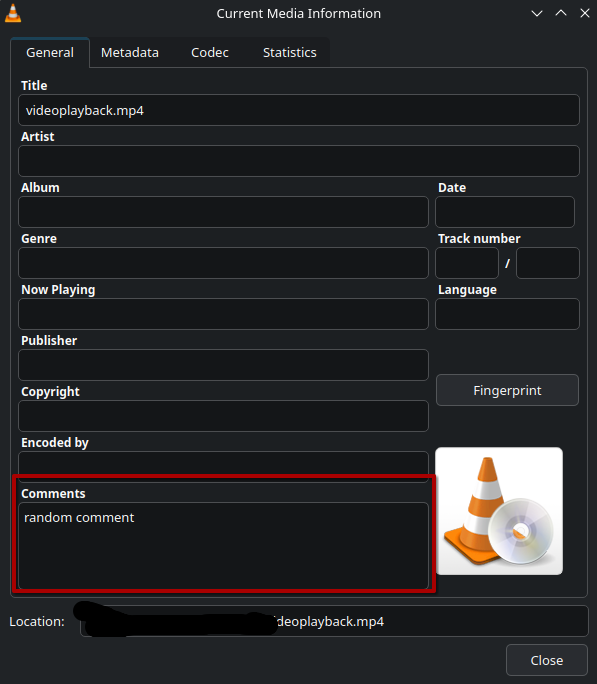
VLC can show this via the media informations. Not in the sidebar but in a seperate window.
With VLC you can also directly edit the media data of a file without using command line exiftool.
Here an example, that adding a comment via exiftool correctly adds it and can be shown with VLC:
As @hui demonstrated, VLC provides the information, which is easily found.
And personally, I use VLC for video specific manipulation (and not just mp4, but other video formats). And VLC is not the only video tool I use.
I only use Gwenview for simple photo manipulation, (among other apps).
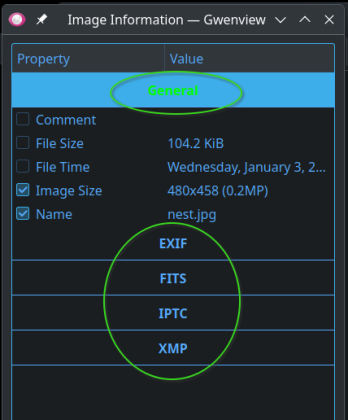
But guess what … Gwenview does show EXIF information, among other categories. See my two screenshots:
The first screenshot shows the categories (which I circled)
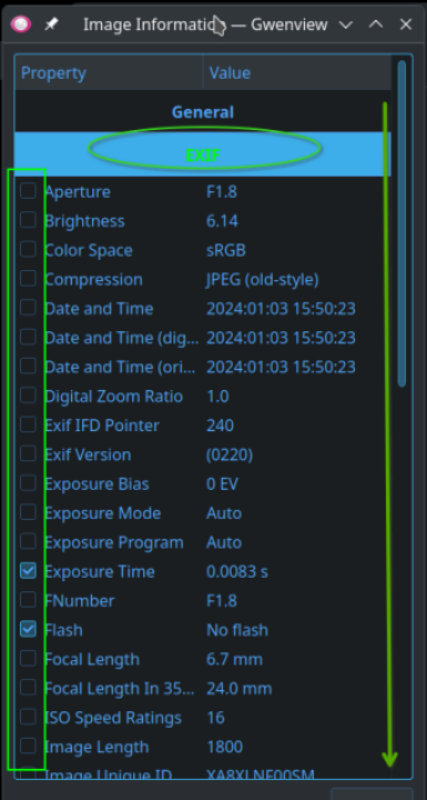
The second screenshot, I opened the EXIF category and look at all the EXIF data shown !! I have to use the scrollbar on the right side to review the data. And see all the checkboxes on the left side? Yea, select the defaults you want shown elsewhere.
Where did I find all this information?
The documentation for Gwenview
“Information
Displays Meta Information like the filename and size.
The More… link permits you to view all available metadata
and select which data appear in the sidebar.”
.
yes I know and use gwenview to show metadata but only for photos, for movies it doesn’t works, VLC works but has no side bar, so I was looking for a VLC wit side bar where read exif metadata
Not a flashy option, but MPV and all its frontends, should be able to show exif data.
Will it show comments? I don’t know. I don’t have any videos with comments.
The shortcut in plain MPV, which is what I use, is “I” by default. Example below:
You won’t be able to edit the text in plain MPV, and since I don’t use anything but plain MPV, I don’t know if any of its frontends, like Celluloid, allow you to select the text and/or edit the comment area, if it even shows the comments.
You can review the MPV manual and do a search if you’re interested.
MPV Manual: https://mpv.io/manual
I don’t want to edit wit mpv or vlc, I prefere exiftool that is batchable to edit many movies at one shot, I want only to show in a sidebar during the movie is playing, thank you I will look at celluloid