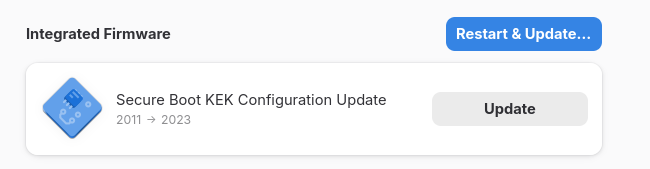
I’ve recently installed Leap 16 on my 2018 Dell Latitude laptop. There is no other OS. It seems to be in Secure Boot Enabled mode since #] mokutil --sb-state gives SecureBoot enabled. The Software tool shows this update pending:
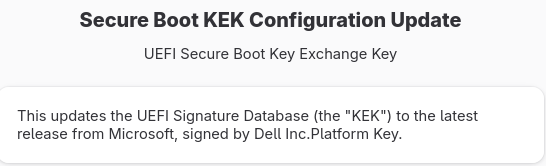
Some more details are below:
However the Update fails to happen, and the error is:
failed to write-firmware: failed to write (null): failed to write data to efivarsfs: Error writing to file descriptor: Invalid argument
Could anyone suggest how to proceed, and whether this update is required to be done?
Thanks.
Try
sudo fwupdmgr get-updates --force
sudo fwupdmgr update
sudo reboot
If all goes well the actual install of the firmware will happen after the reboot, but the system will tell you.
And check UEFI variables read and write access:
https://wiki.archlinux.org/title/Unified_Extensible_Firmware_Interface#Requirements_for_UEFI_variable_support
# mount |grep -i efivarfs
efivarfs on /sys/firmware/efi/efivars type efivarfs (rw,nosuid,nodev,noexec,relatime)

# df -h |grep -i efivarfs
efivarfs        128K     75K   49K   61% /sys/firmware/efi/efivars
Hi @GrandDixence2 . Here is the output from the commands you suggested. They seem to be okay to me.
# mount |grep -i efivarfs
efivarfs on /sys/firmware/efi/efivars type efivarfs (rw,nosuid,nodev,noexec,relatime)

# df -h |grep -i efivarfs
efivarfs        384K     267K   113   71% /sys/firmware/efi/efivars
@knurpht . You command:
fwupdmgr update
gives the error:
Decompressing…           ▕⣿⣿⣿⣿⣿⣿⣿⣿⣿⣿⣿⣿⣿⣿⣿⣿⣿⣿⣿⣿⣿⣿⣿⣿⣿⣿⣿⣿⣿⣿⣷        ▏
failed to write-firmware: failed to write (null): failed to write data to efivarsfs: Error writing to file descriptor: Invalid argument
Some sites suggested me to boot into the bios, disable secure boot, and reset secure keys. I think that i have done all that but still i get the same error as above.
That’s the update. Thanks for your time.
Also, in my BIOS, the option Enable UEFI Capsule Firmware Updates is enabled.