Neither bin/bash nor bin/sh exist
Well, that is your problem. You can try copying bash from other system (or extract from the package) and manually create /bin/sh link. Doing anything on the system without (the default) shell will be difficult. Even rpm --root will need to run scripts using shell …
Just copied both. Give me a minute to reboot.
With those two files copied from my Mint installation, I still have the same problem:
Failed to start Postfix Mail Transport Agent
[base-manager] couldn’t check support for device '/sys-devices/pc1000:00/0000:00:14.3 not supported by any plugin
There is no noticeable difference between the different kernels with the 3.
What is now happening is that I am asked for my login and password, I get a line of text telling me “I have no mail” and “have fun” and then have an entire screen of “file missing errors” which did not happen before copying bash and sh. Forgive me for the picture, but I have no way of copying this amount of text.
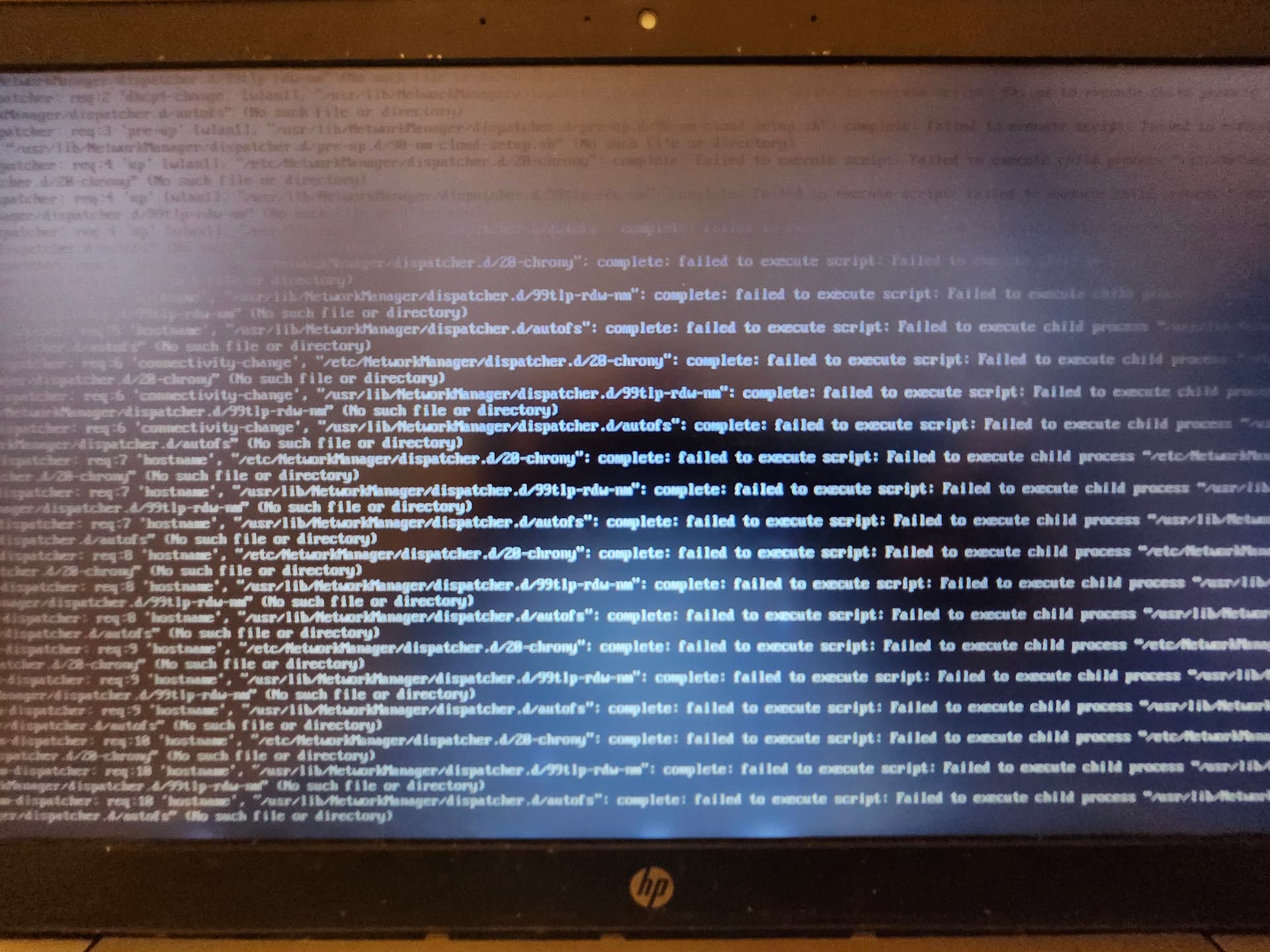
After this, I am dropped at the /home directory with all of my files. I tried to startx and I get an error telling me there is no such command.
Sorry for the humor - I feel like I am back in the 90’s and this is some sort of Windows virus
When I said “another system” I meant “another Leap 16.0” system.
And unless you show what you are doing (how and where you copy these files) it is rather difficult to guess what may went wrong.
You said extract from the package, do you know what package I need, or otherwise a direct link or general direction?
I copy it from /bin/bash → /bin/bash and /bin/sh → /bin/sh, it’s just that it is from my currently working Mint installation
I have no idea what /bin/sh is in Linux Mint. In Ubuntu it links to dash which is most certainly wrong.
The TO is using Leap 15.6 according to the kernel versions in use.
Yes, Mint also links to dash
@hui I had originally installed 15.6 and have installed all of the latest default updates. In my mind that means I am on whatever version just bonked out my system, although if there is a more well defined way to express opensuse update increments I am all ears.
If you know which Leap is used would you be so kind and provide the link to the correct bash package?
I thought you have read the first comments which pointed out the kernel mix in use…
The system is seriously borked. A leap 15.6 system (according to the kernels under /boot), with devel kernels from 15.5. The TO did not show any proof that he is using leap 16. There are no traces of any Leap 16 kernel in the provided output (screenshot). “If” it should be Leap 16, then it is a failed upgrade attempt.
from here
https://software.opensuse.org/download/package?package=bash&project=shells
I tried both the latest 15.6 and 16.0 bash/sh files. Now it completes the kernel messages, and exits the text flow of start up, but never progresses further than a blank screen.
Thanks for the help so far!
Thank you all for your help. I don’t have enough on this system that it is worthwhile to spend much more time troubleshooting; I’m just going to copy the documents and whatever else I have and start from a fresh ISO.
Much appreciated for your help!
Gassho
In case this is useful to others,
My problem comes from having to use a USB stick simultaneously as a bootable ISO and a usable operating system. Given that how to do this is not obvious, and I want to at least pretend to contribute to this discussion, this is how I had to do this as I had forgotten:
sudo dd bs=4M if=file.iso of=/dev/sdb1 conv=fdatasync status=progress
Change the “file.iso” and /dev/sdb1 to whatever the name of the usb stick is, and it will create a ISO9660 partition that is bootable, however not writable. Afterwards, go to gnome disks (gparted did not register the partitions correctly for whatever reason) and you can create a second and larger partition for the actual install (and in my case NTFS. I have no idea if this is common for other computers).
Thanks once more to everyone!
This topic was automatically closed 7 days after the last reply. New replies are no longer allowed.