A quick “google” around would indicate you’re not alone, and unfortunately there doesn’t appear to be a setting to make it the default.
I do not know how to do that (when you check it, it is again unchecked at a new post), but I almost never need it, because it is suppressed in any case within CODE tags and URLs are posted (and work) when one uses The Link globe button (with generates URL tags). So the most important things in a post do not suffer from it.
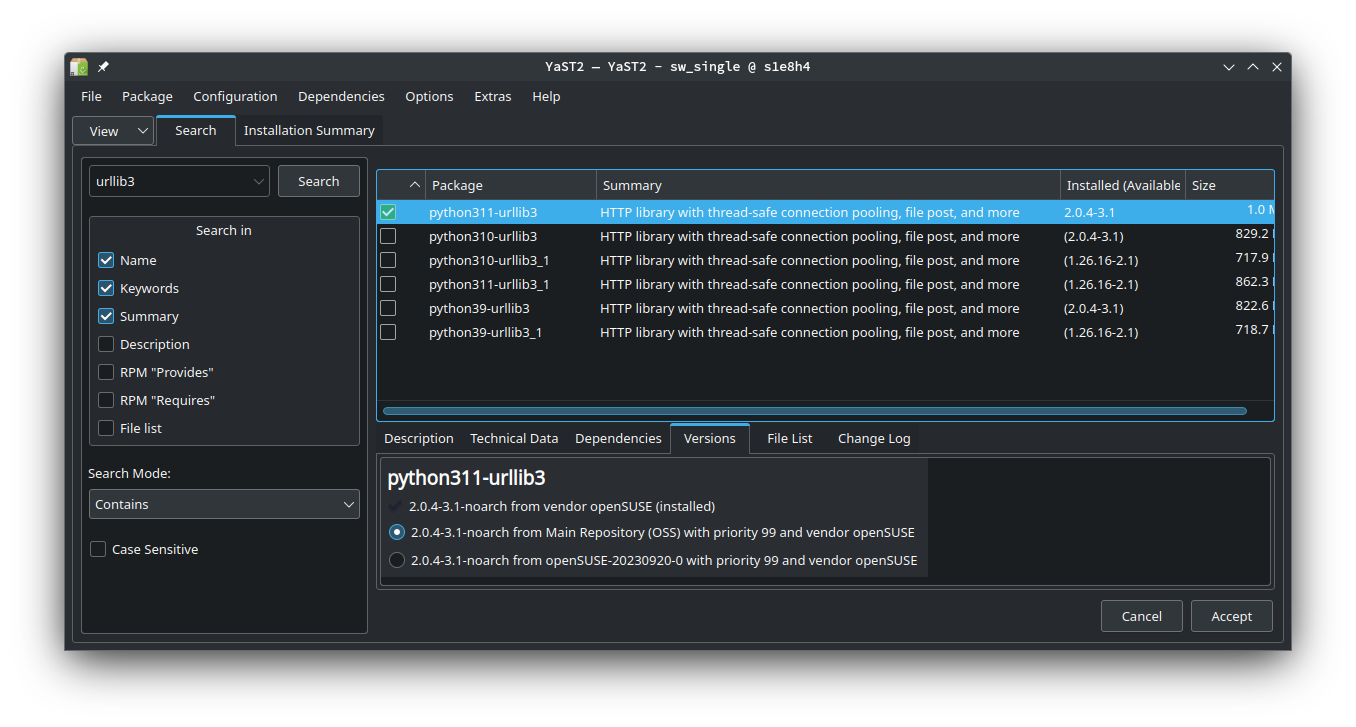
That version is no longer in the repos.
Maybe you can find it in the history repos.
Perhaps you are looking at “python311-urllib3_1” which does show in the top section of your Yast image. You should be able to just select that. Testing here, there’s a conflict message saying that I need to remove “python311-urllib3” to do that.
I’m not a python expert, so I don’t know what side effects that will have. Presumably you could reverse if you don’t like the result.
1 Like
I see almost the same. However, I am missing that third line from the Versions tab. That’s because I have disabled the install media as repo. I recommend that you also disable that, as keeping it interferes with the rolling nature of Tumbleweed.
Any idea why it isn’t automatically disabled after installation? I’ve frequently wondered why it hangs around. Seems like a bug to me.
I guess you could open a bug report on that.
1 Like