How do I create the prime-run command? sorry, still a beginner in Linux. I need a detailed tutorial
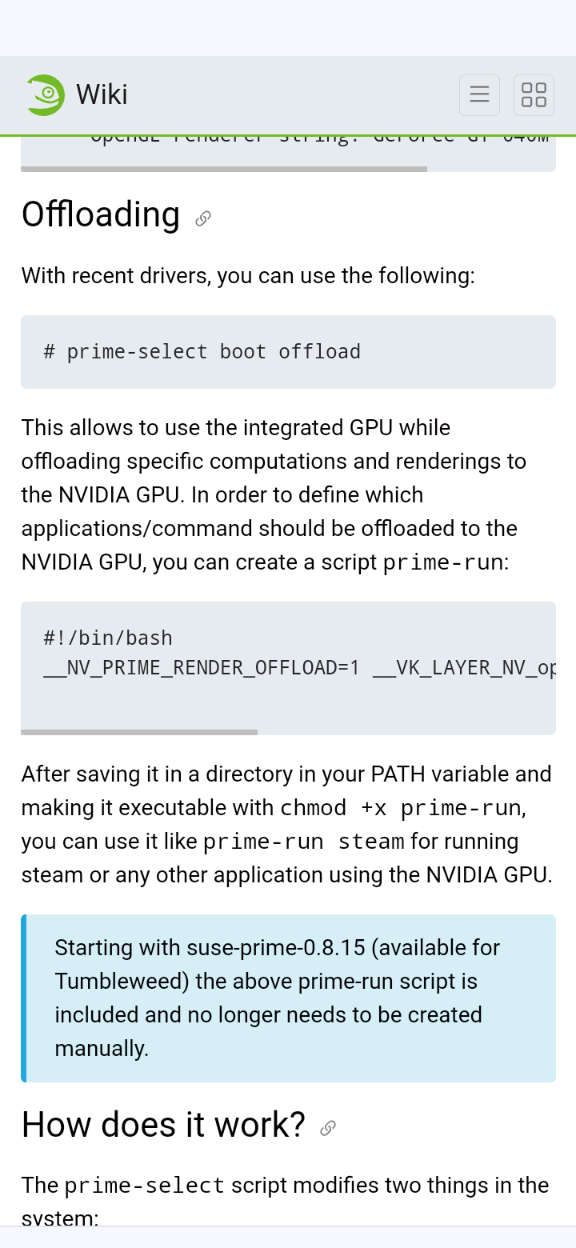
You have not answered this one:
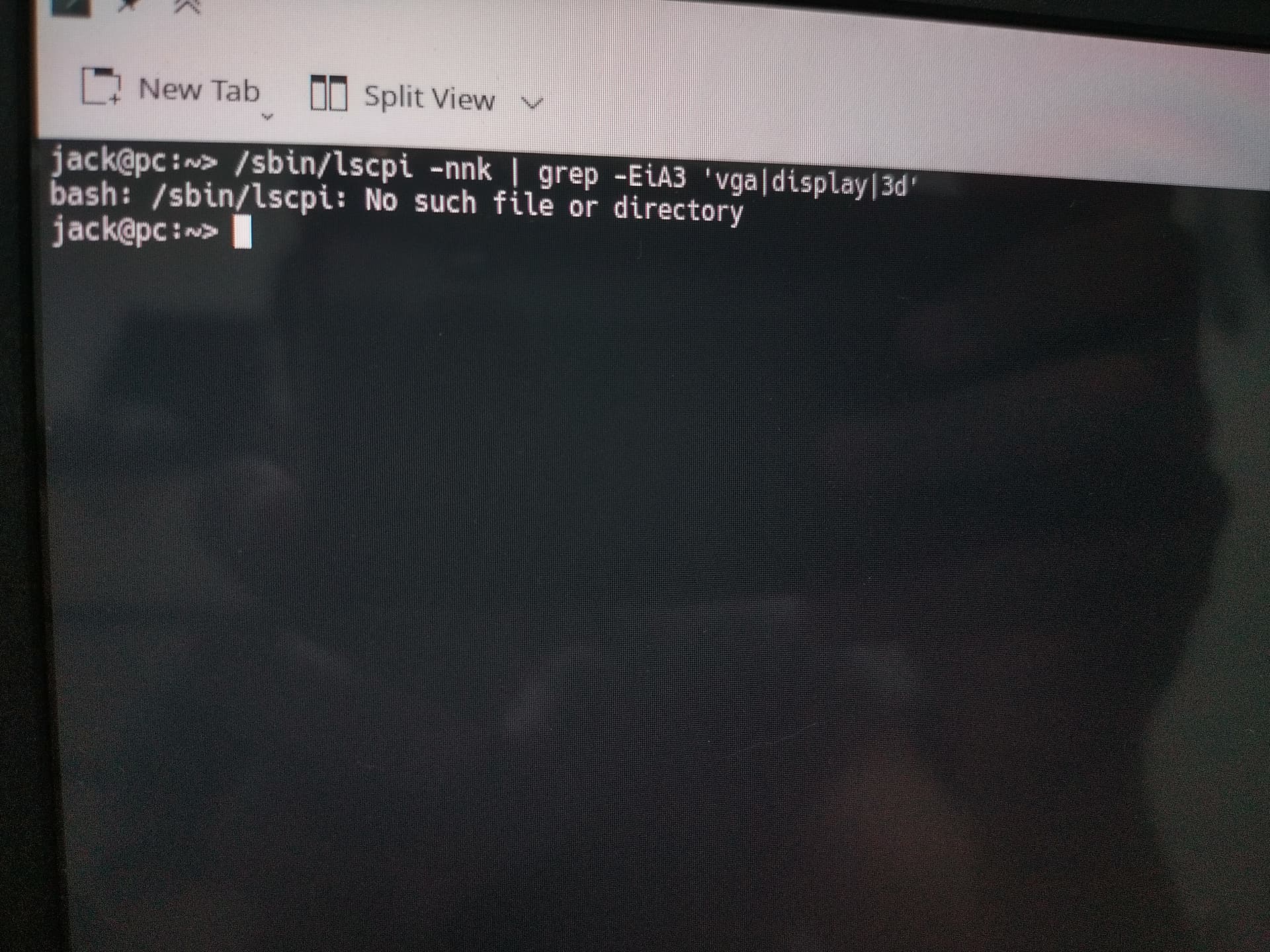
You have a typo. Simply copy Sauerlands command…
I think @Sauerland is wants to know what hardware you are using. From my laptop that has both intel and nvidia graphics (optimus)
ox@nanus$ lspci -nnk | grep -EiA3 'vga|display|3d'
00:02.0 VGA compatible controller [0300]: Intel Corporation HD Graphics 530 [8086:191b] (rev 06)
	Subsystem: ASUSTeK Computer Inc. Device [1043:1130]
	Kernel driver in use: i915
	Kernel modules: i915
--
01:00.0 3D controller [0302]: NVIDIA Corporation GM107M [GeForce GTX 950M] [10de:139a] (rev a2)
	Subsystem: ASUSTeK Computer Inc. Device [1043:1130]
	Kernel driver in use: nvidia
	Kernel modules: nouveau, nvidia_drm, nvidia
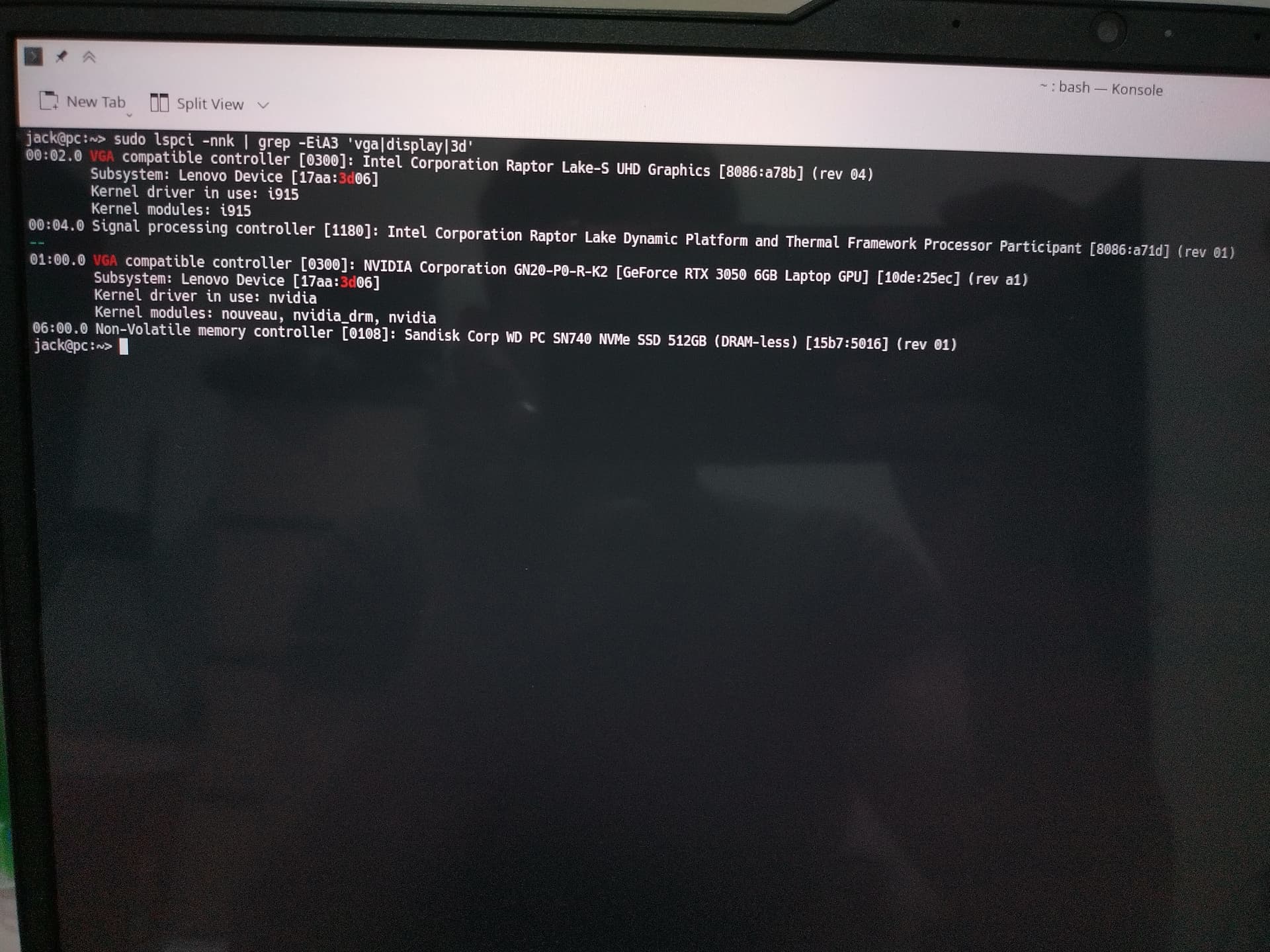
You can right click copy / right click paste to put the command output here … much easier that taking photos 
# lspci -nnk | grep -EiA3 'vga|display|3d'
00:02.0 VGA compatible controller [0300]: Intel Corporation Raptor Lake-S UHD Graphics [8086:a78b] (rev 04)
        Subsystem: Lenovo Device [17aa:3d06]
        Kernel driver in use: i915
        Kernel modules: i915
00:04.0 Signal processing controller [1180]: Intel Corporation Raptor Lake Dynamic Platform and Thermal Framework Processor Participant [8086:a71d] (rev 01)
--
01:00.0 VGA compatible controller [0300]: NVIDIA Corporation GN20-P0-R-K2 [GeForce RTX 3050 6GB Laptop GPU] [10de:25ec] (rev a1)
        Subsystem: Lenovo Device [17aa:3d06]
        Kernel driver in use: nvidia
        Kernel modules: nouveau, nvidia_drm, nvidia
06:00.0 Non-Volatile memory controller [0108]: Sandisk Corp WD PC SN740 NVMe SSD 512GB (DRAM-less) [15b7:5016] (rev 01)
There should be someplace in KDE settings that will tell you whether you are running KDE on X11 or wayland. It should also tell you which gpu is being used to render graphics. I don’t use KDE, so I can’t give specific instructions.
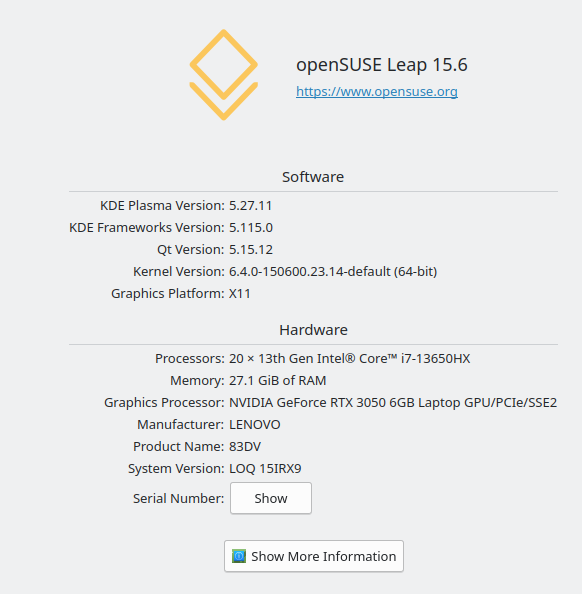
What is the output of nvidia-smi?
# nvidia-smi
Sun Jul 28 21:32:44 2024
+-----------------------------------------------------------------------------------------+
| NVIDIA-SMI 550.100                Driver Version: 550.100        CUDA Version: 12.4     |
|-----------------------------------------+------------------------+----------------------+
| GPU  Name                 Persistence-M | Bus-Id          Disp.A | Volatile Uncorr. ECC |
| Fan  Temp   Perf          Pwr:Usage/Cap |           Memory-Usage | GPU-Util  Compute M. |
|                                         |                        |               MIG M. |
|=========================================+========================+======================|
|   0  NVIDIA GeForce RTX 3050 ...    Off |   00000000:01:00.0 Off |                  N/A |
| N/A   44C    P8              3W /   60W |     623MiB /   6144MiB |      0%      Default |
|                                         |                        |                  N/A |
+-----------------------------------------+------------------------+----------------------+

+-----------------------------------------------------------------------------------------+
| Processes:                                                                              |
|  GPU   GI   CI        PID   Type   Process name                              GPU Memory |
|        ID   ID                                                               Usage      |
|=========================================================================================|
|    0   N/A  N/A      1941      G   /usr/bin/X                                    189MiB |
|    0   N/A  N/A      2048      G   /usr/bin/kwalletd5                              2MiB |
|    0   N/A  N/A      2149      G   /usr/bin/ksmserver                              2MiB |
|    0   N/A  N/A      2151      G   /usr/bin/kded5                                  2MiB |
|    0   N/A  N/A      2152      G   /usr/bin/kwin_x11                              38MiB |
|    0   N/A  N/A      2188      G   /usr/bin/plasmashell                           27MiB |
|    0   N/A  N/A      2225      G   ...b/polkit-kde-authentication-agent-1          2MiB |
|    0   N/A  N/A      2227      G   /usr/lib/xdg-desktop-portal-kde                 2MiB |
|    0   N/A  N/A      2372      G   /usr/bin/kaccess                                2MiB |
|    0   N/A  N/A      2375      G   /usr/bin/kalendarac                             2MiB |
|    0   N/A  N/A      2431      G   /usr/lib64/firefox/firefox                    263MiB |
|    0   N/A  N/A      2657      G   /usr/lib/mozilla/kmozillahelper                 2MiB |
|    0   N/A  N/A      2727      G   ...bin/plasma-browser-integration-host          2MiB |
|    0   N/A  N/A      3479      G   /usr/bin/konsole                                2MiB |
|    0   N/A  N/A      6430      G   /usr/bin/systemsettings                        29MiB |
|    0   N/A  N/A      6468      G   /usr/bin/spectacle                             10MiB |
+-----------------------------------------------------------------------------------------+
Great!
You don’t have to do anything with prime-run or offload. Your entire environment is using the nvidia gpu.
If you want to make your battery last longer, you can switch to the intel graphics by typing “sudo prime-select intel”. Then you must log out and log back in.
When running the environment on intel, you can run a specific application on the nvidia gpu by using “prime-run APP_NAME”. An easy way to test that it is working correctly is “prime-run glxgears” and then nvidia-smi from another terminal window.
prime-run is not available on my laptop mr. on this website it is explained that I was told to make it myself, but I don’t know because I’m still cloudy and the tutorial is too concise, lacking in details.

This page is describing something a bit more complicated than you need for right now. It is about setting up specific apps to always use the nvidia gpu.
/usr/bin/prime-run is in the package “suse-prime”, which should have automatically installed with the nvidia drivers.
leap diversion 15.6 prime-run not yet available, must be configured / created manually.
Did you read the wiki and which system the TO is using? The TO is using Leap 15.6 and suse-prime for Leap does not contain the prime-run script. It is only available for Tumbleweed as it uses a newer suse-prime version. So for Leap you need to create the prime-run script yourself with the content mentioned in the SDB.
can you help me with a detailed and easy to understand tutorial? I’m still a layman, and I’m confused about following what’s in SDB
Create a file in your user directory (it is in your $PATH):
echo > /home/<yourusernamehere>/.local/bin/prime-run
Make it executable (for all users):
chmod 755 /home/<yourusernamehere>/.local/bin/prime-run
Open the file with a text editor like Kate and paste the lines mentioned in the SDB into the file. Save.
#!/bin/bash
__NV_PRIME_RENDER_OFFLOAD=1 __VK_LAYER_NV_optimus=NVIDIA_only __GLX_VENDOR_LIBRARY_NAME=nvidia "$@"
Now you can offload single applications by starting the app with the prime-run script ala prime-run steam
Thank you to all of you