do not use dup with --from both the oss and packman repo as that will not replace crippeled multimedia, I told you to do a dup with the update repo to make sure you had no LEAP packages, after that do not use dup with the OSS or the Update repo’s
try this
sudo zypper up
sudo zypper dup --from 1
that’s more or less what I do to get multimedia working and I have no issues with imdb.
edit
I am on LEAP but I was on 13.2 and had no issues, actually I did a live upgrade from 13.2.
edit #2
a few months a year ago I changed this prefference media.fragmented-mp4.exposed true
maybe that’s it, so in Firefox’s addres bar type
about:config
find the prefference
media.fragmented-mp4.exposed (there is a filter bar) set it to true, restart Firefox
if it’s not there you can create it
in the about:config window right click anywhere and select
New->Boolean
when Firefox asks for a name give media.fragmented-mp4.exposed and for a value select true
also check if media.mp4.enabled is set to true
I’m rally not sure why imdb does not work for you, I haven’t had any issues
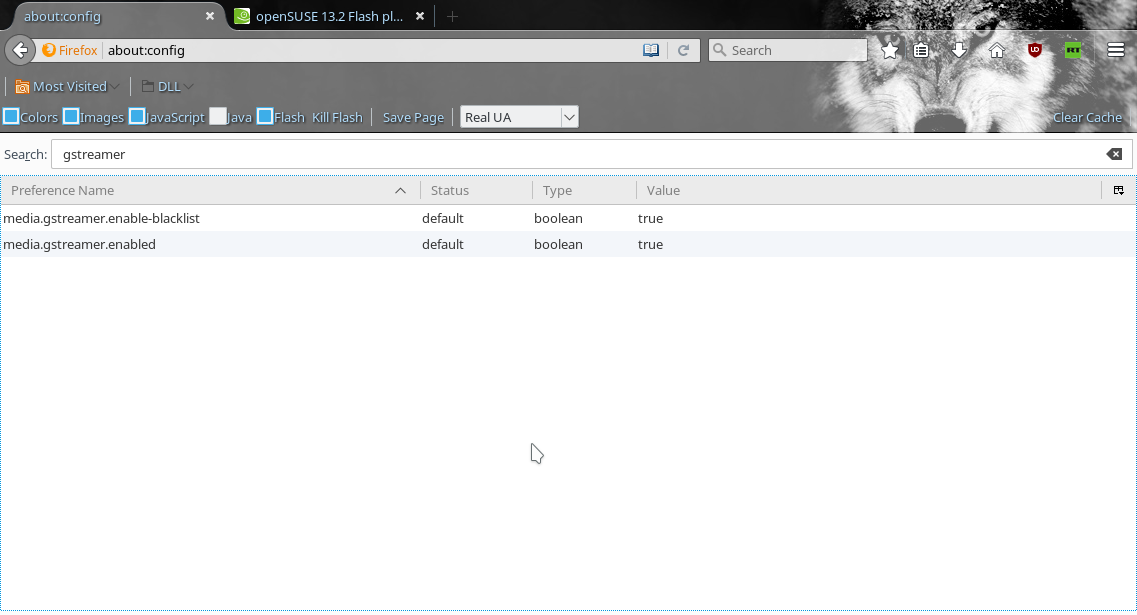
the only other thing I can think of is that mozilla disabled gstreamer a few versions ago, so try enabling it
go to
about:config
search and set this preference
media.gstreamer.enabled true
after you install the addon go to a youtube page a new download button will appear http://i.imgur.com/tpzzfqt.png
download the video and play it in vlc or kaffeine or totem
if the video plays in vlc it’s a firefox issue, if it does not your system is not setup properly and we should go thru your repo’s and packages again
ps
what graphic card do you have and what video driver are you using, as intel’s build-in cards are a bit buggy with firefox and chromium