@JabaTheFrog So it’s still using the Intel GPU with modesetting as that’s the only card connected to the display (eDP-1-1). Also notice the ERR in the nvidia-smi output.
Do you have switcherooctl service installed/enabled/started? If so start the service and run the command switcherooctl list
This is likely causing issues in the kernel options rd.driver.blacklist=nouveau nvidia-drm.modeset=1 Normally for Intel/Nvidia it’s fbdev=1 nosimplefb=1 any other options can be set in a /etc/modprobe.d/50-nvidia.conf
Then if you switch to Wayland and post the output from the commands again.
@JabaTheFrog So as you can see, Intel is still the default GPU…
Installation of the nvidia driver should blacklist nouveau, so check with (as root user) modprobe -c | grep "blacklist nouveau"
That xorg 90-nvidia.conf is also likely an issue, and my experience with the recent versions of Tumbleweed is not needed… Can you check if suse-prime is installed via zypper se -i suse-prime bbsitch it should return no output if not installed.
@JabaTheFrog, care to clean up the system and get back to a know base to work from? My expectation with a few changes that we will see the same outputs in both Xorg and Wayland, your system will use the Intel GPU to drive the display and the Nvidia card should offload the same as it currently is in Xorg…
My system is fairly clean and recently installed. The only thing I have installed are the NVIDIA drivers and the powerprofilesctl. Do you suggest removing these?
I don’t really understand the problem. I also have the optimus system with intel and nvidia graphics card. I use suse-prime under Wayland for the switch. That works without any problems!
@JabaTheFrog Ok, so my suggestion(s) is as follows;
Remove suse-prime and plasma5-applet-suse-prime and lock;
zypper rm suse-prime plasma5-applet-suse-prime
zypper al suse-prime plasma5-applet-suse-prime
Check the /etc/X11/xorg.conf.d/90-nvidia.conf file is gone. If not manually remove with rm /etc/X11/xorg.conf.d/90-nvidia.conf
Fire up YaST Bootloader and select the Kernel Parameter tab and under Optional Kernel Command Line parameter, remove the rd.driver.blacklist=nouveau nvidia-drm.modeset=1 and add fbdev=1 nosimplefb=1
Optional/Recommended for power management of the Nvidia GPU, since it looks like it’s stuck on P0 (Max performance)? So create a file called /etc/modprobe.d/50-nvidia.conf and in that file add;
Once that is all done, run the command dracut -f --regenerate-all to ensure the options are added to initrd.
Reboot.
Log into the Xorg Session and check with switcherooctl list and inxi -Gxxz, log into a Wayland session and run the commands again and they should be the same?
If you get a black screen at boot or can’t login, then press Ctrl+Alt+F1 to get to a tty, login as root and run systemctl reboot, then at Grub, press the e key to edit, arrow down to the line starting linux (you will see the kernel options we added), press the end key and add nomodeset and press F10 to boot. Then can sort out the issue if there is one.
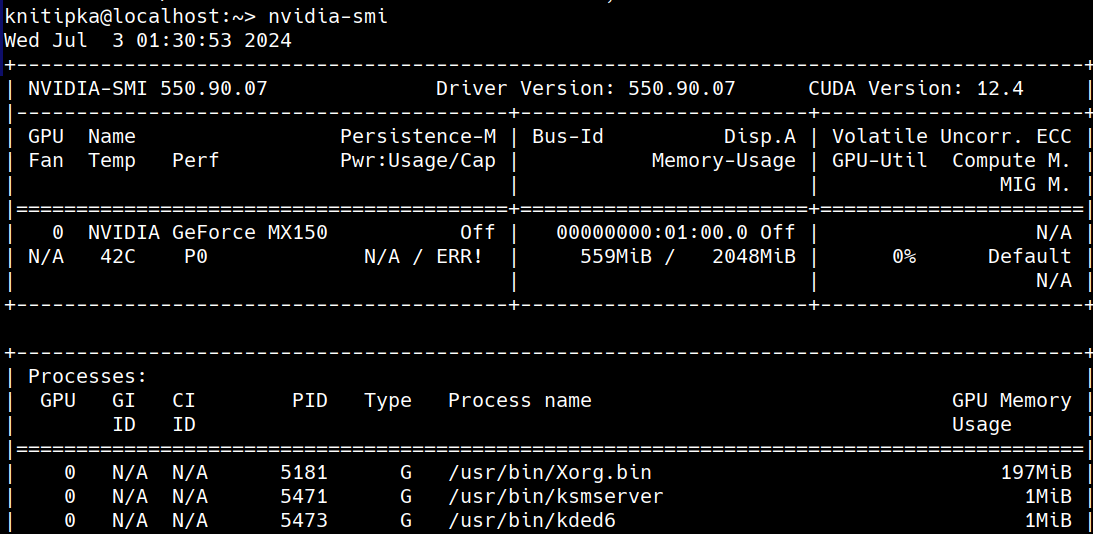

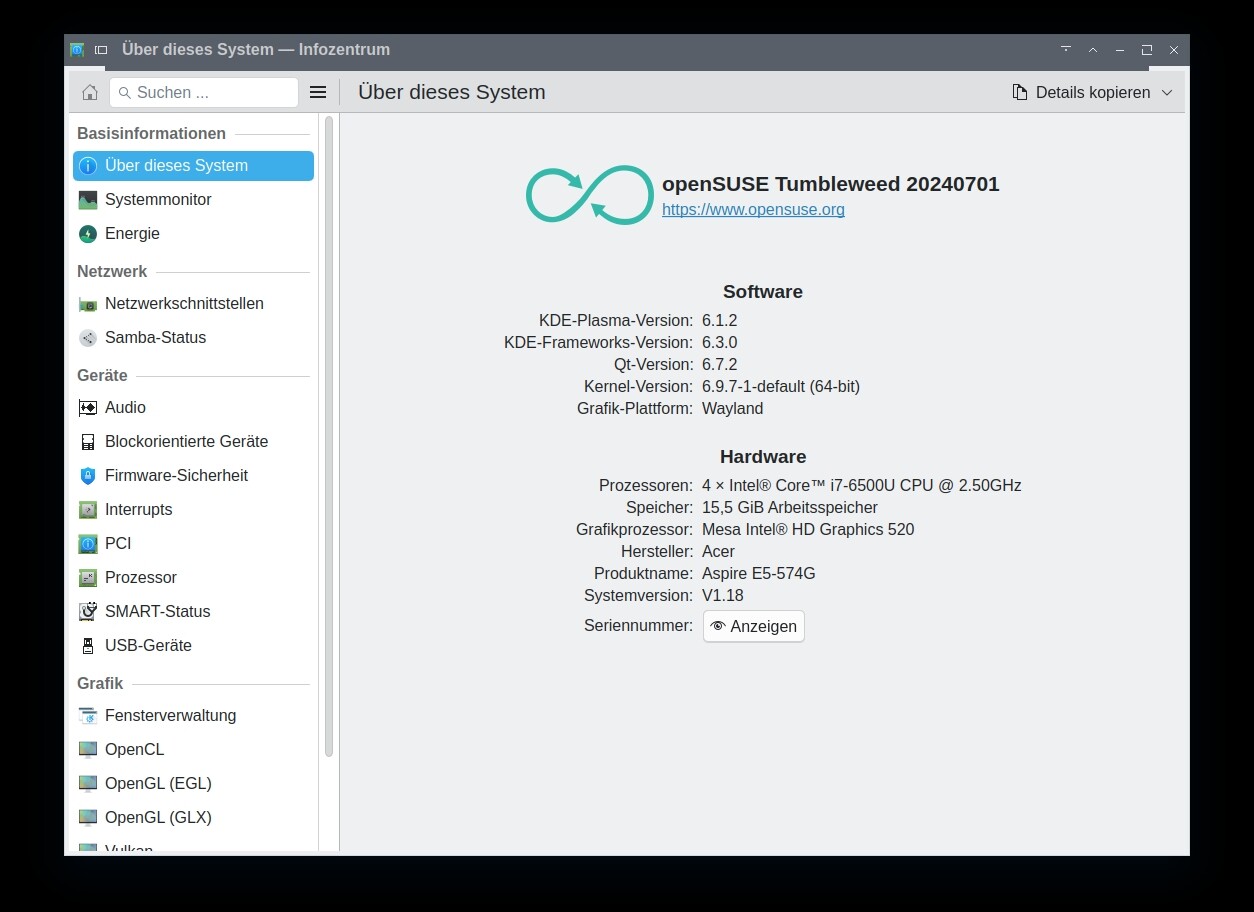

 ?
?