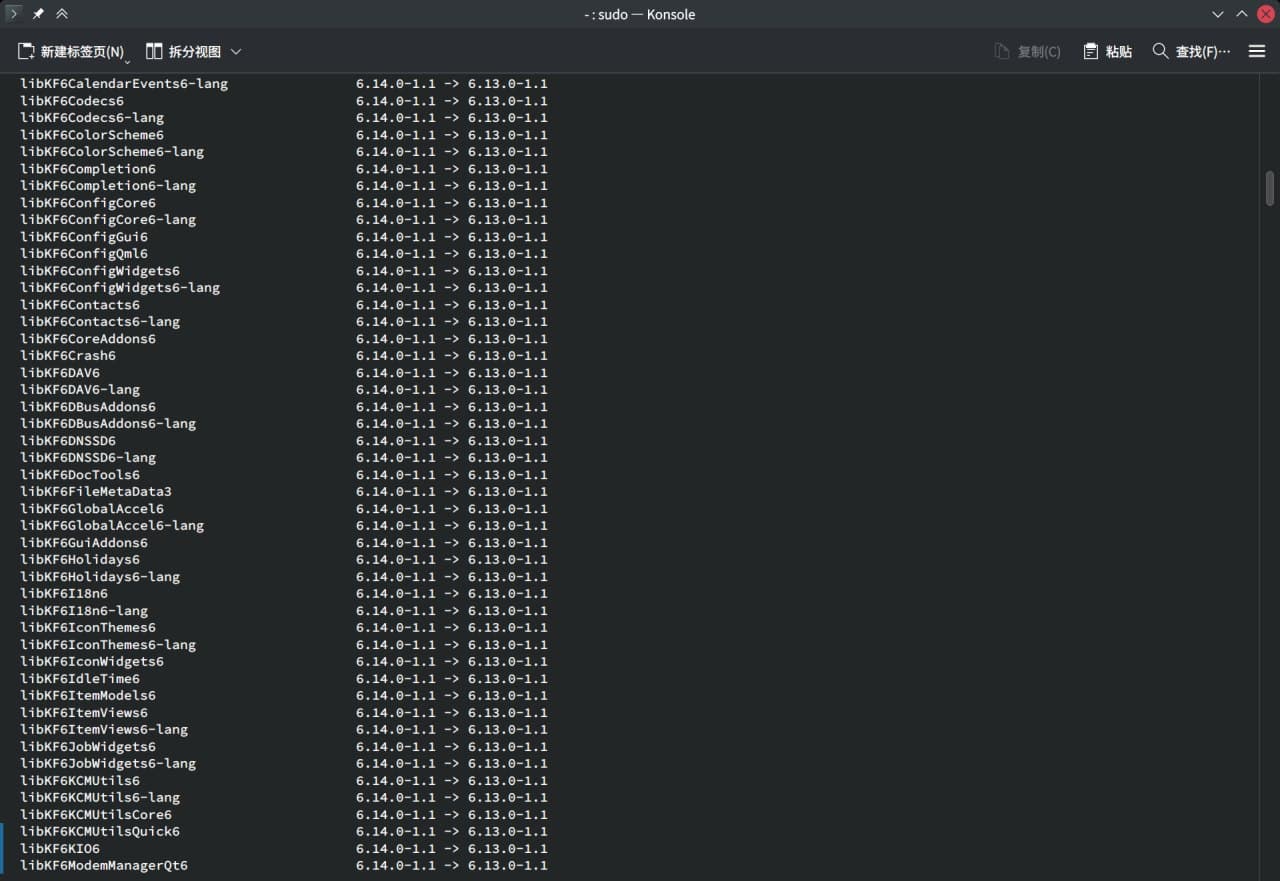
Thanks for mentioning the mirror sync issues as I had an error this morning trying to update which said one of the libstdc++ files was not available in the repo, but when I went to the repo site to check, it was there.
So I terminated the update and will try again, maybe tomorrow.
# zypper ref
Repository 'Main Update Repository' is up to date.
Repository 'Main Repository (NON-OSS)' is up to date.
Repository 'Main Repository (OSS)' is up to date.
Repository 'google-chrome-canary' is up to date.
Repository 'packman-essentials' is up to date.
Repository 'Open H.264 Codec (openSUSE Tumbleweed)' is up to date.
All repositories have been refreshed.
# zypper dup
Loading repository data...
Reading installed packages...
Warning: You are about to do a distribution upgrade with all enabled repositories. Make sure these repositories are compatible before you continue. See 'man zypper' for more information about this command.
Computing distribution upgrade...
Nothing to do.
One last thing i noticed. Sometimes the zypper ref appears like this
zypper ref
Repository 'Main Update Repository' is up to date.
Repository 'Main Repository (NON-OSS)' is up to date.
Looking for gpg keys in repository Main Repository (OSS).
  gpgkey=http://download.opensuse.org/tumbleweed/repo/oss/repodata/repomd.xml.key
Retrieving repository 'Main Repository (OSS)' metadata ..................................................................................................................................................................................................................[done]
Building repository 'Main Repository (OSS)' cache .......................................................................................................................................................................................................................[done]
Repository 'google-chrome-canary' is up to date.
Repository 'packman-essentials' is up to date.
Repository 'Open H.264 Codec (openSUSE Tumbleweed)' is up to date.
All repositories have been refreshed.
I’m having the exact same issue, not being able to fix. it’s even asking me to downgrade my telegram, vlc and stuff. Not doing zypper dup until it gets fixed, to be safe
LT-B:~ # zypper se -si openSUSE-repos
Loading repository data...
Reading installed packages...

S  | Name                             | Type    | Version              | Arch   | Repository
---+----------------------------------+---------+----------------------+--------+-----------
i+ | openSUSE-repos-Tumbleweed        | package | 20250526.4556805-1.1 | x86_64 | repo-oss
LT-B:~ #
which should bring in the cdn. version of all official repos and try again.
Or post zypper lr -dif you still face the problem, instead of long lists of packages.
@pawanyadav
Please, to make the pieces of computer code in your posts better consumable by technical oriented people:
And post as complete as possible. That is starting with the line with the prompt and the command, then all output, and ending with the new prompt line.
When you really feel you need to change anything in such a copy, then in a comment, else we take all characters literally.
I’m still having this same problem as well. I’m in Canada (BC) and if I use baseurl=https://download.opensuse.org/tumbleweed/repo/oss/ in download.opensuse.org-oss.repo followed by sudo zypper dup I get prompted to downgrade 2000+ packages — which I assumed was normal so I allowed it to continue yesterday and ended up with a very broken system.
If I switch the baseurl to a specific mirror endpoint like https://mirrors.ocf.berkeley.edu/opensuse/tumbleweed/repo/oss/ then zypper dup only wanted to upgrade ~10 packages (after updating rebooting / normal use was fine).
Appending ?mirrorlist baseurl I see that the first mirror in the JSON list is Xenyth Cloud Public Mirror which is very out of date. If zypper was using this out-of-date-mirror that could explain why it wanted to downgrade so many packages. But does zypper not know that a mirror is out of date and move onto a different one?
I noticed after doing sudo zypper dup, some strange downgrade happened for me, then I cannot upgrade: openSUSE Tumbleweed 20250125-0 → 20250531-0
In the middle of installing 3000 packages, OpenSSL 3.x library gets broken where install scripts are reporting OPENSSL 3.4 library is missing. What is going on here, like that is one of the most important libraries you cannot simply break in some upgrade process.
(253/612) Installing: pam-config-2.11+git.20240911-1.2.x86_64 ............................................................................................................................[done]
error: libselinux: type 0: Regex version mismatch, expected: 10.44 2024-06-07 actual: 10.45 2025-02-05
error: libselinux: type 0: Regex version mismatch, expected: 10.44 2024-06-07 actual: 10.45 2025-02-05
(254/612) Installing: update-bootloader-1.23-1.1.x86_64 ..................................................................................................................................[done]
error: libselinux: type 0: Regex version mismatch, expected: 10.44 2024-06-07 actual: 10.45 2025-02-05
error: libselinux: type 0: Regex version mismatch, expected: 10.44 2024-06-07 actual: 10.45 2025-02-05
/usr/bin/systemd-sysusers --replace=/usr/lib/sysusers.d/system-user-nobody.conf -
/usr/bin/systemd-sysusers: /lib64/glibc-hwcaps/x86-64-v3/libcrypto.so.3.2.3: version `OPENSSL_3.4.0' not found (required by /usr/lib64/systemd/libsystemd-shared-257.5-3.1.so)
/usr/bin/systemd-sysusers -
/usr/bin/systemd-sysusers: /lib64/glibc-hwcaps/x86-64-v3/libcrypto.so.3.2.3: version `OPENSSL_3.4.0' not found (required by /usr/lib64/systemd/libsystemd-shared-257.5-3.1.so)
error: %prein(system-user-nobody-20170617-26.1.noarch) scriptlet failed, exit status 1
error: system-user-nobody-20170617-26.1.noarch: install failed
error: system-user-nobody-20170617-27.1.noarch: erase skipped
(255/612) Installing: system-user-nobody-20170617-26.1.noarch ...........................................................................................................................[error]
Installation of system-user-nobody-20170617-26.1.noarch failed:
Error: Subprocess failed. Error: RPM failed: Command exited with status 1.
Abort, retry, ignore? [a/r/i] (a): a
Warning: %posttrans and %transfiletrigger scripts are not executed when aborting!

Problem occurred during or after installation or removal of packages:
Installation has been aborted as directed.
Please see the above error message for a hint.
This happen to me as well.
I ran zypper dup and got the 2025-05-31 update.
Then a bit latter sometimes I run zypper dup again as a check to see nothing to do
But I think zypper itself was updated and a new way I guess to point to mirrors and I see the 3000 package downgrade.
Right should of accepted and aborted, but I did not .
Everything downgraded reboot all was OK, so a zypper dup again
3000 package upgraded and 'm back to the 2025-05-31 update.
So you end up in this endless loop of upgrading including the zypper, the new zypper points to something which now says downgrade. then you downgrage include the zypper which then point back to the old mirrors I guess to upgrade.
So it seems the zypper package itself was updated and a new way of pointing mirrors is happening but all the mirrors are not completely in sync.
@bperris Hi and welcome to the Forum
Your pushing your luck with such a delay between snapshots 70+? Plus hitting a repos desync issue probably doesn’t help…
I would suggest downloading the iso image dd that onto a USB device and add as a local repository and upgrade from that if still having issues.